
Unlocking Advanced Document Processing: A Definitive Guide to Migrating Your Complex IQ Bot Instances
Seamlessly transition your highly variable document workflows from IQ Bot to the enhanced capabilities of Document Automation.
Migrating intricate IQ Bot learning instances, especially those trained on documents with significant variability in layout and content, to Document Automation is a critical step for organizations leveraging Automation Anywhere's intelligent automation platform. This transition allows you to harness more advanced AI, improved Natural Language Processing (NLP), and a more robust framework for handling diverse document types. This guide provides a comprehensive, step-by-step approach to ensure a smooth and effective migration.
Key Migration Highlights
- Strategic Planning is Crucial: Successful migration hinges on thorough assessment of existing IQ Bot instances, understanding version prerequisites, and meticulous planning, especially for highly variable documents.
- Leverage Dedicated Tooling: Automation Anywhere provides the IQ Bot Migration Utility and the IQBot - Document Automation Bridge package to facilitate the export and import of learning instances, preserving valuable training data.
- Validation and Refinement are Non-Negotiable: Post-migration, rigorous testing, validation, and potential retraining within Document Automation are essential to maintain and enhance extraction accuracy for complex document structures.
Phase 1: Comprehensive Assessment and Preparation
Before initiating the migration, a thorough assessment of your current IQ Bot environment and meticulous preparation are paramount. This phase lays the groundwork for a successful transition, particularly when dealing with learning instances trained on highly variable documents.
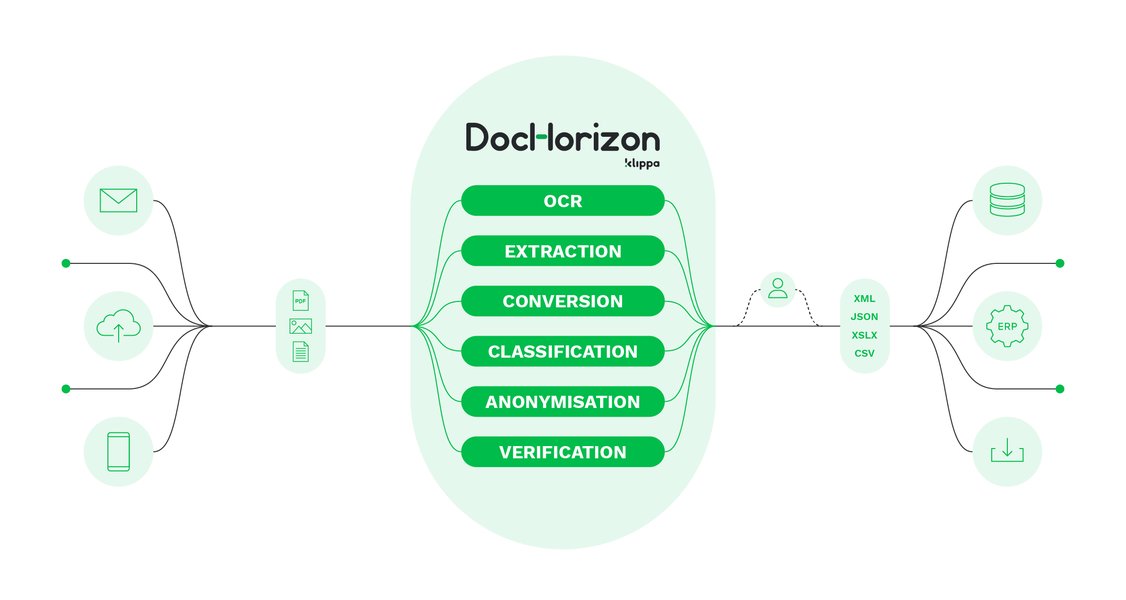
Conceptualizing the document processing pipeline is key in the assessment phase.
Step 1.1: Inventory and Analyze Existing Learning Instances
Identify Complex Instances
Begin by creating a detailed inventory of all IQ Bot learning instances. Pay special attention to those designed to process documents with high variability (e.g., invoices from numerous vendors, diverse contract formats, or forms with shifting layouts). Document the specific types of variability each instance handles.
Check IQ Bot Version Compatibility
Your current IQ Bot version dictates the migration path:
- IQ Bot 11.3.4 or later: Direct migration to Document Automation is generally possible.
- IQ Bot 6.5.x: You will need to upgrade to version 11.3.4 before migrating to Document Automation.
- IQ Bot 5.3.x or earlier: A two-step upgrade is required: first to version 6.5.x, then to 11.3.4, before proceeding with the migration.
Ensure your Automation 360 environment is up-to-date and compatible.
Step 1.2: Understand Document Automation Capabilities
Familiarize yourself with Document Automation's features, particularly its enhanced AI, machine learning models, and NLP capabilities. Understand how these improvements can better handle the document variability that might have been challenging for older IQ Bot versions. This insight will inform your validation and retraining strategy post-migration.
Step 1.3: Environment Setup and Backup
Prepare the Document Automation Environment
Ensure your Document Automation environment in Automation 360 is correctly configured. This includes setting up necessary custom roles, users, and ensuring the Bot Creator license is enabled for accessing the "IQBot - Document Automation Bridge package."
Backup Critical Data
Before any migration activities, perform a comprehensive backup of all your IQ Bot learning instances, associated training documents, and any related bot configurations. This is a crucial safeguard against data loss.
Phase 2: Exporting Learning Instances from IQ Bot
Once preparation is complete, the next step is to export your learning instances from the existing IQ Bot environment. Automation Anywhere provides specific tools for this purpose.
Step 2.1: Utilize the Automation 360 IQ Bot Migration Utility
The primary tool for this phase is the Automation 360 IQ Bot Migration Utility. This utility is designed to export learning instances along with their trained models, metadata, and often the training history critical for handling document variability.
Accessing and Using the Utility
- Log in to your Automation 360 Control Room with administrator privileges.
- Navigate to the IQ Bot section, typically under an "Administrator" or "Migration" path, to access the Migration Utility.
- Select the specific learning instances or folders containing instances (especially those for highly variable documents) that you identified in the assessment phase for export.
- Configure any export settings as prompted by the utility. Ensure options that preserve the maximum amount of training intelligence are selected.
- Initiate the export process. The utility will generate package files (e.g., .MIG) containing the learning instance data.
Verify Exported Files
After the export is complete, verify the integrity of the generated files. Ensure they are of a reasonable size and that the process completed without errors, particularly for large or complex instances. This package contains the intelligence you've built into IQ Bot, so its completeness is vital.
Phase 3: Importing Learning Instances into Document Automation
With the exported learning instance packages, you can now import them into your Document Automation environment within Automation 360.
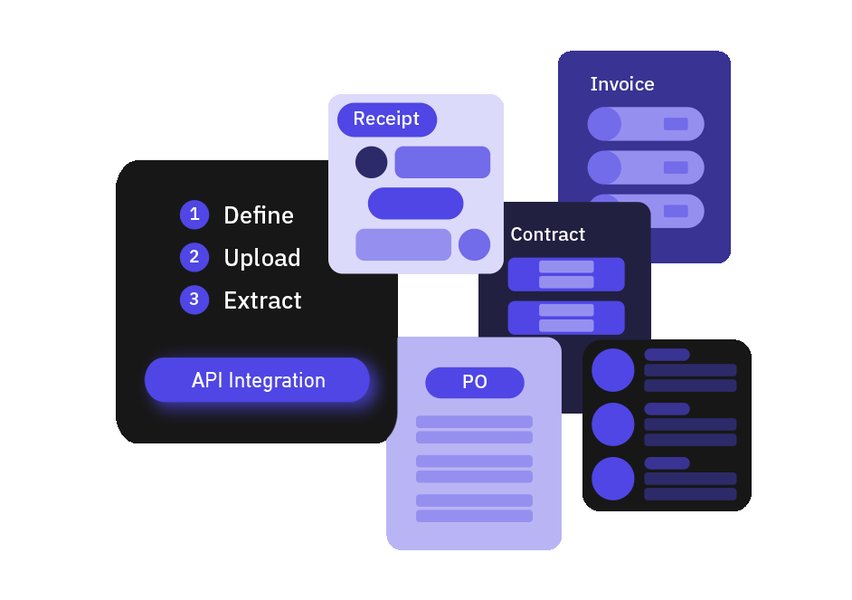
Document Automation leverages advanced AI for superior data extraction from variable documents.
Step 3.1: Use the IQBot - Document Automation Bridge Package
The import process is facilitated by the IQBot - Document Automation Bridge package available in the Actions palette within the Bot Creator.
Import Process
- Open the Bot Creator in Automation 360.
- In the Actions palette, locate and expand the "IQBot - Document Automation Bridge" package.
- Drag or double-click the "Import Learning Instance" action into your bot canvas.
- In the action's properties, provide the file path to the exported learning instance package (.MIG file) you created in Phase 2.
- Configure any additional parameters, such as specifying target folders within Document Automation or mapping variables. This step is crucial for ensuring fields from variable documents are correctly understood by the new system.
- Optionally, you can save the response of the import operation to a record variable to track the upload status and any messages.
- Execute the bot containing this action to perform the import.
Handling Conflicts
During import, the system might flag potential conflicts, especially if there are differences in how Document Automation interprets the structure or fields from highly variable documents. Review and resolve these as prompted to ensure accurate data mapping.
Migration Process Overview Mindmap
This mindmap visualizes the key phases and sub-tasks involved in migrating your IQ Bot learning instances, particularly those handling highly variable documents, to the more advanced Document Automation platform. It provides a clear roadmap from initial assessment through to post-migration optimization, highlighting the structured approach required for a successful transition.
Comparative Focus: Migrating Highly Variable Documents
Migrating learning instances trained on highly variable documents presents unique challenges and requires careful consideration of several factors. The radar chart below illustrates key areas of focus, comparing the inherent challenges one might face with legacy systems versus the capabilities and considerations when moving to Document Automation. The scores are illustrative, with higher values indicating greater capability or importance/effort depending on the context (e.g., higher 'Variability Handling' for Document Automation is positive; higher 'Retraining Effort' implies more work).
This chart underscores that while Document Automation offers superior variability handling and tooling support, attention to data integrity, potential retraining effort, and workflow adaptation remains critical for a successful migration of complex, variable document processing.
Phase 4: Validation, Retraining, and Rigorous Testing
This is arguably the most critical phase when dealing with highly variable documents. The intelligence transferred from IQ Bot must be validated, and potentially enhanced, within the Document Automation environment.
Step 4.1: Validate Extraction Accuracy
Once imported, thoroughly test each learning instance. Use a diverse set of sample documents, representative of the variability the instance is designed to handle. Process these documents using the migrated learning instance in Document Automation (e.g., using the "IQ Bot Process documents action" or equivalent Document Automation actions).
Compare the extraction results (fields, accuracy, confidence scores) against:
- The original IQ Bot's performance on the same documents.
- The ground truth data for these documents.
Step 4.2: Retrain and Fine-Tune Models
Due to differences in AI models and processing logic between IQ Bot and Document Automation, some degradation in performance for highly variable documents might initially occur. Document Automation provides advanced tools for retraining and fine-tuning:
- Add Diverse Training Data: If gaps are identified, supplement the training set within Document Automation with more examples of problematic variations.
- Adjust Field Configurations: Review and adjust field definitions, extraction rules, and validation logic within Document Automation to optimize performance.
- Leverage New AI Features: Utilize Document Automation’s enhanced AI capabilities, such as improved table extraction, checkbox detection, or signature detection, which may offer better solutions for previously challenging elements.
Retraining might be an iterative process. The goal is to achieve or exceed the extraction accuracy of the original IQ Bot instance.
Step 4.3: End-to-End Business Process Testing
After validating individual learning instances, integrate them into the full business process automation workflows. Test the end-to-end process using batches of varied documents to simulate real-world production scenarios. Monitor for:
- Overall process throughput and cycle times.
- Error rates and exception handling.
- Correct routing and downstream system updates based on extracted data.
Phase 5: Deployment, Monitoring, and Optimization
Following successful validation and testing, the migrated learning instances and updated workflows can be deployed to production.
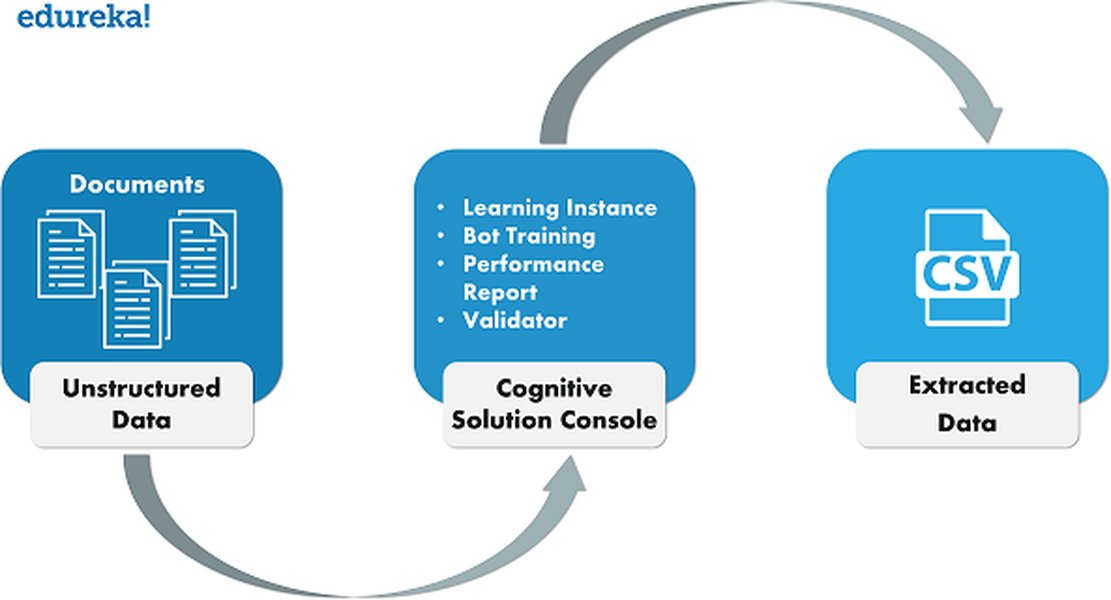
Updating and testing the complete automation workflow is crucial post-migration.
Step 5.1: Update Associated Bots and Workflows
Modify any existing bots or automation scripts that previously invoked IQ Bot learning instances. They now need to call the corresponding Document Automation processes or learning instances. This may involve updating action packages, input/output parameters, and error handling logic, as API actions or data formats might differ.
Step 5.2: Publish and Deploy Assets
Publish the validated learning instances and updated bot workflows within the Automation 360 Control Room. Deploy these assets to the appropriate Bot Runners for production use.
Step 5.3: Monitor Performance and Continuously Improve
Post-deployment, continuously monitor the performance of the migrated learning instances in the production environment. Document Automation typically provides analytics dashboards to track key metrics such as:
- Straight-Through Processing (STP) rates.
- Extraction accuracy per field/document type.
- Manual validation effort required.
Step 5.4: Decommission Legacy IQ Bot Instances
Once you are confident that the Document Automation solution is stable, performing reliably, and meeting business requirements, you can plan the decommissioning of the old IQ Bot learning instances and any associated legacy infrastructure. This helps avoid confusion and streamlines your automation environment.
Key Migration Phase Summary
The table below summarizes the main phases, key activities, tools involved, and specific considerations for migrating complex IQ Bot learning instances that handle highly variable documents to Document Automation.
| Migration Phase | Key Activities | Tools/Features Used | Considerations for Variable Documents |
|---|---|---|---|
| Assessment & Preparation | IQ Bot version checks, learning instance inventory, data backups, Document Automation environment setup, license verification. | IQ Bot Interface, Automation 360 Control Room (Admin), System Admin Tools. | Thorough analysis of document variability patterns; ensure diverse training samples are identified and accessible; plan upgrade path if needed. |
| Export from IQ Bot | Exporting selected learning instances. | Automation 360 IQ Bot Migration Utility. | Ensure the utility captures all relevant training data, models, and configurations pertinent to handling varied document formats and structures. |
| Import to Document Automation | Importing learning instance packages into Document Automation. | IQBot - Document Automation Bridge package (specifically, the "Import Learning Instance" action) in Bot Creator. | Careful mapping of fields during import; configuring import settings to best accommodate document variations; potential need to adjust for new extraction logic in Document Automation. |
| Validation & Refinement | Testing with diverse and variable documents, model performance validation, retraining or fine-tuning models. | Document Automation Workspace (validator, training interface), Analytics tools. | Extensive testing on all significant document variations is critical; be prepared for potentially significant retraining effort to optimize for Document Automation's AI. |
| Deployment & Optimization | Updating calling bots/workflows, publishing assets, end-to-end process testing in production, ongoing performance monitoring, decommissioning legacy instances. | Automation 360 Control Room, Document Automation Analytics, Bot Creator. | Ensuring robust and accurate performance across all document types in a live environment; establishing a continuous feedback loop for ongoing improvement and model adaptation. |
Visual Guide: Bot Migration Overview
While the specifics of IQ Bot to Document Automation migration involve dedicated utilities, understanding the general principles of bot migration within the Automation Anywhere ecosystem can be beneficial. The following video provides insights into migrating bots to Automation 360, offering context on the platform's evolution.
This video discusses using the Bot Migration Wizard for migrating bots to Automation 360, providing a general understanding of migration processes within the platform.
Remember, for IQ Bot learning instances, the specific tools are the IQ Bot Migration Utility and the IQBot - Document Automation Bridge package actions, as detailed in this guide.
Frequently Asked Questions (FAQ)
What are the IQ Bot version prerequisites for migration to Document Automation?
The migration path depends on your current IQ Bot version. If you are on IQ Bot version 11.3.4 or later, you can typically migrate directly. For older versions like 6.5.x, an upgrade to 11.3.4 is required first. If you're on even earlier versions (e.g., 5.3.x), you'll need to upgrade sequentially (e.g., to 6.5.x, then to 11.3.4) before migrating to Document Automation.
How does Document Automation improve handling of highly variable documents compared to legacy IQ Bot?
Document Automation in Automation 360 generally incorporates more advanced AI/ML models, enhanced Natural Language Processing (NLP), and more flexible field detection capabilities. This allows for better adaptation to variations in document layouts, formats, and unstructured content. It often provides more sophisticated tools for training, validation, and managing exceptions, leading to improved accuracy and higher straight-through processing rates for complex, variable documents.
Is extensive retraining of learning instances always required after migrating to Document Automation?
Not always "extensive," but some level of validation and potentially fine-tuning or retraining is highly recommended, especially for instances dealing with highly variable documents. While the migration utilities aim to preserve as much intelligence as possible, the underlying AI models and algorithms in Document Automation differ from older IQ Bot versions. Thorough testing will reveal if accuracy meets expectations. If not, retraining with representative document samples within the Document Automation environment will be necessary to optimize performance and leverage its advanced capabilities.
What are some common pitfalls to avoid when migrating complex learning instances with variable documents?
Common pitfalls include:
- Insufficient Preparation: Not thoroughly inventorying instances, understanding variability, or checking version prerequisites.
- Skipping Backups: Failing to back up existing IQ Bot instances and data before migration.
- Inadequate Testing: Not testing with a sufficiently diverse set of variable documents post-migration, leading to missed inaccuracies.
- Underestimating Retraining Effort: Assuming migrated instances will work perfectly without any fine-tuning in Document Automation.
- Neglecting Workflow Updates: Forgetting to update downstream bots and processes to correctly integrate with the new Document Automation instances.
- Lack of User Involvement: Not involving business users in the validation process, who can provide crucial feedback on data accuracy and usability.
Recommended Next Steps
To deepen your understanding or address related challenges, consider exploring these topics:
- What are the best practices for training models in Document Automation when dealing with highly diverse invoice formats?
- How can I optimize the performance of Document Automation when processing large batches of mixed document types?
- How do the AI capabilities of Automation Anywhere's Document Automation compare against other leading Intelligent Document Processing solutions?
- What are effective strategies for managing and versioning learning instances within Document Automation to support continuous improvement and model updates?
References
 docs.aws.amazon.com
docs.aws.amazon.com
docs.aws.amazon.com
 aa2019packagesdkfordocumentation.s3.us-west-2.amazonaws.com
Last updated May 12, 2025