
Unlocking Document Automation: A Comprehensive Guide to Migrating Complex IQ Bot Learning Instances
Seamlessly transition your intelligent document processing, even with highly variable documents, from IQ Bot to the advanced capabilities of Document Automation.
Key Migration Insights
- Leverage Specialized Tools: The IQ Bot Migration Utility is central to exporting learning instances, while tools like the "IQ Bot to Document Automation Bridge Package" (if available) can significantly streamline the import process.
- Tackle Document Variability Strategically: Migrating instances with highly diverse documents necessitates meticulous planning, leveraging Document Automation's advanced AI/ML capabilities, and often involves retraining or reconfiguring models.
- Prioritize Rigorous Testing: Thorough testing, validation, and iterative refinement post-migration are crucial to ensure data accuracy, optimal performance, and successful adoption within the Document Automation environment.
Phase 1: Pre-Migration Planning & Comprehensive Assessment
Before initiating any migration, a thorough assessment and planning phase is paramount. This foundational stage sets the groundwork for a smooth transition, especially when dealing with complex learning instances and highly variable document types.
Inventory and Complexity Evaluation
Understanding Your Current Landscape
Begin by creating a detailed inventory of all IQ Bot learning instances slated for migration. For each instance, evaluate its complexity by considering:
- Document Types: Invoices, purchase orders, claims, custom forms, etc.
- Data Extraction Fields: Number and type of fields, including tables and line items.
- Classification Logic: Rules and methods used for document sorting.
- Document Variability: Degree of variation in layouts, formats, and content structure. Instances handling highly unstructured or semi-structured documents require special attention.
- Existing Training: The extent and quality of training already performed within IQ Bot.
Identifying Dependencies
Locate any RPA bots or downstream processes that currently utilize the IQ Bot Extraction package. This can typically be done by searching within your Automation Anywhere Control Room. Understanding these dependencies is crucial for planning bot reconstruction or updates post-migration.
Backup and Safeguarding
Prior to any migration activities, it's critical to create secure backups of your existing IQ Bot learning instances. Use the IQ Bot Migration Utility to export current configurations and training models. This ensures you have a fallback position and protects against data loss.
Phase 2: Setting Up the Destination - Document Automation Environment
Preparing the target Document Automation environment is a critical step to ensure it's ready to receive and effectively process the migrated learning instances.
Provisioning and Configuration
- Platform Setup: Ensure your Document Automation platform within Automation 360 is correctly provisioned. This includes verifying sufficient licenses (e.g., Bot Creator/Developer licenses with Document Automation permissions) and resource allocation (CPU, memory, storage) to handle the anticipated workload.
- Role-Based Access Control: Create or configure custom roles with the necessary Document Automation permissions. Assign these roles to users who will be involved in the migration, validation (Validators), and ongoing management of the learning instances.
- Compatibility Checks: Verify that Document Automation supports the document formats (PDF, TIFF, JPG, PNG, etc.), file size limits, and has the data extraction capabilities required for your specific use cases.
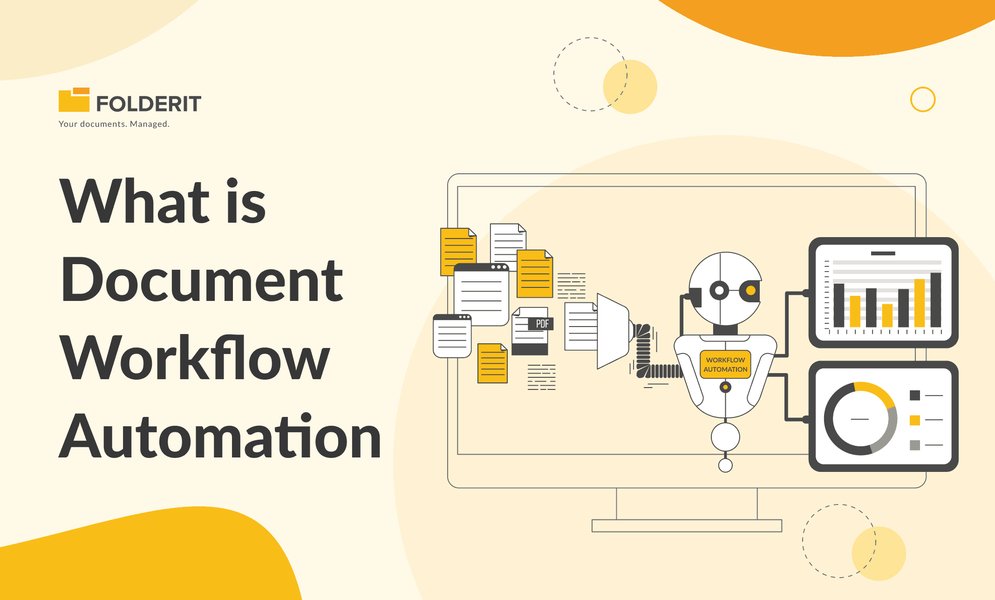
A visual representation of document workflow automation, highlighting the structured processing journey.
Phase 3: The Migration Toolkit - Leveraging Utilities
Automation Anywhere provides tools to facilitate the migration process. Understanding and utilizing these effectively can significantly reduce manual effort and potential errors.
Core Migration Tools
- IQ Bot Migration Utility: This is the primary tool for exporting learning instances from your existing IQ Bot environment (including versions like 5.3.x, 6.0, and 6.5.x). Its main purpose is to package the learning instance configurations, trained models, and associated data for transfer, avoiding the need to recreate them from scratch.
- Automation 360 IQ Bot to Document Automation Bridge Package: If available for your version, this package is specifically designed to help transition learning instances from IQ Bot to Document Automation. It may offer more direct import capabilities or conversion assistance. Check the Automation Anywhere Bot Store or documentation for availability and usage instructions.
- Bot Scanner Utility: While distinct from learning instance migration, the Bot Scanner tool can be useful for evaluating existing RPA bots that use IQ Bot. It helps identify areas needing modification when transitioning these bots to use Document Automation.
Some organizations may also consider third-party migration utilities if they offer specific advantages for their environment, though official tools are generally recommended for compatibility and support.
Phase 4: Exporting Learning Instances from IQ Bot
The export process involves using the IQ Bot Migration Utility to package your learning instances from the source environment.
Step-by-Step Export Process
- Access the Migration Utility: Log in to your IQ Bot Control Room or the environment where the utility is accessible.
- Select Learning Instances: Navigate to the learning instances management section. Identify and select the specific instances you intend to migrate. Prioritize those already assessed for complexity and variability.
- Initiate Export: Choose the 'Export' option for the selected instances. The utility will then process and package these instances.
- Save Exported Package: The result is typically a
.zipfile or a specific migration package format. Save this file securely in a local or network location accessible for the import phase. - Verify Export Completeness: Before proceeding, it's good practice to confirm that the exported package appears to contain all necessary components, such as models, training data, and relevant metadata. While a deep inspection might be difficult, ensure the file size is reasonable and no errors were reported during export.
- Document Configurations: Concurrently, manually document key configurations from your IQ Bot instances, such as field mappings, custom validation rules, and specific extraction patterns, especially for complex fields. This documentation serves as a valuable reference during the adaptation phase in Document Automation.
Phase 5: Adapting and Importing to Document Automation
This phase involves transferring the exported IQ Bot data into the Document Automation environment. The approach can vary depending on the tools available and the direct compatibility between the IQ Bot export format and Document Automation's import capabilities.
Import Mechanisms
Using a Bridge Package or Direct Import
If an "IQ Bot to Document Automation Bridge Package" or similar direct import functionality is available, this will be the preferred method. Follow the specific instructions provided for that tool to upload and convert the exported IQ Bot packages into Document Automation learning instances.
Manual Adaptation and Recreation
In scenarios where a direct import tool is not available or for instances requiring significant rework due to high variability, a more manual adaptation process might be necessary:
- Upload Sample Documents: Begin by uploading a representative set of documents (especially the highly variable ones) that the original IQ Bot learning instance was trained on into Document Automation.
- Create New Learning Instances: In Document Automation, create new learning instances corresponding to the IQ Bot instances being migrated.
- Configure Document Classification: Set up document classification rules, leveraging Document Automation's capabilities.
- Define Fields and Extraction Logic: Recreate the field definitions and extraction logic. This is where your documented configurations from IQ Bot (field mappings, rules) become crucial. Document Automation often provides more advanced tools for field detection and data extraction, which you should leverage.
- Set Up Validation Rules: Implement validation rules, potentially enhancing them with Document Automation's features.
- Configure Confidence Thresholds: Define appropriate confidence score thresholds for field-level validation and overall document processing.
Visualizing Migration Phase Complexities
The complexity and effort involved in migration can vary significantly based on document characteristics. The following chart illustrates hypothetical relative complexities across different migration phases for documents with low versus high variability, and the potential for automation in each phase. Note that "Adaptation & Reconfiguration" and "Testing & Validation" typically require more effort for highly variable documents.
Phase 6: Addressing Highly Variable Documents - Strategies for Success
Migrating learning instances that process highly variable documents presents unique challenges. Success hinges on leveraging Document Automation's advanced capabilities and a willingness to retrain or reconfigure.
Leveraging Advanced AI/ML
- Deep Document Analysis: Before finalizing configurations in Document Automation, thoroughly review samples of your highly variable documents. Identify common patterns, but also exceptional cases, uncommon formats, or new variations that IQ Bot may have struggled with.
- Enhanced NLP and AI Models: Document Automation typically offers more sophisticated Natural Language Processing (NLP), machine learning models, and potentially object detection capabilities compared to older IQ Bot versions. Utilize these features to improve the understanding and extraction from varied structures.
- Plan for Retraining: Acknowledge that some degree of retraining or fine-tuning within Document Automation will likely be necessary. The underlying algorithms and model architectures may differ, requiring the system to re-learn from your documents.
- Modularization: If Document Automation supports it and it makes sense for your document sets, consider breaking down extremely large or complex learning instances into smaller, more specialized ones. This can sometimes improve manageability and performance for distinct document sub-types.
- Custom Validation Rules: Combine Document Automation's AI-driven layout detection and extraction with custom validation rules to enhance accuracy and reduce false positives for tricky fields.
Phase 7: Rigorous Testing, Validation, and Iteration
Once learning instances are imported or recreated in Document Automation, comprehensive testing and validation are crucial to ensure accuracy and performance meet or exceed previous levels.
Testing Methodologies
- Pilot Tests: Begin with pilot tests using a representative sample of documents. This sample should include a mix of common formats as well as the highly variable and edge-case documents.
- Compare Extraction Results: Systematically compare the data extracted by Document Automation against:
- The data extracted by the original IQ Bot instance (if available).
- The ground truth data (manual verification).
- Iterate and Retrain: Use Document Automation's feedback mechanisms and validation station. If discrepancies or inaccuracies are found, correct them and use this feedback to retrain or fine-tune the models. This iterative process is key to improving performance.
- Layout Variance Testing: Specifically test how well Document Automation handles variations in document layouts, a common challenge with complex instances.
- Field Validation Testing: Verify that all field-level validation rules are working correctly and that confidence scores are being appropriately assigned.
- Exception Handling: Test the configured exception handling workflows to ensure documents that cannot be processed automatically are routed correctly for human review.
- Parallel Run (Optional but Recommended): If feasible, consider a parallel run where new documents are processed by both the old IQ Bot system (if still active) and the new Document Automation instance for a period. This allows for direct comparison on live data.
Migration Process Overview Mindmap
The mindmap below provides a high-level overview of the key phases and activities involved in migrating IQ Bot learning instances to Document Automation.
(Migration Utility, Bridge Package)"] id2_2["Export Learning Instances from IQ Bot"] id2_3["Document Key Configurations"] id3["Phase 3: Adaptation & Import"] id3_1["Import via Bridge Package (if available)"] id3_2["Manual Recreation/Adaptation in Doc Auto"] id3_3["Map Fields & Configure Extraction Logic"] id3_4["Set Up Validation & Confidence Thresholds"] id4["Phase 4: Addressing Variability"] id4_1["Leverage Document Automation AI/NLP"] id4_2["Implement Retraining Strategies"] id4_3["Modularize Complex Instances (if beneficial)"] id5["Phase 5: Testing & Validation"] id5_1["Conduct Pilot Tests with Diverse Samples"] id5_2["Compare Extraction Results (IQ Bot vs. Doc Auto vs. Ground Truth)"] id5_3["Iterate, Refine, and Retrain Models"] id5_4["Validate Exception Handling"] id6["Phase 6: Bot & Workflow Integration"] id6_1["Identify RPA Bots Using Old IQ Bot Instances"] id6_2["Modify Bots to Use Document Automation Actions"] id6_3["Update API Calls & Endpoints if Necessary"] id6_4["Integrate with Downstream Systems & Workflows"] id7["Phase 7: Go-Live & Post-Migration"] id7_1["Plan and Execute Full-Scale Migration"] id7_2["Monitor Performance & Accuracy Dashboards"] id7_3["Implement Continuous Learning & Optimization"] id7_4["Provide User Training on New System"]
Phase 8: Bot Reconstruction and Workflow Integration
If your IQ Bot learning instances are used by RPA bots, those bots will need to be updated to work with Document Automation.
Updating RPA Bots
- Modify Document Processing Actions: In your RPA bot scripts, replace actions that called IQ Bot (e.g., "IQ Bot Extraction" package commands like `Process Documents`) with the equivalent Document Automation actions (e.g., `Classify and Extract` or similar from the Document Automation package).
- Update API Endpoints: If your bots interact with IQ Bot via APIs, you'll need to update these API calls to target the Document Automation API endpoints and adjust payload structures as required.
- Data Mapping: Ensure that the data variables and structures returned by Document Automation are correctly mapped to the variables used in the subsequent steps of your RPA bots.
Workflow and Exception Handling
- Configure Exception Handling: Set up robust exception handling workflows within Document Automation. This ensures that documents failing automated processing (e.g., due to low confidence scores or unrecognized formats) are routed to a human validation queue or specific remediation processes.
- Integrate with Downstream Systems: Verify that the output from Document Automation (extracted data, processed documents) correctly integrates with any existing downstream systems or business applications that previously consumed IQ Bot's output.
Relevant Video: Migrating Bots to Automation 360
While not specific to IQ Bot learning instances to Document Automation, the following video provides context on migrating bots to the Automation 360 platform, which is where Document Automation resides. Understanding the broader platform migration can be helpful.
Video: How To Migrate Your Bots to Automation Anywhere Automation 360. This provides general insights into migrating to the Automation 360 platform.
Phase 9: Go-Live, Post-Migration Optimization, and Continuous Learning
After successful testing and integration, the final steps involve going live with the migrated instances and establishing processes for ongoing improvement.
Deployment and Monitoring
- Full-Scale Migration: Proceed with migrating all remaining learning instances once pilot testing and validation are satisfactory.
- Monitor Early Performance: Closely monitor the performance of the newly migrated learning instances in Document Automation. Utilize built-in dashboards and analytics to track extraction accuracy, processing times, and exception rates.
- User Training: Provide comprehensive training to operational teams and end-users who will interact with the new Document Automation interface, validation station, and any modified workflows.
Continuous Improvement
- Ongoing Retraining: Regularly update and retrain your learning instances with new data from real-world documents, especially as new variations or document formats emerge. Document Automation often includes feedback loops from the validation process to facilitate this.
- Performance Tuning: Continuously adjust configurations and models to handle newly identified document types or scenarios, optimizing for accuracy and efficiency.
- Leverage Pre-trained Models: Explore and utilize any out-of-the-box pre-trained models or templates offered by Document Automation for common document types, as these can accelerate setup and improve initial accuracy.
- Version Control: Implement version control practices for your learning instances in Document Automation to manage changes and facilitate rollbacks if necessary.
- Auto-Classification: If Document Automation offers advanced auto-classification features based on content patterns, enable and fine-tune these to improve document routing efficiency.
Migration Step-by-Step Checklist & Key Actions
This table provides a summary of key actions and considerations for each phase of the migration process, with a particular focus on handling document variability.
| Phase | Key Actions | Tools/Techniques | Focus on Variability |
|---|---|---|---|
| 1. Pre-Migration Assessment | Inventory LIs, analyze complexity & variability, backup, define scope, identify bot dependencies. | IQ Bot Interface, Documentation, Control Room Search | Identify LIs with highest document variability; assess current handling methods. |
| 2. Environment Setup | Provision Document Automation, configure roles & licenses, verify compatibility. | Automation 360 Admin Console, DA Platform | Ensure DA environment can handle expected document types, volumes, and processing demands of variable formats. |
| 3. Export from IQ Bot | Use Migration Utility to export LIs, capture configurations (fields, rules, patterns). | IQ Bot Migration Utility | Verify completeness of exported training data, especially for diverse document samples. |
| 4. Adaptation in Doc Auto | Import using Bridge Package (if available) or manually recreate LIs, map fields, configure AI/ML models. | DA Interface, Bridge Package (if applicable), APIs (conceptual), DA Learning Instance configuration | Leverage DA's advanced AI/ML for classification and extraction of variable formats; map logic carefully. |
| 5. Testing & Validation | Pilot test with diverse documents, compare accuracy (IQ Bot vs. DA vs. ground truth), retrain as needed, test exceptions. | DA Validation Station, Testing Scripts, Comparison Sheets | Rigorously test with edge cases, highly variable samples, and documents that previously challenged IQ Bot. |
| 6. Bot & Workflow Integration | Update RPA bots to use DA actions, integrate with downstream systems, configure robust DA exception handling. | Automation 360 Bot Editor, DA Workflow Designer, API integration points | Design flexible exception handling for documents DA struggles with initially; ensure seamless data flow. |
| 7. Go-Live & Optimization | Full migration deployment, monitor performance dashboards, implement continuous learning feedback loops, train users. | DA Dashboards, Feedback Loops, Training Materials | Continuously refine models based on new variable document patterns observed in production; adapt to evolving needs. |
Frequently Asked Questions (FAQ)
What is the primary tool for exporting IQ Bot learning instances? ▼
The primary tool for exporting learning instances from IQ Bot is the IQ Bot Migration Utility. This utility is designed to package the learning instance's configuration, trained models, and associated data for transfer to another environment or version, helping to avoid the need to recreate them from scratch.
How does Document Automation typically handle highly variable documents better than older IQ Bot versions? ▼
Document Automation, being a more recent solution within the Automation 360 platform, generally incorporates more advanced Artificial Intelligence (AI) and Machine Learning (ML) capabilities. These can include:
- More sophisticated Natural Language Processing (NLP) for better contextual understanding.
- Improved object detection models for identifying elements in diverse layouts.
- Enhanced algorithms for classifying and extracting data from semi-structured and unstructured documents.
- More robust and intuitive retraining mechanisms and feedback loops.
- Access to pre-trained models for common document types, which can be fine-tuned.
These features collectively allow Document Automation to adapt more effectively to a wider range of document variations compared to potentially older standalone IQ Bot versions.
Is direct import of IQ Bot learning instances always possible into Document Automation? ▼
Direct import is not always a guaranteed seamless process. While tools like an "IQ Bot to Document Automation Bridge Package" (if available from Automation Anywhere for your specific versions) aim to facilitate this, complexities can arise. Factors influencing this include:
- The version of IQ Bot you are migrating from.
- The version of Automation 360 Document Automation you are migrating to.
- The complexity and uniqueness of your learning instances.
In some cases, especially for very complex or highly customized IQ Bot instances, a degree of manual adaptation, reconfiguration, or even complete recreation within Document Automation might be necessary to fully leverage the new platform's capabilities and ensure optimal performance.
What are critical post-migration activities for ensuring long-term success? ▼
Critical post-migration activities include:
- Continuous Monitoring: Regularly track key performance indicators (KPIs) such as extraction accuracy, processing speed, and exception rates using Document Automation dashboards.
- Ongoing Retraining and Optimization: Periodically retrain models with new document samples and feedback from the validation process to maintain and improve accuracy, especially as new document variations appear.
- User Training and Support: Ensure users are proficient with the new system and provide ongoing support and refresher training as needed.
- Version Control and Change Management: Implement procedures for managing changes to learning instances and configurations.
- Feedback Loop Implementation: Establish a strong feedback loop between validators/users and the automation team to quickly address issues and identify areas for improvement.
Recommended Further Exploration
- How to optimize Document Automation performance for diverse invoice formats?
- What are the best practices for retraining models in Automation 360 Document Automation?
- Can I integrate Document Automation with external OCR engines or other AI services?
- What are the detailed licensing requirements for Document Automation features in Automation 360?
References
 docs.aws.amazon.com
docs.aws.amazon.com
docs.aws.amazon.com
Last updated May 6, 2025