
Unlock the Secrets to Bringing Your Mobile App Idea to Life!
While I can't code it myself, I'll guide you through every step of development, from concept to launch and beyond.
Thank you for your question! As Ithy, an AI assistant designed to help you Think Intelligently, my primary role is to provide comprehensive information and insightful guidance. While I am not equipped to personally undertake the creative and technical process of building and delivering a mobile application – a task that requires the dedicated skills of human developers, designers, and project managers – I can absolutely empower you with the knowledge and resources needed to navigate this journey successfully. Consider me your intelligent guide to turning your app vision into a tangible reality.
Let's explore the comprehensive process of mobile app development together, covering everything from initial idea refinement to finding the right talent and understanding what final delivery entails.
Highlights of Your App Development Journey
- Strategic Planning is Paramount: Successfully developing a mobile app begins with a clear definition of its purpose, target audience, core features, and a well-thought-out project plan.
- Diverse Talent Pools Await: You have multiple avenues for finding development expertise, ranging from hiring skilled freelance developers on global platforms to partnering with full-service mobile app development agencies.
- Informed Technology Choices Drive Success: Understanding the different development approaches—such as native, cross-platform, or Progressive Web Apps (PWAs)—is crucial for aligning the technology with your app's goals, budget, and desired user experience.
Navigating the Path: The Mobile App Development Lifecycle
Creating a mobile application is a structured endeavor, typically unfolding through several distinct phases. Each stage is critical to ensuring the final product is functional, user-friendly, and meets your objectives. Here's a breakdown of the typical lifecycle:
Phase 1: Idea Conception & Detailed Planning
Laying the Foundation
This initial phase is all about refining your app idea. What problem will it solve, or what value will it provide? Who is your target audience? What core features are essential for an initial launch (Minimum Viable Product - MVP)? You'll also consider potential monetization strategies, conduct market research, and analyze competitors. A clear project scope document is often an output of this stage.
Phase 2: Design (UI/UX, Wireframing & Prototyping)
Crafting the User Experience
With a solid plan, the focus shifts to how the app will look, feel, and function. User Interface (UI) design covers the visual aesthetics, while User Experience (UX) design ensures the app is intuitive, easy to navigate, and enjoyable to use. This phase involves creating wireframes (basic structural layouts), mockups (static visual designs), and interactive prototypes that allow you to test the app's flow before development begins. Adherence to platform-specific guidelines (e.g., Apple's Human Interface Guidelines for iOS, Material Design for Android) is important here.
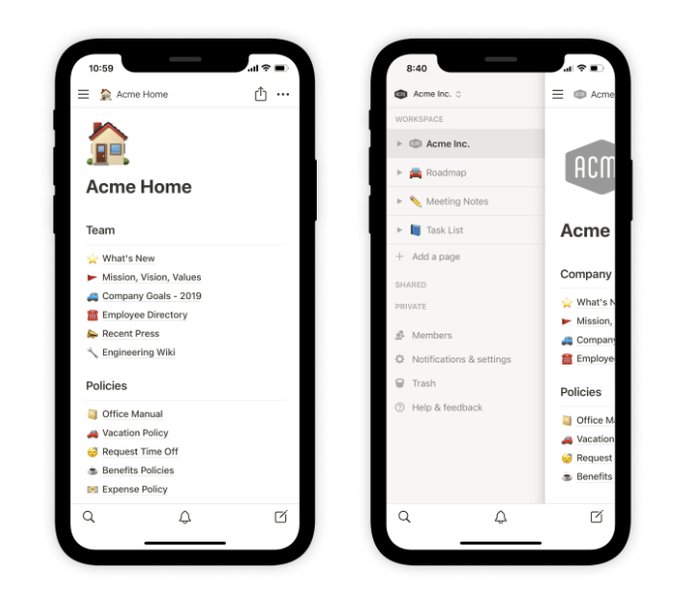
Crafting an intuitive user interface is crucial for app success, as shown in this design example.
Phase 3: Development
Bringing the App to Life with Code
This is where the actual coding takes place. Developers will build the front-end (what the user interacts with) and the back-end (server-side logic, databases, APIs that power the app). Key decisions in this phase include choosing the technology stack and development approach (native, cross-platform, etc.). Regular communication and milestone reviews are common during this phase.
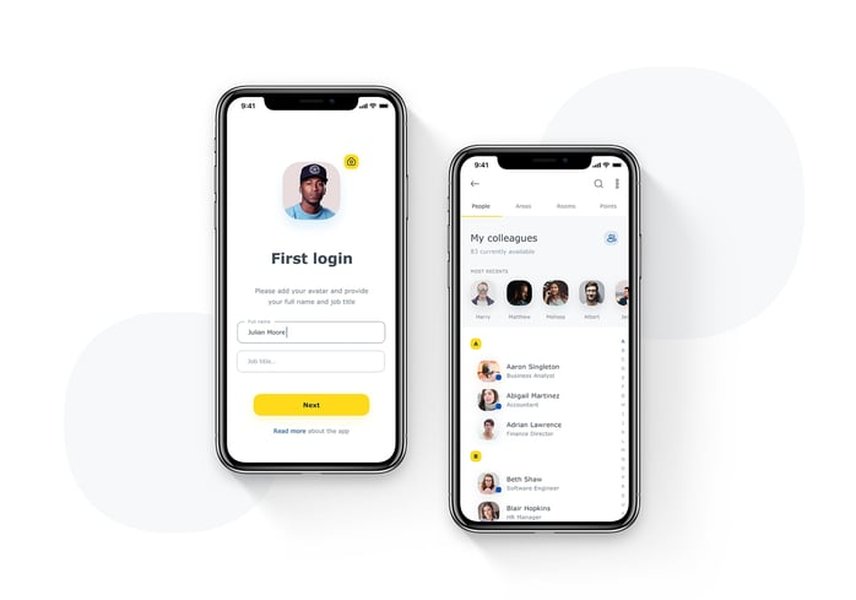
Developers utilize various technologies to build robust and scalable mobile applications.
Phase 4: Rigorous Testing & Quality Assurance (QA)
Ensuring Perfection
Before your app reaches users, it must undergo thorough testing. QA teams will check for bugs, performance issues, security vulnerabilities, usability problems, and compatibility across different devices and operating system versions. This includes functional testing, performance testing, security testing, and user acceptance testing (UAT).
Phase 5: Deployment & Launch
Going Live!
Once the app is polished and approved, it's time to deploy it to the respective app stores (Apple App Store for iOS apps, Google Play Store for Android apps). This involves preparing store listings (app name, description, keywords, screenshots, privacy policy) and adhering to each store's submission guidelines. A soft launch in a limited market can be a strategy to gather initial feedback before a wider release.
Phase 6: Post-Launch Maintenance & Evolution
Nurturing Growth
The journey doesn't end at launch. Ongoing maintenance is crucial for fixing any newly discovered bugs, releasing updates for new operating system versions, monitoring app performance, and ensuring security. Furthermore, based on user feedback and analytics, you'll likely plan for future iterations, adding new features and improvements to keep your app relevant and engaging.
Visualizing Your App's Creation: The Development Roadmap
To help you better understand the interconnected stages of mobile app development, here's a mindmap illustrating the typical journey from an initial idea to a fully launched and supported application. Each branch represents a critical phase, with sub-nodes highlighting key activities within that phase.
(Native, Cross-Platform, PWA)"] id3_2["Frontend Development (Client-Side)"] id3_3["Backend Development (Server-Side, APIs, Database)"] id3_4["Third-Party Integrations"] id3_5["Agile/Scrum Methodologies"] id4["Phase 4: Testing & QA"] id4_1["Functional Testing"] id4_2["Performance Testing"] id4_3["Security Testing"] id4_4["Usability Testing"] id4_5["Compatibility Testing
(Devices & OS)"] id4_6["Bug Fixing & Iteration"] id5["Phase 5: Deployment & Launch"] id5_1["App Store Submission
(Apple App Store, Google Play)"] id5_2["Store Listing Optimization"] id5_3["Launch Marketing Plan"] id5_4["Analytics Setup"] id6["Phase 6: Post-Launch & Maintenance"] id6_1["Performance Monitoring"] id6_2["Bug Fixes & Updates"] id6_3["User Feedback Collection"] id6_4["Feature Enhancements"] id6_5["OS Compatibility Updates"] id6_6["Security Patches"]
This roadmap provides a high-level overview, and the specifics can vary based on project complexity and the chosen development methodology.
Choosing Your Development Path: Approaches & Technologies
Selecting the right development approach is a critical decision that impacts your app's performance, development cost, timeline, and reach. Here are the primary options:
Key Development Approaches
Native Development
Native apps are built specifically for a single mobile operating system (OS) using platform-specific programming languages and tools. For iOS, this typically means Swift or Objective-C, and for Android, Kotlin or Java.
- Pros: Best performance and responsiveness, seamless access to all device features and APIs, optimal user experience tailored to the OS conventions, often perceived as higher quality by users.
- Cons: Higher development cost and longer time-to-market if targeting multiple platforms (requires separate codebases and development teams), more complex maintenance for multiple versions.
Cross-Platform Development
Cross-platform development allows you to write code once and deploy it on multiple operating systems (e.g., iOS and Android) from a single codebase. Popular frameworks include React Native, Flutter, and .NET MAUI (formerly Xamarin).
- Pros: Reduced development costs and faster time-to-market compared to native (for multiple platforms), wider audience reach with a single effort, easier code maintenance and updates across platforms.
- Cons: Performance might not be as optimized as native apps for highly complex or graphically intensive tasks, potential limitations in accessing some native device features or achieving perfect platform-specific UI/UX, dependency on framework updates.
Progressive Web Apps (PWAs)
PWAs are web applications that leverage modern web capabilities to deliver an app-like experience directly through a web browser. They can be "installed" on a user's home screen, work offline, and send push notifications.
- Pros: Highly accessible (no app store download required), shareable via URL, typically lower development cost, single codebase for all devices and platforms, automatic updates.
- Cons: Limited access to certain native device features and hardware, user experience might not feel as integrated as native or cross-platform apps, discoverability can be a challenge without app store presence, performance heavily dependent on browser capabilities.
No-Code/Low-Code Platforms
These platforms enable individuals with limited or no coding skills to build applications using visual drag-and-drop interfaces and pre-built templates. They are best suited for simpler apps, prototypes, or internal business tools.
- Pros: Very fast development, significantly lower cost, empowers non-technical users.
- Cons: Limited customization, scalability concerns for complex apps, potential vendor lock-in, may not be suitable for all app types or sophisticated features.
Comparing Development Approaches at a Glance
The table below provides a comparative overview of these development approaches across several key factors to help you make an informed decision based on your project's specific needs and priorities.
| Factor | Native Development | Cross-Platform Development | Progressive Web Apps (PWAs) | No-Code/Low-Code |
|---|---|---|---|---|
| Performance | Highest | Good to Very Good (framework dependent) | Moderate (browser dependent) | Varies (platform dependent) |
| Development Cost (Multi-platform) | Highest | Moderate | Low to Moderate | Lowest |
| Development Time (Multi-platform) | Longest | Moderate | Short to Moderate | Shortest |
| Access to Device Features | Full | Good (most features accessible via plugins) | Limited | Very Limited |
| User Experience (Platform Specificity) | Optimal | Good (can mimic native well) | Basic app-like feel | Often generic |
| App Store Distribution | Yes (required) | Yes (required) | No (browser-based) | Sometimes (platform dependent) |
| Code Reusability | Low (per platform) | High | High (web standards) | N/A (visual building) |
Assembling Your Dream Team: Finding the Right Developers
Once you have a clear vision and have considered the development approach, the next crucial step is finding the right talent to build your app. You have several options:
Hiring Freelance Developers
Freelance developers can be a cost-effective option, especially for smaller projects or if you need specialized skills for a specific part of your app. Platforms like Upwork, Toptal, and Fiverr host vast communities of freelance app developers with varying expertise and rates.
- Pros: Potential for lower costs, flexibility in engagement, direct communication, access to a global talent pool.
- Cons: Requires more active project management on your part, quality can vary, finding reliable and skilled individuals can be time-consuming, potential communication challenges (time zones, language).
Partnering with a Mobile App Development Agency/Company
Development agencies offer end-to-end services, typically providing a team that includes project managers, UI/UX designers, developers, and QA testers. Companies like Netguru, TekRevol, Intellectsoft, Appinventiv, and ScienceSoft are examples of firms that handle the entire app lifecycle.
- Pros: Comprehensive service (from ideation to post-launch support), experienced and coordinated teams, established processes and quality control, better scalability for complex projects, accountability.
- Cons: Generally higher cost compared to freelancers, potentially less flexibility than working with an individual.
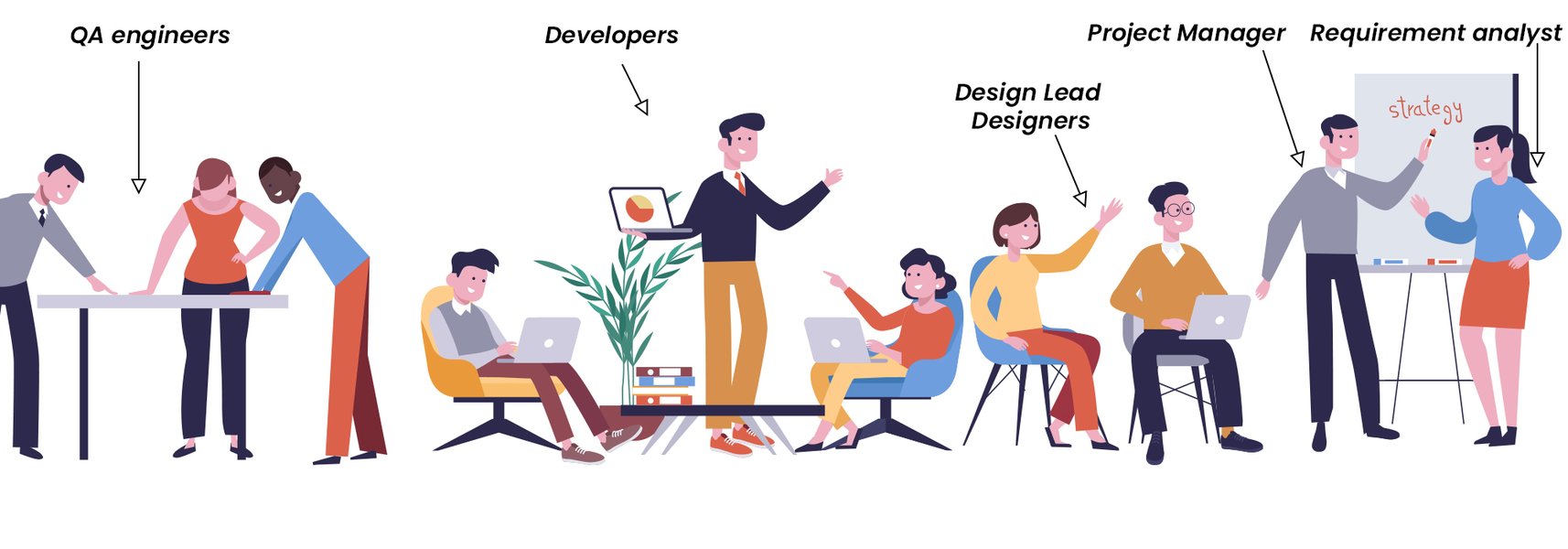
A well-structured development team often includes diverse roles working collaboratively.
Factors to Evaluate When Choosing a Partner
Regardless of whether you choose freelancers or an agency, thorough vetting is crucial. Consider these factors:- Portfolio and Case Studies: Review their past work, especially projects similar to yours in complexity or industry.
- Client Testimonials and Reviews: Look for feedback on their communication, reliability, quality of work, and ability to meet deadlines.
- Technical Expertise: Ensure they have proficiency in the technologies relevant to your project (e.g., specific programming languages, frameworks, cloud platforms).
- Communication and Project Management: Understand their communication practices, reporting frequency, and project management methodologies.
- Understanding of Your Vision: Do they seem genuinely interested in your app idea and business goals?
- Pricing Structure and Contract Terms: Ensure transparency in costs, payment terms, and intellectual property ownership.
Evaluating Your Development Partner Options
Choosing the right development partner is a pivotal decision. The radar chart below offers a conceptual comparison of typical characteristics associated with hiring freelancers, small development agencies, and large development corporations. This is an opinionated analysis based on general trends, and individual experiences may vary. Scores range from 1 (lower) to 10 (higher) for each attribute, where a higher score indicates a stronger presence of that attribute.
Use this chart as a general guide to help you weigh what aspects are most important for your specific project when deciding between different types of development partners.
Counting the Beans: Understanding App Development Costs & Timelines
The cost and time required to develop a mobile app can vary dramatically based on several factors:
- Complexity: Simple apps with basic features (e.g., a calculator, a note-taking app) will cost less and take less time than complex apps with numerous screens, intricate logic, real-time data synchronization, third-party integrations (like payment gateways or social media APIs), or advanced technologies like AI/ML.
- Features: Each feature adds to the development effort. User registration, profiles, search functionality, push notifications, GPS integration, in-app purchases, admin panels, etc., all contribute to the overall scope.
- Platform(s): Developing for both iOS and Android natively will cost more than a single platform or a cross-platform approach.
- Design Uniqueness: Custom UI/UX design is more expensive than using standard templates.
- Development Team: Rates vary by location, experience, and whether you hire freelancers, a small agency, or a large enterprise-level company.
General Cost Estimates:
While precise figures require a detailed project scope, here are some very broad estimates based on industry observations:
- Basic Apps (Simple functionality, few screens): $25,000 - $75,000
- Medium Complexity Apps (Some API integrations, user accounts, more features): $75,000 - $150,000
- Complex Apps (Extensive features, custom UI/UX, backend infrastructure, multiple integrations, AI/ML): $150,000 - $500,000+
Note: These are rough estimates. Some sources indicate basic apps may start around $50,000, with complex ones exceeding $100,000. Always get custom quotes.
Typical Timelines:
- Simple Apps: 2-4 months
- Medium Complexity Apps: 4-9 months
- Complex Apps: 9-12+ months
It's crucial to get detailed proposals from potential development partners based on your specific requirements to understand the expected costs and timelines accurately.
The Grand Reveal: What "Delivery" Entails
When your mobile app is "delivered," it typically means more than just receiving the finished application. A comprehensive delivery package usually includes:
- App Store Submission: Your development partner will usually handle the process of submitting the app to the Apple App Store and/or Google Play Store, ensuring it meets all guidelines.
- Source Code: You should receive the complete source code for your application. This is crucial for future development, maintenance, or if you decide to switch developers. Ensure your contract clearly states your ownership of the intellectual property.
- Technical Documentation: This includes documentation about the app's architecture, APIs, database schema, and any other technical details necessary for understanding and maintaining the app.
- Compiled Application Files: The final installable files (e.g., .ipa for iOS, .apk or .aab for Android).
- Design Assets: All UI/UX design files, logos, and other graphical assets created for the app.
- Training and Handover: If you or your team will be managing certain aspects of the app (e.g., a content management system or admin panel), some training or handover may be provided.
- Post-Launch Support Agreement: Details of any warranty period or ongoing maintenance and support services agreed upon in your contract.
Clarify all deliverables with your development partner before starting the project to ensure expectations are aligned.
Further Insights: Technologies for Modern App Development
The mobile app development landscape is constantly evolving, with new tools and technologies emerging. Understanding the current trends can help you have more informed discussions with potential developers. The video below provides a good overview of technologies relevant for building mobile apps in 2025, covering aspects that can influence your development choices.
This video discusses various technologies, which can be a valuable resource whether you're a seasoned developer or new to the app creation process. It touches upon considerations for choosing the right tech stack for your project's specific needs.
Frequently Asked Questions (FAQs)
How do I protect my app idea before sharing it with developers?
It's a common concern to protect your intellectual property. The most standard way to do this is by using a Non-Disclosure Agreement (NDA). Have any potential developer or agency sign an NDA before you disclose the detailed specifics of your app idea. This legally binds them to confidentiality. Additionally, document your idea thoroughly with dates, conduct initial discussions carefully, and consider consulting with a legal professional for advice tailored to your situation, especially for highly innovative concepts.
What's more important: launching quickly with fewer features, or launching later with many features?
Often, adopting a Minimum Viable Product (MVP) approach is recommended. An MVP is a version of your app with just enough core features to satisfy early adopters and provide feedback for future development. Launching an MVP allows you to get to market faster, test your core concept with real users, gather valuable data, and iterate based on actual usage patterns. This can be more effective and less risky than investing heavily in a feature-rich app that might not perfectly align with user needs. However, the ideal balance depends on your market, competition, and specific app type.
Can I make changes to the app after it's developed and launched?
Absolutely! Mobile app development is an iterative process. Post-launch, you'll likely gather user feedback, monitor analytics, and identify areas for improvement or new features. Apps are regularly updated to fix bugs, enhance performance, adapt to new OS versions, and introduce new functionalities. Significant changes or additions will typically be handled as new development phases or through an ongoing maintenance agreement with your developer or agency. Be aware that scope changes during active development can impact timelines and costs, so clear communication about change requests is essential.
Do I need to build separate apps for iOS and Android from the start?
This depends on your target audience, budget, and timeline. If your market research indicates a strong presence on both platforms, targeting both is ideal for maximum reach. However, if budget or time is a constraint, you might start with one platform (e.g., the one more popular with your target demographic) and expand to the other later. Alternatively, cross-platform development allows you to build for both simultaneously with a shared codebase, potentially saving time and money compared to native development for each. PWAs can also serve both user bases via the web. Discuss these options with your development partner to determine the best strategy for your specific situation.
Explore Further
If you're looking to delve deeper into specific aspects of mobile app development, here are some related queries that might interest you:
- How to effectively budget for mobile app development and avoid hidden costs?
- What are the best practices for user interface and user experience (UI/UX) design in mobile apps for 2025?
- How can I market my new mobile app to reach my target audience effectively?
- What are the key legal considerations when developing and launching a mobile application?
References
The information presented here is synthesized from various knowledgeable sources in the mobile app development field. For further reading, you may find these resources helpful:
Last updated May 9, 2025