
Mastering Data Wrangling in Python: A Comprehensive Guide
Unlock the full potential of your data with Python's powerful tools and best practices.
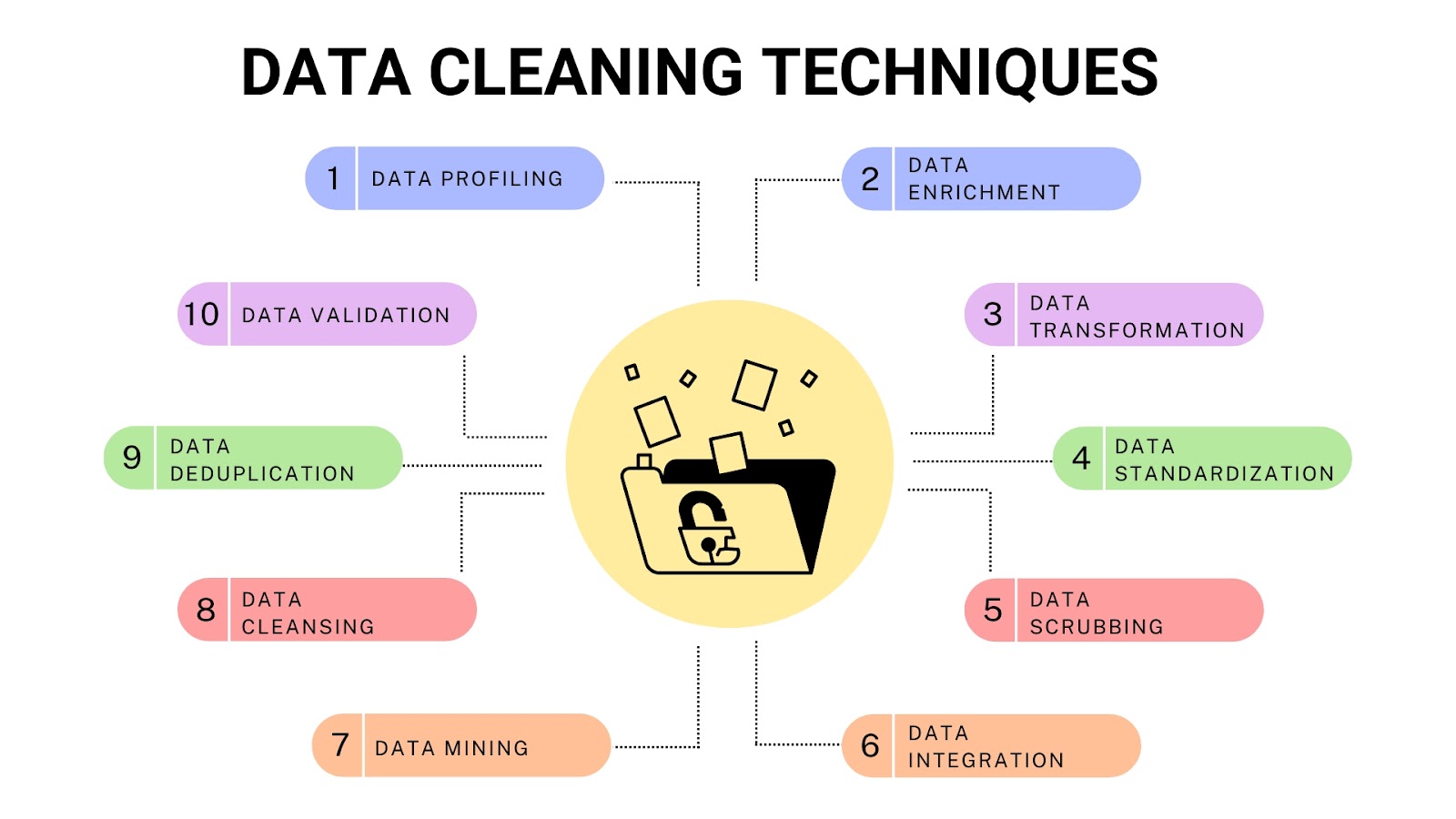
Key Takeaways
- Leverage Pandas and NumPy: These libraries form the backbone of data wrangling in Python, offering robust functionalities for data manipulation and numerical operations.
- Employ Scalable Tools like Dask: For handling large datasets that exceed memory capacity, Dask provides parallel computing capabilities that extend Pandas operations.
- Automate and Document Processes: Streamline your data workflows by automating repetitive tasks and maintaining thorough documentation to ensure reproducibility and clarity.
Introduction to Data Wrangling in Python
Data wrangling, also known as data munging, is the process of transforming raw data into a clean and structured format suitable for analysis. In Python, this process is facilitated by a rich ecosystem of libraries that provide powerful tools for data manipulation, cleaning, transformation, and validation. Mastering data wrangling is essential for data scientists and analysts to ensure the accuracy and reliability of their analyses and models.
Essential Libraries for Data Wrangling
Pandas: The Core Data Manipulation Library
Pandas is the cornerstone of data wrangling in Python. It introduces data structures like DataFrame and Series, which are optimized for handling structured data. Key functionalities include:
- Loading Data: Utilize functions such as
pd.read_csv(),pd.read_excel(), andpd.read_json()to import data from various formats. - Cleaning Data: Address missing values with
dropna()andfillna(), and remove duplicates usingdrop_duplicates(). - Transforming Data: Perform aggregations and reshaping with methods like
groupby(),pivot_table(), andmelt(). - Filtering Data: Apply conditions through boolean indexing or the
query()method to subset data efficiently. - Exporting Data: Save processed data back to various formats using
to_csv(),to_excel(), andto_json().
NumPy: Handling Numerical Operations
NumPy complements Pandas by providing support for large, multi-dimensional arrays and matrices, along with a collection of mathematical functions to operate on these arrays. It is particularly useful for:
- Performing vectorized computations for faster processing.
- Handling multi-dimensional data structures.
- Integrating seamlessly with Pandas for efficient data manipulation.
Dask: Scaling Beyond Memory Limits
When working with datasets that exceed the available memory, Dask steps in as a scalable solution. It enables parallel computing and extends Pandas’ functionalities to distributed computing environments, allowing for efficient processing of large datasets.
Additional Libraries and Tools
- Optimus: A high-level library built on top of Pandas for more intuitive data wrangling operations.
- Petl: A lightweight library focused on ETL (Extract, Transform, Load) tasks, suitable for simple data pipelines.
- BeautifulSoup and Scrapy: Essential for scraping and cleaning web-sourced data by parsing HTML and XML documents.
- Matplotlib, Seaborn, and Plotly: Visualization libraries that aid in exploratory data analysis by identifying trends and anomalies.
- Regular Expressions (re): Useful for pattern matching and text data cleaning.
Step-by-Step Guide to Data Wrangling
1. Setting Up Your Environment
Begin by installing the necessary libraries. You can use pip or conda for installation:
pip install pandas numpy dask matplotlib seaborn scikit-learn
Import the libraries in your Python script or Jupyter notebook:
    import pandas as pd
    import numpy as np
    from dask import dataframe as dd
    import matplotlib.pyplot as plt
    import seaborn as sns
2. Loading Data
Load your data into a Pandas DataFrame using appropriate functions based on the data format:
    # For CSV files
    df = pd.read_csv('data.csv')

    # For Excel files
    df = pd.read_excel('data.xlsx', sheet_name='Sheet1')

    # For JSON files
    df = pd.read_json('data.json')
3. Initial Data Exploration
Understand the structure and contents of your data:
    # Preview the first few rows
    print(df.head())

    # Get a summary of the DataFrame
    print(df.info())

    # Generate descriptive statistics
    print(df.describe())

    # Examine column names
    print(df.columns)
4. Data Cleaning
Address issues like missing values, duplicates, and incorrect data types:
- Handling Missing Values: Decide whether to drop or fill missing data based on the context.
# Drop rows with any missing values df_clean = df.dropna() # Fill missing values with a specific value df_filled = df.fillna({'column1': 0, 'column2': 'Unknown'}) - Removing Duplicates: Ensure data uniqueness where necessary.
# Remove duplicate rows df_unique = df.drop_duplicates() - Fixing Data Types: Convert columns to appropriate data types for accurate analysis.
# Convert a column to integer df['age'] = df['age'].astype(int) # Convert a column to datetime df['date'] = pd.to_datetime(df['date']) - Handling Outliers: Use statistical methods to identify and address outliers.
# Identify outliers using Z-scores from scipy import stats df = df[(np.abs(stats.zscore(df['column'])) < 3)] - Cleaning Text Data: Standardize and format text entries.
    # Convert text to lowercase
    df['text_column'] = df['text_column'].str.lower()

    # Remove leading and trailing whitespaces
    df['text_column'] = df['text_column'].str.strip()
5. Data Transformation and Feature Engineering
Enhance your data by creating new features and transforming existing ones:
- Selecting and Filtering Data: Use boolean indexing to focus on relevant subsets.
# Select rows where age is greater than 30 df_filtered = df[df['age'] > 30] - Reshaping Data: Transform the structure of your data for better analysis.
# Pivot the DataFrame df_pivot = df.pivot_table(index='category', columns='year', values='sales') # Melt the DataFrame df_melted = pd.melt(df, id_vars=['id'], value_vars=['feature1', 'feature2']) - Creating New Features: Derive meaningful insights by engineering new variables.
# Create a new column based on existing data df['total_price'] = df['quantity'] * df['unit_price'] # Extract year from a datetime column df['year'] = df['date'].dt.year - Aggregating Data: Summarize data to extract key metrics.
# Group by category and calculate the mean sales df_grouped = df.groupby('category')['sales'].mean().reset_index() - Merging and Joining DataFrames: Combine multiple datasets based on common keys.
    # Merge two DataFrames on a common column
    df_merged = pd.merge(df1, df2, on='id', how='inner')

    # Concatenate DataFrames vertically
    df_concat = pd.concat([df1, df2], axis=0)
6. Handling Large Datasets with Dask
When dealing with datasets that are too large to fit into memory, Dask provides an efficient alternative to Pandas by enabling parallel and distributed computing.
    import dask.dataframe as dd

    # Load a large CSV file with Dask
    ddf = dd.read_csv('large_data.csv')

    # Perform operations similar to Pandas
    ddf_filtered = ddf[ddf['value'] > 100]
    ddf_grouped = ddf_filtered.groupby('category').mean().compute()
7. Automating Data Wrangling Tasks
Automate repetitive tasks to increase efficiency and reduce the risk of human error:
- Using Python Scripts: Write reusable scripts to handle common data cleaning and transformation steps.
- Utilizing Libraries: Employ libraries like
functoolsanditertoolsto streamline workflows. - Scheduling Jobs: Use tools like Apache Airflow or cron jobs to schedule and manage automated data pipelines.
8. Validating and Testing Data
Ensure the integrity and quality of your data by performing rigorous validation and testing:
- Assertions: Use assertions to verify that data meets expected conditions.
# Assert that there are no missing values in the 'age' column assert df['age'].isnull().sum() == 0, "Missing values found in 'age' column" - Exploratory Data Analysis (EDA): Visualize data distributions and relationships to identify anomalies.
import seaborn as sns import matplotlib.pyplot as plt sns.boxplot(x='category', y='sales', data=df) plt.show() - Data Consistency Checks: Ensure that related fields maintain logical consistency.
    # Verify that 'total_price' equals 'quantity' multiplied by 'unit_price'
    df['total_price_check'] = df['quantity'] * df['unit_price']
    assert (df['total_price'] == df['total_price_check']).all(), "Inconsistencies found in 'total_price'"
9. Advanced Data Wrangling Techniques
Expand your data wrangling capabilities with advanced techniques and tools:
- Handling Unstructured Data: Use text processing and regular expressions to clean and extract information from unstructured sources.
- Integrating with Machine Learning Pipelines: Prepare data for machine learning by engineering features and scaling numerical values.
from sklearn.preprocessing import StandardScaler, OneHotEncoder # Scale numerical features scaler = StandardScaler() df['scaled_feature'] = scaler.fit_transform(df[['feature']]) # One-Hot Encode categorical features df = pd.get_dummies(df, columns=['category']) - Data Profiling: Use libraries like
pandas-profilingorsweetvizto generate automated data reports.import pandas_profiling profile = pandas_profiling.ProfileReport(df) profile.to_file("data_profile.html")
10. Best Practices for Effective Data Wrangling
- Document Your Workflow: Maintain clear and concise documentation of all data transformations to ensure reproducibility and facilitate collaboration.
- Modularize Your Code: Break down your data wrangling tasks into modular functions or classes to enhance readability and maintainability.
- Version Control: Use version control systems like Git to track changes and manage different iterations of your data processing scripts.
- Leverage Visualization: Regularly visualize your data to gain insights and quickly identify potential issues during the wrangling process.
- Test Incrementally: Validate each step of your data wrangling process to catch errors early and ensure data integrity throughout the workflow.
Tools and Resources for Enhancing Data Wrangling
Visualization Libraries
Visualizations play a crucial role in understanding data distributions and identifying anomalies:
- Matplotlib: A versatile library for creating static, animated, and interactive visualizations.
- Seaborn: Built on top of Matplotlib, Seaborn offers a high-level interface for creating attractive and informative statistical graphics.
- Plotly: Enables the creation of interactive and dynamic visualizations that can be easily shared and embedded.
Automation and Scheduling Tools
- Apache Airflow: A platform to programmatically author, schedule, and monitor data workflows.
- Luigi: A Python module that helps you build complex pipelines of batch jobs.
- cron Jobs: Schedule scripts to run at specified times or intervals on Unix-based systems.
Data Profiling and Reporting
- Pandas Profiling: Generates profile reports from a Pandas DataFrame, providing insights into data distributions and correlations.
- Sweetviz: Creates beautiful, high-density visualizations to kick-start exploratory data analysis (EDA).
Version Control and Collaboration
- Git: Track changes in your data wrangling scripts and collaborate with others effectively.
- GitHub/GitLab/Bitbucket: Platforms for hosting Git repositories, facilitating collaboration and version management.
Advanced Techniques and Emerging Trends
Scalable Libraries for High-Performance Data Wrangling
Explore libraries that offer optimized performance for handling large-scale data:
- Vaex: A library for out-of-core DataFrames, enabling fast streaming and visualization of larger-than-memory datasets.
- Polars: A blazingly fast DataFrame library written in Rust, offering both eager and lazy evaluation paradigms.
Integration with Machine Learning
Seamlessly prepare your data for machine learning pipelines:
- Feature Engineering: Create new features that enhance model performance.
- Data Scaling and Normalization: Ensure numerical features are on a comparable scale to improve algorithm efficiency.
- Handling Categorical Variables: Convert categorical data into numerical formats using encoding techniques.
Real-Time Data Wrangling
Manage and process data streams in real-time for dynamic data applications:
- Apache Kafka: A distributed streaming platform for building real-time data pipelines.
- Streamlit: Quickly build and deploy data applications that respond to real-time data inputs.
Best Practices for Effective Data Wrangling
-
Maintain Clean and Modular Code: Structured and readable code enhances maintainability and facilitates collaboration.
-
Document Every Step: Keeping thorough documentation ensures that data transformations are transparent and reproducible.
-
Validate at Each Step: Regularly check data integrity to catch and rectify errors early in the process.
-
Optimize for Performance: Utilize efficient data structures and algorithms to handle large datasets effectively.
-
Stay Updated with Emerging Tools: Continuously explore and adopt new libraries and methodologies to enhance your data wrangling toolkit.
Conclusion
Data wrangling is an indispensable part of the data analysis pipeline, serving as the foundation upon which accurate and insightful analyses are built. By leveraging Python's robust libraries such as Pandas, NumPy, and Dask, and adhering to best practices like thorough documentation and validation, data professionals can efficiently transform raw data into a clean and structured format ready for analysis. Additionally, embracing automation and staying abreast of emerging tools ensures that your data wrangling processes remain efficient, scalable, and adaptable to the ever-evolving landscape of data science.
References
Embracing these strategies and tools empowers you to handle data more effectively, paving the way for insightful analysis and robust data-driven decision-making.
Last updated January 20, 2025