
Unlock Crypto Insights: Building Your Binance USDT Pair Scanner with Python & Tkinter
A step-by-step guide to fetching USDT pairs from Binance and identifying potential buy signals using a custom Python GUI.
Developing a Python application that interfaces with the Binance API to retrieve all USDT trading pairs and subsequently analyze them for potential buy signals can be a powerful tool for crypto enthusiasts. This guide will walk you through the essential components, from setting up your environment to building a Tkinter-based graphical user interface (GUI) and implementing basic signal detection logic.
Key Highlights
- Direct Binance API Integration: Learn how to connect to Binance, fetch comprehensive lists of USDT trading pairs, and retrieve historical price data (klines) essential for analysis.
- Custom GUI with Tkinter: Discover how to build an interactive and user-friendly desktop application using Python's built-in Tkinter library to display data and potential signals.
- Basic Buy Signal Logic: Understand how to implement a foundational technical analysis strategy, such as a Moving Average (MA) crossover, to identify potential buying opportunities, while acknowledging the need for further refinement and risk management.
Setting Up Your Development Environment
Before diving into the code, you need to prepare your Python environment by installing the necessary libraries. These libraries will facilitate communication with the Binance API, data manipulation, and GUI creation.
Required Libraries
You will primarily need the following Python packages:
- python-binance: An unofficial Python wrapper for the Binance API, simplifying requests for market data, account information, and trading.
- requests: A simple yet elegant HTTP library for Python, often used for direct API calls if not using a wrapper.
- pandas: A powerful data analysis and manipulation library, excellent for handling time-series data like cryptocurrency prices.
- tkinter: Python's standard GUI (Graphical User Interface) package. It is included with most Python installations.
Installation Command
You can install these libraries using pip, Python's package installer. Open your terminal or command prompt and run:
pip install python-binance requests pandasTkinter is typically included with Python, so a separate installation is usually not required.
Interacting with the Binance API
To fetch data from Binance, your application will need to communicate with its API. This involves setting up an API client and making authenticated or public requests.
API Keys and Client Initialization
For accessing certain private endpoints or to get higher rate limits, you'll need API keys from your Binance account. Generate these keys from your Binance account settings.
Important: Handle your API keys securely. Avoid hardcoding them directly into your script. Consider using environment variables or a configuration file that is not committed to version control.
Initializing the Binance Client
Using the python-binance library, you can initialize the client. For public data like fetching all trading pairs or klines, API keys might not be strictly necessary, but they are good practice for a more robust application.
from binance.client import Client

# For public data, API key and secret might be optional for some calls
# For authenticated calls (e.g., trading, account balance), they are required.
# api_key = "YOUR_API_KEY"
# api_secret = "YOUR_API_SECRET"
# client = Client(api_key, api_secret)

# If only fetching public data, you can initialize like this:
client = Client()
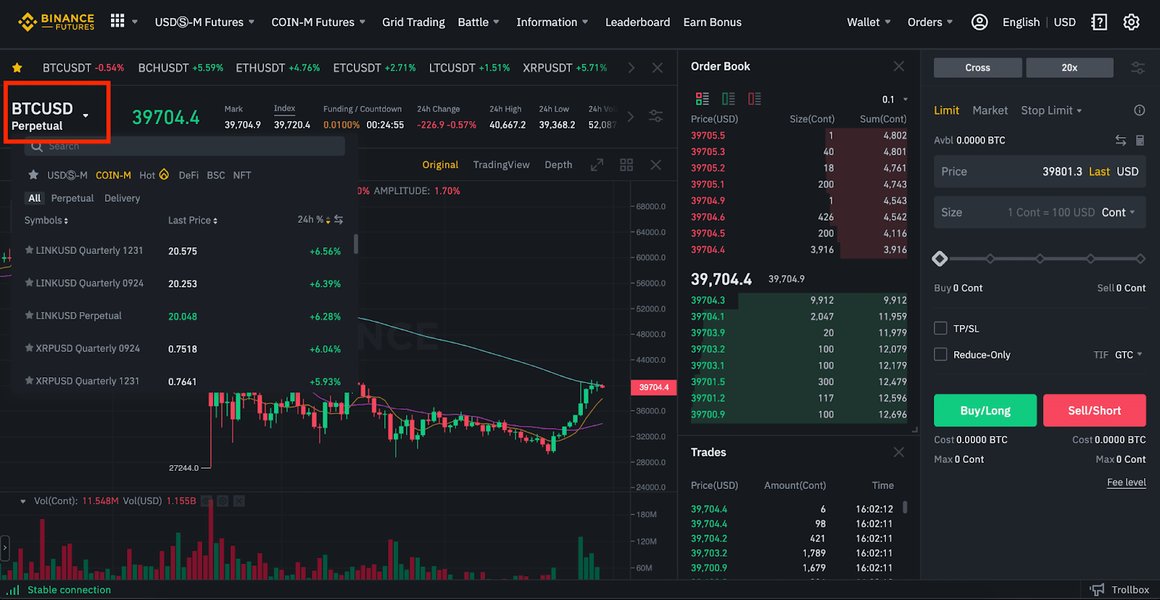
A visual representation of how trading pairs are listed on an exchange platform.
Fetching All USDT Trading Pairs
The Binance API provides endpoints to retrieve information about all symbols available on the exchange. You can then filter these to get only USDT pairs that are currently trading.
import requests # Can also use client.get_exchange_info()

def get_usdt_trading_pairs_requests():
    url = "https://api.binance.com/api/v3/exchangeInfo"
    try:
        response = requests.get(url)
        response.raise_for_status() # Raise an exception for HTTP errors
        data = response.json()

        usdt_pairs = []
        for symbol_info in data['symbols']:
            if symbol_info['quoteAsset'] == 'USDT' and symbol_info['status'] == 'TRADING':
                usdt_pairs.append(symbol_info['symbol'])
        return usdt_pairs
    except requests.exceptions.RequestException as e:
        print(f"Error fetching exchange info: {e}")
        return []

# Example usage:
# usdt_pairs_list = get_usdt_trading_pairs_requests()
# print(f"Found {len(usdt_pairs_list)} USDT trading pairs.")

# Alternative using python-binance client
def get_usdt_trading_pairs_client(binance_client):
    try:
        exchange_info = binance_client.get_exchange_info()
        usdt_pairs = []
        for symbol_info in exchange_info['symbols']:
            if symbol_info['quoteAsset'] == 'USDT' and symbol_info['status'] == 'TRADING':
                usdt_pairs.append(symbol_info['symbol'])
        return usdt_pairs
    except Exception as e:
        print(f"Error fetching exchange info via client: {e}")
        return []
Fetching Market Data (Klines/Candlesticks)
Once you have the list of USDT pairs, you'll need to fetch historical price data (klines or candlesticks) for analysis. Klines provide open, high, low, close prices, and volume for specific intervals.
import pandas as pd

def get_historical_klines(binance_client, symbol, interval='1h', limit=100):
    try:
        klines = binance_client.get_klines(symbol=symbol, interval=interval, limit=limit)
        # Structure of klines: [timestamp, open, high, low, close, volume, ...]
        df = pd.DataFrame(klines, columns=[
            'open_time', 'open', 'high', 'low', 'close', 'volume',
            'close_time', 'quote_asset_volume', 'number_of_trades',
            'taker_buy_base_asset_volume', 'taker_buy_quote_asset_volume', 'ignore'
        ])
        # Convert price and volume columns to numeric
        for col in ['open', 'high', 'low', 'close', 'volume']:
            df[col] = pd.to_numeric(df[col])
        df['open_time'] = pd.to_datetime(df['open_time'], unit='ms')
        return df
    except Exception as e:
        print(f"Error fetching klines for {symbol}: {e}")
        return pd.DataFrame() # Return empty DataFrame on error

# Example:
# btc_klines_df = get_historical_klines(client, 'BTCUSDT', interval=Client.KLINE_INTERVAL_1DAY, limit=50)
# if not btc_klines_df.empty:
#     print(btc_klines_df[['open_time', 'close']].tail())
Implementing Buy Signal Logic
Defining a "buy signal" is a crucial and complex part of any trading-related application. For this example, we'll implement a very basic Moving Average (MA) crossover strategy. This is for illustrative purposes only and should not be considered financial advice or a robust trading strategy without extensive backtesting and risk assessment.
Moving Average Crossover
A common simple signal is when a short-term MA crosses above a long-term MA. This can indicate an upward trend is beginning.
- Calculate a short-term Moving Average (e.g., 7 periods).
- Calculate a long-term Moving Average (e.g., 25 periods).
- A buy signal occurs if the short-term MA was below the long-term MA in the previous period and is above it in the current period.
def check_ma_crossover_buy_signal(df, short_window=7, long_window=25):
    if df.empty or len(df) < long_window:
        return False # Not enough data

    df['MA_short'] = df['close'].rolling(window=short_window).mean()
    df['MA_long'] = df['close'].rolling(window=long_window).mean()

    # Check for crossover: MA_short was below MA_long, and now MA_short is above MA_long
    # Using iloc[-2] for previous period and iloc[-1] for current period
    if (df['MA_short'].iloc[-2] < df['MA_long'].iloc[-2] and
            df['MA_short'].iloc[-1] > df['MA_long'].iloc[-1]):
        return True
    return False

# Example usage with previously fetched klines:
# if not btc_klines_df.empty:
#     is_buy_signal = check_ma_crossover_buy_signal(btc_klines_df)
#     print(f"Buy signal for BTCUSDT: {is_buy_signal}")
Other Potential Indicators
More advanced strategies might involve other indicators such as:
- Relative Strength Index (RSI): To identify oversold conditions.
- MACD (Moving Average Convergence Divergence): To spot bullish crossovers.
- Support and Resistance Levels: To identify price points where buying pressure might increase.
Overview of Technical Indicators for Buy Signals
The following table summarizes a few common technical indicators that traders use to identify potential buy signals. Remember that no single indicator is foolproof, and they are often used in combination.
| Indicator | Description | Potential Buy Signal Interpretation |
|---|---|---|
| Moving Average (MA) Crossover | Compares a short-term MA with a long-term MA. | Short-term MA crosses above long-term MA. |
| Relative Strength Index (RSI) | A momentum oscillator that measures the speed and change of price movements. Values range from 0 to 100. | RSI moves up from oversold territory (e.g., below 30). |
| MACD (Moving Average Convergence Divergence) | A trend-following momentum indicator that shows the relationship between two moving averages of a security’s price. | MACD line crosses above the signal line (bullish crossover). |
| Support Levels | Price levels where a downtrend can be expected to pause due to a concentration of demand. | Price approaches and bounces off a known support level. |
| Volume Increase | A significant increase in trading volume. | A price rally accompanied by a significant increase in volume can confirm buying interest. |
Visualizing App Development Focus with a Radar Chart
When developing an application like a crypto signal scanner, various aspects require attention. The radar chart below illustrates a hypothetical focus distribution for a beginner's implementation versus a more advanced target. A beginner might prioritize basic API integration and GUI functionality, while an advanced version would emphasize sophisticated signal logic, robust error handling, and real-time capabilities.
Building the Tkinter GUI
Tkinter will be used to create the graphical user interface. The GUI will display the list of USDT pairs and highlight those that meet your buy signal criteria. It will also include a button to refresh the data.
Conceptual Tkinter Structure
The main components of the GUI will be:
- A main window.
- A
Listboxorttk.Treeviewto display trading pairs and their signal status. - A
Buttonto trigger the data refresh and signal analysis. - A
LabelorTextwidget to show status messages or detailed signal information.
Crucially, API calls and data processing should be done in a separate thread to prevent the GUI from freezing.
import tkinter as tk
from tkinter import ttk, scrolledtext
import threading
# Assuming previous functions: client, get_usdt_trading_pairs_client, get_historical_klines, check_ma_crossover_buy_signal

class BinanceSignalApp:
    def __init__(self, root_window):
        self.root = root_window
        self.root.title("Binance USDT Pair Scanner")
        self.root.geometry("700x500")

        self.client = Client() # Initialize Binance client

        # Frame for controls
        control_frame = ttk.Frame(self.root, padding="10")
        control_frame.pack(fill=tk.X)

        self.refresh_button = ttk.Button(control_frame, text="Refresh Data & Scan Signals", command=self.start_refresh_data_thread)
        self.refresh_button.pack(side=tk.LEFT, padx=5)

        self.status_label = ttk.Label(control_frame, text="Status: Idle")
        self.status_label.pack(side=tk.LEFT, padx=5)

        # Treeview for displaying pairs and signals
        columns = ('pair', 'signal')
        self.tree = ttk.Treeview(self.root, columns=columns, show='headings')
        self.tree.heading('pair', text='USDT Pair')
        self.tree.heading('signal', text='Buy Signal')
        self.tree.column('pair', width=150)
        self.tree.column('signal', width=100, anchor=tk.CENTER)
        self.tree.pack(fill=tk.BOTH, expand=True, padx=10, pady=5)

        # Add scrollbar to Treeview
        scrollbar = ttk.Scrollbar(self.tree, orient=tk.VERTICAL, command=self.tree.yview)
        self.tree.configure(yscrollcommand=scrollbar.set)
        scrollbar.pack(side=tk.RIGHT, fill=tk.Y)

        # Log area
        self.log_area = scrolledtext.ScrolledText(self.root, height=5, wrap=tk.WORD)
        self.log_area.pack(fill=tk.X, padx=10, pady=5)
        self.log_message("App started. Click 'Refresh Data' to scan.")

    def log_message(self, message):
        self.log_area.insert(tk.END, f"{message}\n")
        self.log_area.see(tk.END) # Scroll to the bottom

    def start_refresh_data_thread(self):
        self.refresh_button.config(state=tk.DISABLED)
        self.status_label.config(text="Status: Processing...")
        self.log_message("Starting data refresh and signal scan...")
        # Clear previous entries in Treeview
        for i in self.tree.get_children():
            self.tree.delete(i)

        thread = threading.Thread(target=self.refresh_data, daemon=True)
        thread.start()

    def refresh_data(self):
        try:
            usdt_pairs = get_usdt_trading_pairs_client(self.client)
            self.log_message(f"Fetched {len(usdt_pairs)} USDT pairs.")

            if not usdt_pairs:
                self.root.after(0, lambda: self.log_message("No USDT pairs found or error fetching pairs."))
                self.root.after(0, lambda: self.status_label.config(text="Status: Error fetching pairs"))
                self.root.after(0, lambda: self.refresh_button.config(state=tk.NORMAL))
                return

            processed_count = 0
            for pair in usdt_pairs:
                # To avoid hitting API rate limits too quickly, add a small delay or process in batches
                # For this example, processing all. In a real app, consider limiting.
                klines_df = get_historical_klines(self.client, pair, interval=Client.KLINE_INTERVAL_1HOUR, limit=50) # Using 1-hour interval

                signal_text = "-"
                if not klines_df.empty:
                    is_buy_signal = check_ma_crossover_buy_signal(klines_df, short_window=10, long_window=30) # Adjusted windows
                    if is_buy_signal:
                        signal_text = "BUY"
                        self.log_message(f"BUY Signal found for {pair}")

                # Update GUI from the main thread using root.after
                self.root.after(0, self.update_treeview, pair, signal_text)
                processed_count += 1
                self.root.after(0, lambda p=processed_count, t=len(usdt_pairs): self.status_label.config(text=f"Status: Processing {p}/{t}"))

            self.root.after(0, lambda: self.log_message("Scan complete."))
            self.root.after(0, lambda: self.status_label.config(text=f"Status: Idle. Scan completed for {len(usdt_pairs)} pairs."))
        except Exception as e:
            self.root.after(0, lambda: self.log_message(f"Error during data refresh: {e}"))
            self.root.after(0, lambda: self.status_label.config(text="Status: Error"))
        finally:
            # Re-enable button from main thread
            self.root.after(0, lambda: self.refresh_button.config(state=tk.NORMAL))

    def update_treeview(self, pair, signal_text):
        self.tree.insert('', tk.END, values=(pair, signal_text))
        # Optional: Color rows with signals
        if signal_text == "BUY":
            # This requires getting the item id; Treeview doesn't directly support coloring last inserted row easily without tags.
            # For simplicity, this is omitted but can be added with item tags.
            pass


# To run the application:
# if __name__ == "__main__":
#     main_root = tk.Tk()
#     app = BinanceSignalApp(main_root)
#     main_root.mainloop()
Note: The full runnable script would combine all defined functions. The example above shows the Tkinter class structure and how it would call the data fetching and signal checking functions. Remember to replace 'YOUR_API_KEY' and 'YOUR_API_SECRET' if using authenticated calls.
Project Structure Mindmap
The mindmap below outlines the conceptual structure of the Python Binance USDT Signal App, detailing its main components and their sub-elements. This visualization helps in understanding the relationships and flow within the application, from initial setup to displaying results in the GUI.
pandas, tkinter)"] id1b["Binance API Configuration
(Keys - Optional for public data)"] id2["Core Logic Modules"] id2a["Binance API Interaction"] id2aa["Fetch USDT Trading Pairs
(Filter by 'USDT' & 'TRADING')"] id2ab["Fetch Historical Market Data
(Klines/Candlesticks)"] id2b["Signal Generation Engine"] id2ba["Technical Indicator Calculation
(e.g., Moving Average Crossover)"] id2bb["Define Buy/Sell Conditions"] id2c["Data Processing & Handling"] id2ca["Pandas DataFrame for Klines"] id2cb["Data Cleaning & Preparation"] id3["User Interface (Tkinter)"] id3a["Main Application Window"] id3b["Display Trading Pairs (Treeview/Listbox)"] id3c["Show Identified Signals"] id3d["User Controls (e.g., Refresh Button)"] id3e["Threading for Non-Blocking Operations"] id3f["Status & Logging Area"] id4["Important Considerations"] id4a["API Rate Limit Management"] id4b["Comprehensive Error Handling"] id4c["Strategy Backtesting (Crucial)"] id4d["Risk Management Principles"] id4e["Security of API Keys"]
This video, "Creating binance trading bot GUI | Python | Live trading," provides a visual demonstration of building a GUI for a Binance trading bot, which shares similar concepts with the application discussed, such as API interaction and GUI development with Python.
Important Considerations for Your Application
- API Rate Limits: Binance, like most exchanges, imposes rate limits on API requests. Be mindful of these limits to avoid temporary IP bans. Implement delays or process pairs in batches if necessary.
- Error Handling: Network issues, API errors, or unexpected data formats can occur. Implement robust error handling (e.g., try-except blocks) throughout your application.
- False Positives: Technical indicators are not infallible and can generate false signals. The simple MA crossover used here is very basic.
- Backtesting: Before relying on any trading strategy, it is absolutely crucial to backtest it on historical data to evaluate its performance under various market conditions.
- Risk Management: Identifying buy signals is only one facet of trading. Proper risk management (e.g., setting stop-losses, position sizing) is paramount and not covered by this simple signal scanner.
- Security: If you use API keys for trading functionalities, ensure they are stored and used securely. Grant only necessary permissions to your API keys.
- Real-time Data: For more timely signals, consider using Binance WebSockets to stream real-time market data instead of polling via REST API calls.
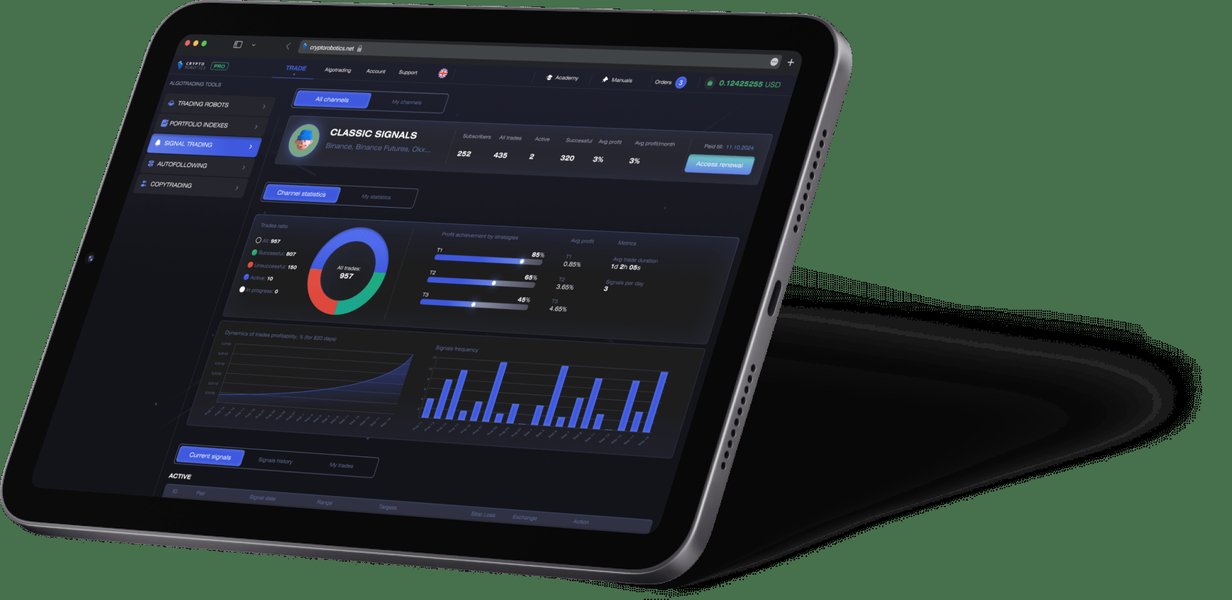
Conceptual image representing crypto trading signals, which are indicators suggesting opportune moments to buy or sell.
Frequently Asked Questions (FAQ)
How do I get Binance API keys?
You can generate API keys from your Binance account. Log in to Binance, navigate to your account settings or API Management section, and follow the instructions to create a new API key. Remember to set appropriate permissions (e.g., enable reading info, enable spot & margin trading if needed, but be cautious with withdrawal permissions).
What are some common buy signals beyond MA crossover?
Besides MA crossovers, traders often look for:
- RSI Oversold: When the RSI drops below a certain level (e.g., 30) and starts to rise.
- MACD Bullish Crossover: When the MACD line crosses above the signal line.
- Support Level Bounces: When price falls to a historical support level and bounces off it.
- Bullish Divergence: When price makes a new low, but an oscillator (like RSI or MACD) makes a higher low.
- Volume Confirmation: An increase in trading volume accompanying a price rise.
Complex strategies often combine multiple indicators.
Why is threading important in a Tkinter app with network requests?
Tkinter applications run an event loop (mainloop()) in a single thread. If you perform long-running operations like network requests (API calls to Binance) or intensive calculations directly in this main thread, the GUI will freeze and become unresponsive until the operation completes. Threading allows you to run these long operations in a separate background thread, keeping the GUI responsive. However, GUI updates must still be scheduled to run in the main thread, often using methods like root.after().
Can this app trade automatically?
The example provided focuses on retrieving data and identifying potential signals for display. It does not include functionality for automatic trading. Implementing automated trading requires additional code to place orders via the Binance API, careful handling of API key permissions, robust error management, and comprehensive risk management strategies. Automated trading carries significant financial risk.
How can I improve the buy signal logic?
Improving signal logic involves several steps:
- Combine Indicators: Use multiple technical indicators to confirm signals (e.g., MA crossover + RSI confirmation).
- Adjust Parameters: Optimize indicator parameters (e.g., MA periods, RSI levels) for different assets or timeframes through backtesting.
- Consider Market Context: Incorporate broader market trend analysis or news sentiment if possible.
- Volume Analysis: Factor in trading volume to confirm the strength of price movements.
- Backtesting: Rigorously test any new logic on historical data to assess its profitability and reliability.
- Machine Learning: For more advanced approaches, explore machine learning models trained on historical data to predict price movements, though this is significantly more complex.
Recommended Further Exploration
- How can I implement more advanced technical analysis indicators like Bollinger Bands or Ichimoku Cloud in Python for Binance data?
- What are the best practices for securely managing and using Binance API keys in a Python application that might be deployed or shared?
- How can I integrate Binance WebSockets with Python and Tkinter to get real-time market data updates instead of polling?
- What are some popular Python libraries and frameworks for backtesting cryptocurrency trading strategies effectively?
References
Last updated May 7, 2025