
Unlock XML Processing Power: Customizing Libxml2 on RHEL 8 with Satellite
A step-by-step guide to safely modify XML_MAX_NODESET_LENGTH on your Satellite-managed RHEL 8 system.
Modifying core system libraries like libxml2 on a Red Hat Enterprise Linux 8 (RHEL 8) system, especially one managed by Red Hat Satellite, requires careful consideration. The goal is to adjust the XML_MAX_NODESET_LENGTH limit, which restricts the number of nodes returned by XPath queries. This limit exists primarily for security and performance reasons, preventing potential Denial-of-Service (DoS) attacks or excessive memory consumption from overly complex or malicious XML files.
While increasing or removing this limit might be necessary for specific applications handling very large XML datasets, it's crucial to understand the risks and follow best practices to avoid destabilizing your system or interfering with Satellite management.
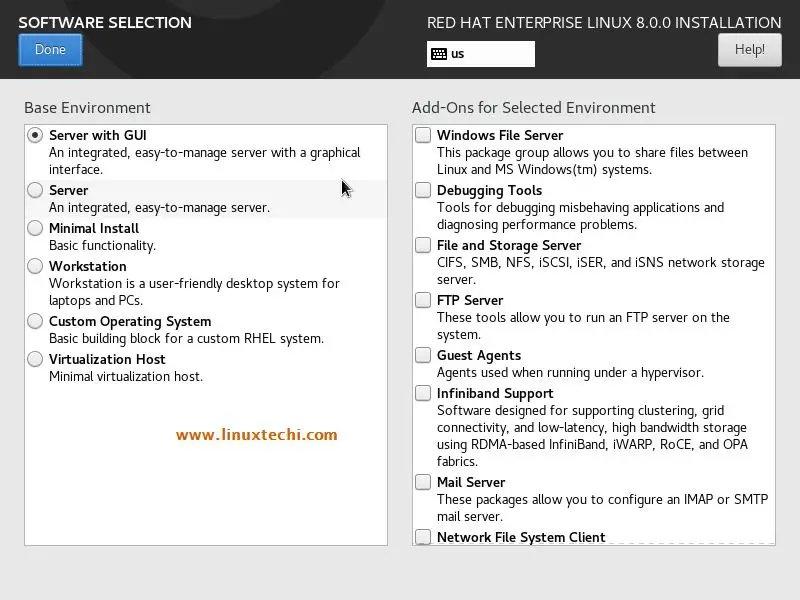
RHEL 8 provides a robust environment, but modifying core components like libxml2 requires caution.
Key Considerations & Highlights
- Understand the Risks: Altering
XML_MAX_NODESET_LENGTHcan lead to significant memory usage, performance degradation, or even application crashes when processing extremely large node sets. Removing the limit entirely amplifies these risks. - Satellite Integration is Crucial: On Satellite-managed systems, directly modifying system packages outside of Satellite's control can cause dependency issues, break client registration (
rhn_register), and lead to an unsupported state. Official updates might overwrite your custom changes. - RPM Rebuilding Recommended: The safest approach involves rebuilding
libxml2as a custom RPM package and managing its deployment through Red Hat Satellite. This ensures consistency and proper version management.
Understanding XML_MAX_NODESET_LENGTH
Why Does This Limit Exist?
libxml2 processes XML documents, and XPath is a language for navigating and selecting nodes within those documents. An XPath query can potentially return a vast number of nodes (a "nodeset"). The XML_MAX_NODESET_LENGTH constant acts as a safeguard:
- Performance: Processing extremely large nodesets consumes significant CPU time and memory.
- Security: Maliciously crafted XML files combined with resource-intensive XPath queries could be used to exhaust server resources (DoS attack).
The default limit in modern libxml2 versions is often in the range of tens of thousands to a few million nodes. Your request to increase it to 100 million is a substantial change.
Step-by-Step Guide: Recompiling Libxml2 via RPM Package
This guide focuses on the recommended method: rebuilding libxml2 as a custom RPM package for better integration with your RHEL 8 system and Red Hat Satellite.
Phase 1: Preparation and Source Code Acquisition
1. Install Development Tools and Dependencies
Ensure you have the necessary tools to build RPMs and compile software:
sudo dnf groupinstall "Development Tools"
sudo dnf install rpm-build yum-utils libxml2-devel
The libxml2-devel package provides header files needed for compilation, and yum-utils provides yumdownloader.
2. Identify Current Version and Download Source RPM (SRPM)
Check your installed libxml2 version:
rpm -q libxml2Note the version (e.g., libxml2-2.9.7-15.el8.x86_64). Download the corresponding Source RPM (SRPM). Using the SRPM ensures you start with the exact RHEL version, including any Red Hat-specific patches.
# Replace with your actual version if needed
yumdownloader --source libxml2
3. Install SRPM and Build Dependencies
Install the SRPM. This extracts the source code and the .spec file (build instructions) into your ~/rpmbuild directory:
rpm -ivh libxml2-*.src.rpmInstall the build dependencies specified in the .spec file:
sudo yum-builddep ~/rpmbuild/SPECS/libxml2.spec(Use dnf builddep if yum-builddep is unavailable).
Phase 2: Modifying the Source Code
4. Locate and Edit the Target File
Navigate to the extracted source directory, typically within ~/rpmbuild/BUILD/. The exact path might vary depending on the version.
cd ~/rpmbuild/BUILD/libxml2-*/Search for the definition of XML_MAX_NODESET_LENGTH. This is often located in header files like include/libxml/xpath.h, include/libxml/parser.h, or potentially source files like xpath.c.
# Example search command
grep -r "XML_MAX_NODESET_LENGTH" .
Open the file containing the definition (e.g., include/libxml/xpath.h) with a text editor.
5. Apply the Modification
Find the line defining the constant, which might look like:
#define XML_MAX_NODESET_LENGTH 10000000 /* Example default value */- To set the limit to 100 million: Change the value:
#define XML_MAX_NODESET_LENGTH 100000000 - To effectively remove the check (Use with extreme caution): You could comment out the
#defineline and potentially the code sections that use it, or set it to an extremely large value like2000000000(close to max signed 32-bit integer). However, simply increasing the limit as requested is generally safer than removing checks entirely.
Save the file.
6. Create a Patch (Recommended)
Instead of directly editing the source in the BUILD directory (which gets cleaned), it's better practice to create a patch file. Copy the original source tree, make your changes in the copy, and generate a patch:
cp -r ~/rpmbuild/BUILD/libxml2-*/ ~/rpmbuild/BUILD/libxml2-custom
cd ~/rpmbuild/BUILD/libxml2-custom
# Make your edits as in Step 5
cd ..
diff -Naur libxml2-*/ libxml2-custom/ > ~/rpmbuild/SOURCES/libxml2-nodeset-limit.patch
# Clean up the copy
rm -rf libxml2-custom
This creates a patch file in the SOURCES directory.
Phase 3: Building the Custom RPM
7. Edit the .spec File
Navigate to the SPECS directory and edit the libxml2.spec file:
cd ~/rpmbuild/SPECS/
vim libxml2.spec- Modify the Release Tag: Find the
Release:line and append a custom identifier to distinguish your version (e.g., add.mycustom1). This prevents conflicts with official updates.%define rh_release 15 Release: %{rh_release}.mycustom1%{?dist} - Apply the Patch (if created in Step 6): Add a
Patchdirective near the top (e.g.,Patch100: libxml2-nodeset-limit.patch) and apply it in the%prepsection (e.g.,%patch100 -p1). Look for existing%patchlines for guidance. - If you didn't create a patch and edited the source directly (not recommended), you'll need to ensure your changes persist during the build, which might involve modifying the
%prepor%buildsections to re-apply changes or copy modified files. Using a patch is cleaner.
Save the .spec file.
8. Build the RPM Package
From the ~/rpmbuild/SPECS directory, run the rpmbuild command:
rpmbuild -ba libxml2.specThis will compile the modified source and package it into RPM files. Watch for any build errors. Successful builds will place the new RPMs in ~/rpmbuild/RPMS/x86_64/ (or your architecture).
Phase 4: Deployment and Verification
9. Deploy via Red Hat Satellite (Highly Recommended)
This is the safest way to manage the custom package:
- Upload RPMs: Upload the generated
libxml2-*-.rpmandlibxml2-devel-*-.rpm(if needed) files to your Red Hat Satellite server. - Create Custom Repository: Add the RPMs to a custom product and repository within Satellite.
- Manage Content View: Add the custom repository to the relevant Content View(s) and publish a new version.
- Promote and Deploy: Promote the Content View version through your lifecycle environments (e.g., Dev -> Test -> Prod) and deploy the custom
libxml2package to the target RHEL 8 host(s) using Satellite's standard procedures (e.g., package installation/update via the host details page or remote execution).
Using Satellite ensures the custom package is tracked, managed, and won't be accidentally overwritten by standard RHEL updates (unless you explicitly allow it or change repository priorities).
10. Alternative: Manual Installation (Use Cautiously)
If you cannot use Satellite for deployment (not recommended), you can install the RPM manually on the target machine:
# Copy the RPMs from ~/rpmbuild/RPMS/x86_64/ to the target machine
sudo dnf localinstall libxml2-*.rpm libxml2-devel-*.rpm # Install both if needed
Warning: Manual installation bypasses Satellite's management for this package. Future dnf update operations might try to replace your custom version with an official Red Hat update unless you configure DNF version locking or priorities, adding complexity.
11. Verification
After deployment, verify the change:
- Check the installed version:
rpm -q libxml2should show your custom release tag (e.g.,.mycustom1). - Test your application or use case that requires the increased limit.
- Monitor the application's memory usage and system performance under load.
- Check Satellite client status: Ensure
rhn_registerorsubscription-managercommands still work correctly.
Alternative Approach: make install (Not Recommended for Satellite)
While possible, building from source using cmake or ./configure followed by make install is generally discouraged on RPM-based systems managed by Satellite:
- It bypasses RPM package management, making tracking, updates, and uninstalls difficult.
- It typically installs files into
/usr/local/, requiring applications to be specifically configured (e.g., viaLD_LIBRARY_PATHor re-linking) to use the custom library, which can be cumbersome and error-prone. - It doesn't integrate with Satellite, increasing the risk of conflicts and inconsistencies.
If you must use this method, ensure you configure the build with a distinct prefix (--prefix=/usr/local/libxml2-custom or similar) and understand how to link your application against it.
Visualizing the Process: Build & Deployment Mindmap
This mindmap outlines the key stages involved in the recommended RPM recompilation process for modifying libxml2 on a Satellite-managed RHEL 8 system.
(dnf groupinstall, rpm-build)"] id1b["Install libxml2-devel, yum-utils"] id1c["Identify Current Version
(rpm -q libxml2)"] id1d["Download Matching SRPM
(yumdownloader --source)"] id1e["Install SRPM
(rpm -ivh)"] id1f["Install Build Dependencies
(yum-builddep)"] id2["Phase 2: Modify Source"] id2a["Locate Source Code
(~/rpmbuild/BUILD/libxml2-*)"] id2b["Find XML_MAX_NODESET_LENGTH
(e.g., include/libxml/xpath.h)"] id2c["Edit Definition
(#define XML_MAX_NODESET_LENGTH 100000000)"] id2d["(Optional/Best Practice)
Create Patch File
(diff -Naur)"] id3["Phase 3: Build Custom RPM"] id3a["Edit libxml2.spec
(~/rpmbuild/SPECS/)"] id3a1["Increment Release Tag
(e.g., .mycustom1)"] id3a2["Add & Apply Patch
(Patch100:, %patch100)"] id3b["Build RPMs
(rpmbuild -ba libxml2.spec)"] id3c["Collect RPMs
(~/rpmbuild/RPMS/x86_64/)"] id4["Phase 4: Deployment & Verification"] id4a["Option 1 (Recommended): Satellite"] id4a1["Upload RPMs to Satellite"] id4a2["Add to Custom Repo/Product"] id4a3["Add Repo to Content View"] id4a4["Publish & Promote CV"] id4a5["Deploy via Satellite Tools"] id4b["Option 2 (Caution): Manual"] id4b1["Copy RPMs to Target"] id4b2["Install via dnf localinstall"] id4b3["Risk: Bypasses Satellite Mgmt"] id4c["Verify Installation
(rpm -q, Application Test)"] id4d["Monitor System
(Memory, Performance, Satellite Client)"] id5["Risks & Considerations"] id5a["Memory/Performance Impact"] id5b["Satellite Integration Issues"] id5c["Security Implications"] id5d["Unsupported Configuration"] id6["Rollback Plan"] id6a["Reinstall Official Package
(dnf reinstall libxml2 or via Satellite)"]
Comparing Deployment Approaches
Choosing the right deployment method is critical, especially within a Satellite environment. This table compares the recommended RPM-based approach with the less ideal make install method.
| Feature | Custom RPM + Satellite Deployment | Manual make install |
|---|---|---|
| Package Management | Integrates with RPM system; trackable | Bypasses RPM; manual tracking required |
| Satellite Integration | Fully managed by Satellite (updates, inventory) | Invisible to Satellite management |
| System Consistency | Maintains consistency across managed hosts | Potential for inconsistency; manual application configuration needed |
| Updates & Rollback | Easily managed via Satellite; standard rollback | Manual updates/removal; rollback requires manual cleanup |
| Risk of Conflict | Lower risk (if versioning handled correctly) | Higher risk (potential library path conflicts, overwriting system files if prefix not used) |
| Effort | Higher initial effort (RPM building, Satellite setup) | Lower initial build effort, higher integration/maintenance effort |
| Recommendation | Highly Recommended for RHEL/Satellite | Not Recommended for RHEL/Satellite |
Risk & Complexity Assessment
Modifying a core library like libxml2 involves several factors. This chart provides an opinionated assessment of the risks and complexities associated with different aspects of this task, particularly when aiming for a high limit like 100 million.
This assessment highlights that while feasible, increasing the limit significantly or removing it carries notable risks, especially concerning performance and stability. Using the recommended RPM/Satellite approach helps mitigate integration and maintenance complexities but doesn't eliminate the inherent risks of altering the library's core behavior.
Frequently Asked Questions (FAQ)
Why not just edit the library file directly?
What if the build process fails?
Will this custom version receive security updates?
How do I roll back if something goes wrong?
Recommended Reading
- Learn how to create and upload custom RPM packages to Red Hat Satellite for centralized management.
- Discover the best practices for managing custom software packages within a Red Hat Satellite infrastructure.
- Gain a deeper understanding of RPM spec files used for building packages on RHEL 8.
- Explore the performance implications associated with processing very large XPath nodesets using libxml2.
References
Last updated May 2, 2025