
Unlocking Faster HTTPS: Why Your LocalXpose Tunneled Server Slows Down and How to Fix It
Experiencing a speed dip with HTTPS over HTTP via LocalXpose? Explore the causes and solutions for this common CGNAT challenge.
You've encountered a common yet frustrating issue: your server, accessed via LocalXpose to bypass your ISP's Carrier-Grade NAT (CGNAT), performs significantly slower over HTTPS (which your browser reports as using HTTP/2) compared to plain HTTP. This performance discrepancy can be a bottleneck for services requiring secure connections. Let's delve into why this happens and what steps you can take to troubleshoot and potentially resolve it.
Key Insights: Understanding the Speed Discrepancy
- HTTPS Overhead is Amplified: The inherent cryptographic processes of HTTPS (TLS/SSL handshake, encryption/decryption) add latency and processing load, which can be magnified when traffic is routed through a tunnel like LocalXpose, especially under CGNAT conditions.
- HTTP/2 Complexities in Tunnels: While HTTP/2 is designed for performance, its benefits like multiplexing might not translate well or could even introduce inefficiencies when tunneled through services not fully optimized for it, or over networks with higher latency or packet loss.
- Tunneling and CGNAT Factors: LocalXpose, while a valuable tool for CGNAT traversal, introduces additional network hops and potential processing on its own servers. CGNAT itself means your public IP is shared, potentially leading to congestion or policies affecting tunneled traffic.
Why is HTTPS Slower in Your Setup? Exploring the Causes
Several factors contribute to the observed slowdown when using HTTPS with LocalXpose behind CGNAT. Understanding these can guide your troubleshooting efforts.
The Nature of CGNAT and LocalXpose
Carrier-Grade NAT (CGNAT) is a mechanism ISPs use to share a single public IPv4 address among multiple customers. This conserves IPv4 addresses but prevents direct port forwarding. LocalXpose creates an outbound tunnel from your server to its publicly accessible servers, then relays external requests back to your server through this tunnel. This process inherently adds latency and potential points of congestion compared to a direct connection.
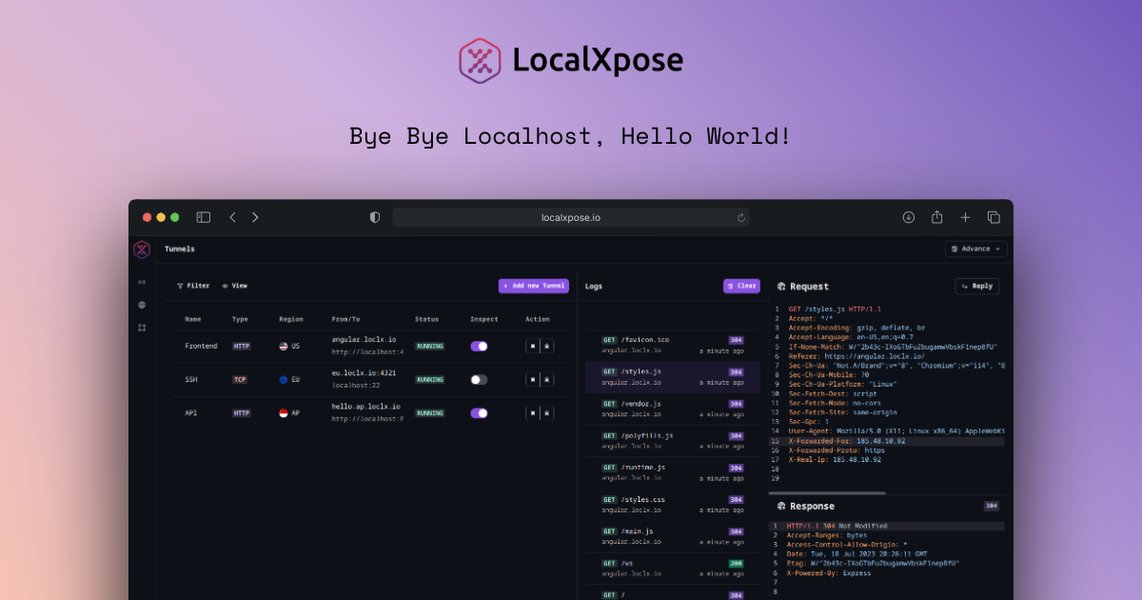
LocalXpose creates tunnels to expose local servers, bypassing CGNAT.
HTTPS Overhead: The Price of Security
TLS Handshake Delays
Establishing an HTTPS connection requires a TLS (Transport Layer Security) handshake. This involves several back-and-forth messages between the client and server to negotiate security parameters and exchange certificates. Each step adds latency, which is more noticeable over connections with existing delays, such as those traversing a tunnel and CGNAT.
Encryption and Decryption Load
All data transmitted over HTTPS is encrypted. While modern CPUs handle encryption efficiently, the continuous process of encrypting and decrypting data adds some processing overhead on both your server and the client. This overhead, combined with the tunneling, can contribute to reduced throughput.
HTTP/2 and Its Behavior in Tunneled Environments
HTTP/2 aims to improve performance over HTTP/1.1 through features like multiplexing (sending multiple requests and responses over a single TCP connection), header compression (HPACK), and server push. However, in a tunneled environment like LocalXpose:
- Multiplexing Challenges: If the tunnel or intermediate proxies don't handle HTTP/2 multiplexing optimally, or if there's packet loss, it can lead to inefficiencies or even head-of-line blocking at the TCP layer, paradoxically slowing things down.
- Proxy Handling: The way LocalXpose proxies or terminates TLS and handles HTTP/2 frames can impact performance. Suboptimal handling might introduce delays or fail to leverage HTTP/2's advantages fully.
Potential LocalXpose-Specific Factors
- Server Load and Regional Latency: Performance can vary depending on the load on LocalXpose's servers or the geographic region of the tunnel endpoint you are using. Some users have reported latency issues with specific LocalXpose regions.
- Service Tier or Limitations: Free or lower-tier plans on tunneling services might have bandwidth or connection rate limits that affect HTTPS performance more noticeably.
Network-Level Issues
Maximum Transmission Unit (MTU) Problems
MTU defines the largest packet size that can be transmitted over a network link without fragmentation. If the MTU path between your client and server (through LocalXpose) is smaller than what your server or client expects, packets might be fragmented or dropped. HTTPS traffic, often involving larger SSL/TLS records, can be more sensitive to MTU mismatches than HTTP. Incorrect MTU settings can lead to retransmissions and significantly degraded performance, particularly for HTTPS.
ISP Interference or Throttling
While less common, some ISPs might apply traffic shaping policies that disproportionately affect encrypted or tunneled traffic. They might also block or throttle connections to known tunneling service IP ranges or specific ports.
Visualizing Potential Performance Bottlenecks
The following chart illustrates common factors and their potential relative impact on HTTPS speed when tunneled through a service like LocalXpose under CGNAT. These are qualitative assessments based on typical troubleshooting scenarios. A higher value suggests a greater potential negative impact on speed.
This chart highlights that factors like MTU mismatches and TLS handshake latency can disproportionately affect HTTPS compared to HTTP, especially when tunneled.
Step-by-Step Troubleshooting Guide
Systematically work through these steps to identify and address the cause of the slowdown.
1. Verify Configurations
LocalXpose HTTPS Configuration
Ensure you are using the correct LocalXpose command for HTTPS tunneling. Some configurations might require specific flags to handle HTTPS traffic properly. For example, if your local server listens for HTTPS on a specific port (e.g., 8123 for HTTPS, not just HTTP), your command should reflect that. An example command for tunneling HTTPS to a local HTTP server on port 8123 might be:
./loclx tunnel http --to localhost:8123 --https-redirect./loclx tunnel https --to localhost:443Server-Side HTTP/2 and TLS Settings
Verify that your web server (e.g., Nginx, Apache) is correctly configured for HTTP/2 and TLS. Ensure you are using modern TLS protocols (TLS 1.2, TLS 1.3) and strong cipher suites. Misconfigurations here can lead to performance issues or connection failures.
2. Isolate the Bottleneck
Test Local Server Performance
Access your server directly on your local network (bypassing LocalXpose and CGNAT) using both HTTP and HTTPS. This helps determine if the slowdown is inherent to your server's HTTPS configuration or primarily due to the tunneling/CGNAT setup.
Systematic Speed Tests
Use tools like curl with timing options, or browser developer tools (Network tab) to measure load times and throughput for both HTTP and HTTPS endpoints via LocalXpose. Document these results.
Example curl commands:
curl -o /dev/null -s -w "Connect: %{time_connect} TTFB: %{time_starttransfer} Total time: %{time_total}\n" http://your-localxpose-url
curl -o /dev/null -s -w "Connect: %{time_connect} TTFB: %{time_starttransfer} Total time: %{time_total}\n" https://your-localxpose-url
Test Different LocalXpose Regions/Endpoints
If LocalXpose offers different server regions, try connecting through an alternative one. Performance can vary significantly by region due to network peering and server load.
3. Protocol-Specific Troubleshooting
Test HTTPS with HTTP/1.1
Temporarily disable HTTP/2 on your server (if your server software allows it for specific virtual hosts or globally) or configure your LocalXpose client (if it has such options) to force HTTP/1.1 over HTTPS. Compare speeds. If HTTPS with HTTP/1.1 is significantly faster than with HTTP/2, it points to an issue with how HTTP/2 is handled in your tunneled setup.
Analyze TLS Handshake Performance
Use online tools like SSL Labs' SSL Test (for publicly accessible endpoints, which LocalXpose provides) to check your TLS configuration and handshake performance. Tools like openssl s_client -connect your-localxpose-url:443 -servername your-localxpose-url can also provide handshake details.
4. Network Diagnostics
Check and Adjust MTU Size
MTU issues are a common culprit for slow HTTPS.
You can try to find the optimal MTU path using ping with a "do not fragment" flag and varying packet sizes. For example, on Linux or macOS:
ping -D -s <packet_size> your-localxpose-urlping -f -l <packet_size> your-localxpose-urlTraceroute/MTR
Use traceroute (or tracert on Windows) or mtr to examine the network path to the LocalXpose server endpoint. This can reveal high latency hops or packet loss along the route.
Change DNS Servers
While less likely to cause a direct HTTP vs. HTTPS speed difference, slow or problematic DNS resolution can impact connection establishment. Try switching your client device or router's DNS servers to public ones like Cloudflare (1.1.1.1) or Google (8.8.8.8).
Verify LocalXpose Connectivity
LocalXpose documentation might specify certain ports that need to be accessible for its client to function optimally (e.g., port 54536/TCP for some LocalXpose operations). Ensure your firewall isn't blocking these. You can test with:
telnet <localxpose_server_ip> 54536<localxpose_server_ip> with the relevant IP, often found via drill us.loclx.io or similar for the region you use).
5. LocalXpose Health and Alternatives
Check LocalXpose Status and Community
Look for any service status updates, maintenance announcements, or community forum discussions on the LocalXpose website. Other users might be experiencing similar issues, and solutions or workarounds could be shared there. Some reports mention general bad performance or slow tunnel speeds with LocalXpose.
Contact LocalXpose Support
If you suspect the issue is with the LocalXpose service itself, reach out to their support with your detailed findings.
Consider Alternative Tunneling Solutions
If the problem persists and significantly impacts your use case, explore alternatives to LocalXpose:
- Ngrok: A popular alternative with a similar feature set.
- Cloudflare Tunnel (Argo Tunnel): Offers robust and often performant tunneling, integrating well with Cloudflare's ecosystem.
- Self-hosted VPN/Reverse Proxy: Setting up a small VPS and using it as a reverse proxy (e.g., with Nginx) or a VPN endpoint can give you more control, though it requires more technical setup.
Mapping the Troubleshooting Journey
The following mindmap provides a visual overview of the problem, potential causes, and the troubleshooting paths discussed. It helps to see how these elements are interconnected in diagnosing slow HTTPS performance via LocalXpose under CGNAT.
This mindmap structures the complex interplay of factors, from the CGNAT environment to specific protocol behaviors, guiding a methodical approach to diagnosis.
Comparing HTTP and HTTPS Performance Factors in Tunneled Setups
The table below outlines key differences between HTTP and HTTPS, especially concerning their performance characteristics when tunneled via a service like LocalXpose in a CGNAT environment.
| Feature/Aspect | HTTP (Tunneled) | HTTPS (Tunneled with HTTP/2) | Potential Performance Implication in Tunneled CGNAT Setup |
|---|---|---|---|
| Security Handshake | None | TLS Handshake (e.g., client hello, server hello, certificate exchange, key negotiation) | HTTPS incurs initial latency for handshake; this latency is amplified by tunnel and CGNAT path delays. |
| Data Encryption | None (plain text) | Data encrypted/decrypted at both ends | Adds CPU overhead on server and client; can slightly reduce throughput. Tunnel performance might interact with encrypted stream characteristics. |
| Protocol Version (Commonly) | HTTP/1.1 | HTTP/2 (as reported by your browser) | HTTP/2's multiplexing and header compression can be beneficial but may perform poorly if the tunnel or network conditions (latency, packet loss) are not ideal, or if LocalXpose's HTTP/2 proxying is inefficient. |
| Tunneling Overhead | Base overhead from LocalXpose (encapsulation, routing via proxy) | Base overhead + complexities from secure protocol handling | All tunneled traffic has overhead. HTTPS complexities (TLS, HTTP/2 framing) can exacerbate this if not handled optimally by the tunneling service. |
| Sensitivity to Packet Loss/MTU | Moderately sensitive | More sensitive, especially during TLS handshake and with larger HTTP/2 frames. MTU issues can cause severe degradation or timeouts. | Fragmentation or dropped packets due to MTU mismatches can cripple HTTPS performance more than HTTP. |
| ISP Inspection/Throttling | Potentially less scrutinized (though port 80 can be blocked) | Encrypted content, but port 443 traffic patterns might be subject to shaping by some ISPs. Tunneling service IPs might also be targeted. | ISP policies can impact both, but complex protocols over non-standard setups might attract more attention or suffer from generic shaping rules. |
This comparison highlights that while HTTP also incurs tunneling overhead, HTTPS has additional layers of complexity that can be more significantly impacted by the nuances of a tunneled CGNAT environment.
Using LocalXpose for Port Forwarding: A Visual Guide
The following video discusses using LocalXpose, particularly in scenarios like T-Mobile Home Internet which often employs CGNAT, making traditional port forwarding difficult. While not a direct speed troubleshooting guide, it provides context on using LocalXpose, which is central to your setup. Understanding how these services function can aid in diagnosing issues related to their use.
Video demonstrating LocalXpose for port forwarding with CGNAT-like ISP setups.
The video provides insights into setting up services like LocalXpose to bypass ISP limitations, which is the foundational reason for using such a tool. Problems can arise from the interaction between the tunneling service, your ISP's network management (CGNAT), and the protocols (HTTP vs. HTTPS/HTTP2) you are trying to use.
Frequently Asked Questions (FAQ)
What exactly is CGNAT and why does it prevent port forwarding?
Carrier-Grade Network Address Translation (CGNAT) is a method used by ISPs to assign a single public IPv4 address to multiple customers. Each customer's router gets a private IP address from the ISP's CGNAT device. Because you don't have a unique public IPv4 address directly on your router, you cannot configure traditional port forwarding, as incoming requests to that shared public IP wouldn't know which customer's internal device to go to. This is why services like LocalXpose are used to create an externally reachable endpoint.
Why is HTTPS generally a bit slower than HTTP even without tunnels or CGNAT?
HTTPS (HTTP Secure) adds two main components on top of HTTP:
- TLS/SSL Handshake: Before any application data is exchanged, the client and server perform a handshake to authenticate each other (usually the server to the client via a certificate) and agree on encryption algorithms and keys. This involves multiple round trips, adding latency.
- Encryption/Decryption: All application data is encrypted by the sender and decrypted by the receiver. While modern CPUs are very efficient at this, it still consumes some processing resources and can add a small amount of latency per packet.
How does HTTP/2 aim to improve performance, and why might it not help here?
HTTP/2 introduces several features to improve performance over HTTP/1.1, primarily:
- Multiplexing: Allows multiple requests and responses to be sent concurrently over a single TCP connection, avoiding head-of-line blocking at the HTTP level.
- Header Compression (HPACK): Reduces the size of HTTP headers.
- Server Push: Allows the server to proactively send resources the client is likely to need.
- Binary Protocol: More efficient to parse than text-based HTTP/1.1.
- Multiplexing relies on a stable, low-latency TCP connection. If the underlying TCP connection through the tunnel is poor, all multiplexed streams suffer.
- The way a tunneling service proxies HTTP/2 traffic might not be fully optimized, potentially stripping some benefits or adding its own overhead.
Could my server's hardware or resource limitations be a bottleneck for HTTPS?
Yes, it's possible, though less likely to cause such a stark difference between HTTP and HTTPS unless the hardware is very constrained. The encryption/decryption for HTTPS does add CPU load. If your server is already running at high CPU utilization, the additional load from HTTPS could slow things down. Monitor your server's CPU, memory, and network I/O when testing both HTTP and HTTPS access to see if resources are being exhausted. However, the issues described are more commonly related to network path, tunneling, and protocol interaction complexities.
Are there any free or more performant alternatives to LocalXpose for CGNAT?
Several alternatives exist, with varying free tiers and performance characteristics:
- Ngrok: Offers a free tier with limitations, widely used and generally reliable.
- Cloudflare Tunnel: Provides a robust free service for exposing web servers, leveraging Cloudflare's global network. This is often highly performant.
- Serveo (serveo.net): An SSH-based tunneling service that's simple to use, though uptime and performance can vary.
- PageKite: A long-standing service with a free trial and various paid plans.
- Self-hosting a reverse proxy on a VPS: Requires more setup (renting a cheap VPS, configuring Nginx/Caddy/HAProxy, and potentially a VPN like WireGuard), but gives you full control and potentially better performance if configured correctly.
Recommended Further Exploration
- How can I precisely determine and optimize MTU settings when my traffic goes through a tunnel for better HTTPS performance?
- What are the performance differences between LocalXpose, Ngrok, and Cloudflare Tunnel for serving HTTPS content from behind CGNAT?
- How can I troubleshoot specific HTTP/2 features like multiplexing when experiencing slowdowns over high-latency or tunneled connections?
- What are the best practices for configuring my web server (Nginx/Apache) for optimal HTTPS and HTTP/2 when it's accessed via a tunneling service or reverse proxy?
References
 spinupwp.com

Last updated May 7, 2025