
Unlocking the Mystery: Why Your HTTPS OpenSpeedTest Lags Behind HTTP via LocalXpose
Delving into the reasons for performance differences and how encryption and tunneling play a crucial role.
It's a common observation: you're running an OpenSpeedTest server, and when accessed via LocalXpose, the HTTP connection flies, fully utilizing your bandwidth. However, switch to HTTPS, and the speeds plummet. This discrepancy isn't unusual and understanding why requires a look into how HTTPS and tunneling services like LocalXpose operate.
Quick Insights: The Core of the HTTPS Slowdown
- Encryption's Toll: The primary factor is the computational overhead of TLS (Transport Layer Security) encryption and decryption, which secures HTTPS connections but consumes processing power and adds latency.
- Proxy Processing: Services like LocalXpose handle TLS termination (decrypting incoming HTTPS traffic and re-encrypting outgoing traffic), which adds an extra processing step that can impact throughput, especially for data-intensive applications like speed tests.
- Handshake Delays: Establishing a secure HTTPS connection involves a TLS handshake, a series of back-and-forth messages between the client and server. This initial setup introduces latency not present in plain HTTP connections.
Deconstructing the Speed Difference: HTTP vs. HTTPS via LocalXpose
When you use OpenSpeedTest through LocalXpose, several technical aspects come into play, leading to the performance gap you're witnessing between HTTP and HTTPS.
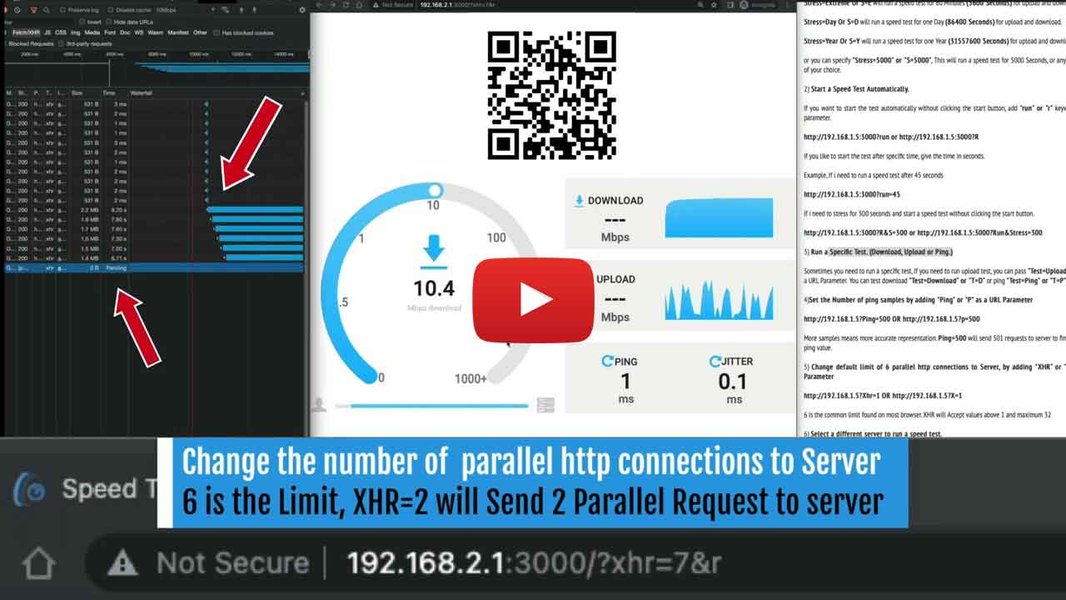
OpenSpeedTest provides a self-hosted solution for network performance testing.
The Burden of Security: TLS Encryption Overhead
The most significant contributor to slower HTTPS speeds is the encryption process itself. HTTPS wraps HTTP communication within a layer of TLS encryption. This involves:
- Encryption at Source: Data sent from the client (your browser) or the server (your OpenSpeedTest instance) must be encrypted.
- Decryption at Destination: The receiving end must decrypt this data.
These cryptographic operations are computationally intensive. While modern CPUs are optimized for these tasks, the constant encryption and decryption of large data streams during a speed test can strain resources, leading to lower throughput compared to unencrypted HTTP traffic. When LocalXpose is involved, it often performs TLS termination. This means LocalXpose's servers decrypt the HTTPS traffic from the client, then re-encrypt it if end-to-end encryption is used for the tunnel to your local server, or forward it unencrypted (within the secure tunnel) if your local server expects HTTP. This intermediate step adds to the processing load.
The Initial Handshake: Establishing Secure Connections
Before any data can be exchanged over HTTPS, a TLS handshake must occur. This multi-step process involves:
- Negotiating the cipher suite (the set of algorithms for encryption, key exchange, etc.).
- Authenticating the server via its SSL/TLS certificate.
- Generating session keys for encrypting the communication.
Each step in the handshake requires round-trips between the client and the server (in this case, potentially the LocalXpose endpoint). While techniques like session resumption can reduce this overhead for subsequent connections, the initial handshake adds latency that can be particularly noticeable in environments with many new connections or when latency is already a factor due to tunneling.
LocalXpose's Role: Tunneling and TLS Termination
LocalXpose provides a valuable service by exposing your local server to the internet. However, its architecture can influence performance for HTTPS traffic:
- TLS Termination Point: As mentioned, LocalXpose servers often act as the TLS termination point. This means they handle the SSL certificate and the encryption/decryption tasks for traffic coming from the public internet. The efficiency of LocalXpose's servers in performing these operations can affect your speed.
- Routing Complexity: HTTPS traffic might be routed through different or more specialized infrastructure within LocalXpose's network to handle encryption and certificate management. This can sometimes introduce additional network hops or processing nodes compared to simpler HTTP forwarding.
- Tunnel Overhead: The secure tunnel itself, even for HTTP traffic, has some inherent overhead. When HTTPS is layered on top, and TLS termination happens at the LocalXpose edge, the cumulative processing can lead to a more pronounced slowdown.
User reports and documentation for services like LocalXpose and similar reverse proxies (e.g., Caddy, Nginx) often highlight that enabling HTTPS can lead to a performance hit, especially for high-bandwidth applications. This is a known trade-off for the enhanced security HTTPS provides.
Protocol Nuances: HTTP/1.1 vs. HTTP/2
Modern HTTPS often leverages HTTP/2, which can offer performance benefits like multiplexing and header compression over HTTP/1.1 (commonly used with plain HTTP). However, if LocalXpose or your OpenSpeedTest server configuration doesn't fully optimize HTTP/2 within the tunneled HTTPS setup, or if there are fallbacks to HTTP/1.1 over TLS, these potential gains might not be realized, or could even introduce complexities that slightly hinder performance compared to a direct, unencrypted HTTP/1.1 connection.
Resource Saturation
The CPU capacity of the machine running your OpenSpeedTest server, or even the resources allocated by LocalXpose's infrastructure, can become a bottleneck. If TLS processing maxes out the CPU, it will directly limit the speed of encrypted traffic. This is often more evident with HTTPS because of the additional computational demands.
Visualizing the Factors: HTTPS Performance Impact
To better understand the relative impact of various elements on HTTPS performance degradation in a tunneled setup, the following chart provides a conceptual overview. The values represent a hypothetical impact score, where higher scores indicate a greater contribution to potential slowdowns compared to direct HTTP.
This radar chart illustrates that factors like TLS encryption load and proxy processing typically have a more significant adverse impact on HTTPS speeds compared to HTTP, where these specific overheads are minimal or absent.
Mindmap: Factors Influencing HTTPS Speed Discrepancy
This mindmap outlines the key elements contributing to the observed speed difference when using HTTPS through LocalXpose for your OpenSpeedTest server.
OpenSpeedTest & LocalXpose"] id1["Primary Causes"] id1a["TLS Encryption/Decryption Overhead"] id1a1["CPU Intensive Operations"] id1a2["Data Transformation Latency"] id1b["TLS Handshake Process"] id1b1["Multiple Round-Trips"] id1b2["Certificate Verification"] id1b3["Key Exchange"] id2["LocalXpose Factors"] id2a["TLS Termination by Proxy"] id2a1["Intermediate Processing Step"] id2b["Tunneling Overhead"] id2b1["Encapsulation/Decapsulation"] id2c["Routing & Infrastructure"] id2c1["Potentially More Hops"] id2c2["Specialized Processing Nodes"] id3["Server & Client Factors"] id3a["Server Resource Limits (CPU)"] id3b["Client-Side Processing"] id3c["OpenSpeedTest Configuration"] id4["Protocol & Configuration"] id4a["HTTP/1.1 vs HTTP/2 Efficiency"] id4b["Cipher Suite Selection"] id4c["Compression Differences"]
The mindmap visually breaks down the multifaceted nature of the issue, highlighting that the slowdown is not due to a single cause but rather a combination of factors inherent in secure, tunneled connections.
Comparative Overview: HTTP vs. HTTPS via LocalXpose
The table below summarizes the key differences in behavior and performance characteristics when running OpenSpeedTest via LocalXpose using HTTP versus HTTPS.
| Characteristic | HTTP (via LocalXpose) | HTTPS (via LocalXpose) |
|---|---|---|
| Security | Unencrypted traffic between client and LocalXpose (tunnel itself is secure) | Encrypted traffic between client and LocalXpose; potentially end-to-end encryption |
| Performance/Speed | Generally higher, can saturate connection | Significantly lower due to encryption and processing overhead |
| TLS Overhead | None (or minimal if LocalXpose adds its own layer to the tunnel) | Significant (encryption/decryption, handshake) |
| LocalXpose Processing | Primarily forwarding | TLS termination, potential re-encryption, forwarding |
| Complexity | Simpler data path | More complex data path with cryptographic operations |
| Typical Bottleneck | Raw network capacity, server's HTTP handling | CPU for TLS, proxy processing capacity, handshake latency |
| Use Case for Speed Test | Baseline local network performance (if testing directly) or tunnel performance without TLS burden | Testing performance under real-world secure conditions, including TLS impact |
This video discusses testing local network speed, relevant to understanding baseline performance before introducing proxies and HTTPS. OpenSpeedTest is often used for such scenarios.
Understanding your local network's baseline speed using direct HTTP connections to OpenSpeedTest (if possible on your LAN) can help isolate how much of the slowdown is attributable to LocalXpose and HTTPS specifically, versus other potential network issues.
Strategies for Investigation and Potential Mitigation
While some performance degradation with HTTPS is expected, you can investigate further and potentially mitigate the issue:
- Verify LocalXpose Settings: Check if LocalXpose offers different tunnel configurations or performance tiers. Ensure you are using the most efficient settings available for your use case. Look for options related to TLS versions, cipher suites, or HTTP/2 support.
- Server-Side Optimization: Ensure your OpenSpeedTest server (and any underlying web server like Nginx or Apache, if used) is configured optimally. This includes using modern, efficient TLS cipher suites and enabling HTTP/2 if supported by your entire chain.
- Monitor Resource Usage: Check CPU and memory usage on your OpenSpeedTest server machine during HTTPS tests. If CPU usage is maxing out, this is a clear bottleneck. Similarly, LocalXpose's own infrastructure could be a limiting factor, though this is harder for end-users to diagnose directly.
- Persistent Connections: Ensure that keep-alive or persistent connections are enabled. This reduces the need for frequent TLS handshakes for multiple requests from the same client.
- Test LocalXpose Server Locations: If LocalXpose allows choosing server regions, selecting one geographically closer to you or your users might reduce latency.
- Baseline Testing: For diagnosing your raw network speed, test OpenSpeedTest directly over HTTP on your local network (bypassing LocalXpose). This establishes a performance baseline. The difference between this and HTTP via LocalXpose shows tunnel overhead, and the further difference to HTTPS via LocalXpose shows the TLS impact.
- Consider Alternatives (If Critical): If maximum HTTPS performance through a tunnel is absolutely critical and LocalXpose proves to be a persistent bottleneck, you might explore other tunneling or reverse proxy solutions, comparing their HTTPS performance.
It's important to accept that HTTPS will inherently be slower than HTTP in such setups due to the necessary security measures. The goal is to ensure the slowdown is within an acceptable range and not exacerbated by misconfigurations or severe resource limitations.
Frequently Asked Questions (FAQ)
Why is HTTPS generally slower than HTTP? ▼
HTTPS (HyperText Transfer Protocol Secure) adds a layer of encryption (TLS/SSL) to the standard HTTP protocol. This encryption/decryption process requires computational resources on both the client and server side. Additionally, establishing a secure connection involves a TLS handshake, which adds initial latency. These factors combine to make HTTPS inherently slightly slower than unencrypted HTTP, especially for data-intensive tasks or high-latency connections.
How does LocalXpose specifically contribute to HTTPS slowdowns? ▼
LocalXpose, when handling HTTPS traffic for your OpenSpeedTest server, typically performs TLS termination. This means LocalXpose's servers decrypt incoming HTTPS requests from the internet and then forward them (often re-encrypted if end-to-end encryption is configured, or plain HTTP within the secure tunnel) to your local server. This intermediate processing step at the LocalXpose gateway adds to the overall latency and computational load, which can be more noticeable during high-throughput speed tests compared to direct HTTP access or even HTTP tunneled through LocalXpose.
Can I improve HTTPS speed when using OpenSpeedTest with LocalXpose? ▼
While some slowdown is unavoidable, you can try a few things:
- Ensure your OpenSpeedTest server and any local reverse proxy are optimally configured for TLS (e.g., modern ciphers, HTTP/2).
- Monitor CPU usage on your server; if it's a bottleneck, upgrading hardware might help.
- Check if LocalXpose offers different performance tiers or regional servers that might offer lower latency.
- Minimize other network traffic during tests.
Is it normal for upload speeds to be more affected than download speeds with HTTPS and proxies? ▼
Yes, it's quite common for upload speeds to be more significantly impacted than download speeds when using HTTPS through a reverse proxy or tunnel. This can be due to several factors, including how proxies buffer and handle outgoing encrypted data, potential differences in how client-side vs. server-side (proxy) encryption is managed, and specific proxy configurations that might be less optimized for high-throughput uploads. Some users have reported this behavior specifically with OpenSpeedTest behind proxies like Caddy, which is analogous to using LocalXpose.
Recommended Further Exploration
- Investigate how TLS termination specifically impacts network throughput for services like LocalXpose.
- Explore methods for optimizing OpenSpeedTest server performance when it's running behind a reverse proxy.
- Learn about the performance differences between various tunneling services when handling HTTPS traffic.
- Understand the CPU requirements for effectively handling gigabit-level HTTPS traffic on a server.
References
Last updated May 6, 2025