
Comparing SSD Installation: Hard Disk Box vs. Motherboard Slot
Understanding the Impact on Startup Speed and User Experience
Key Takeaways
- Interface Matters: M.2 slots with NVMe offer significantly faster speeds than SATA connections in hard disk boxes.
- Performance Gains: Installing an SSD on the motherboard slot enhances startup times and overall responsiveness more effectively.
- System Compatibility: Ensure motherboard support for M.2 NVMe to maximize SSD performance benefits.
Introduction
The method of installing a Solid State Drive (SSD) can significantly influence a computer's performance, particularly regarding startup speed and overall user experience. This analysis compares two common installation schemes: placing the SSD in a hard disk box (Scheme 1) and installing it directly on the motherboard's slot (Scheme 2). By examining interface types, performance metrics, and user implications, we aim to determine which scheme offers superior benefits.
Interface and Protocol
Scheme 1: SSD in a Hard Disk Box
Installing an SSD in a hard disk box typically utilizes the SATA (Serial ATA) interface. SATA SSDs are renowned for their broad compatibility and ease of installation. However, they are limited by their maximum theoretical bandwidth of approximately 600 MB/s. This constraint can act as a bottleneck, preventing the SSD from reaching its full potential, especially when compared to more modern interfacing options.
Scheme 2: SSD on the Motherboard Slot
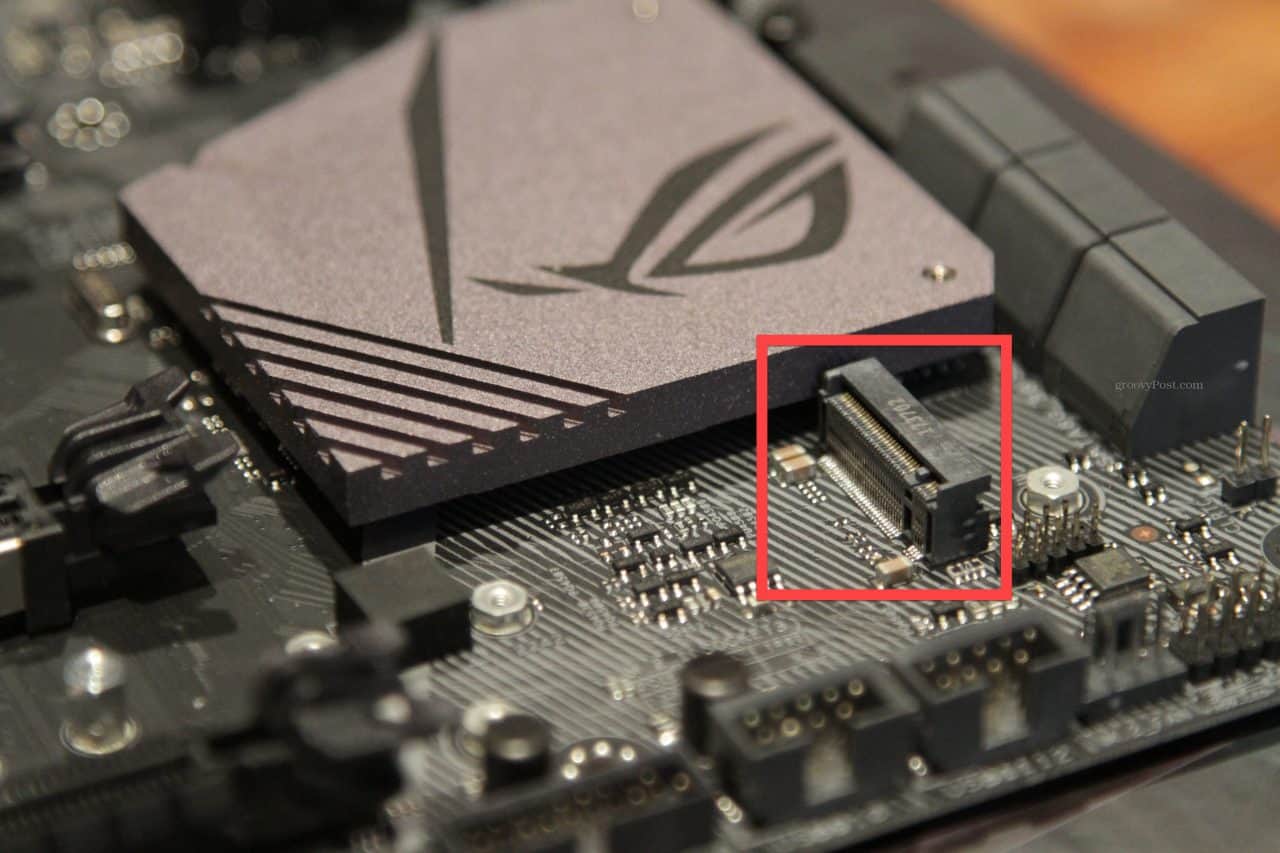
Conversely, installing an SSD directly onto the motherboard often leverages the M.2 slot, which supports either SATA or the more advanced NVMe (Non-Volatile Memory Express) protocol. NVMe SSDs significantly outperform their SATA counterparts, offering theoretical bandwidths up to 3500 MB/s or higher, contingent on the specific model and PCIe (Peripheral Component Interconnect Express) version. This heightened performance facilitates faster data transfer rates and reduced latency.
Comparison Table: Scheme 1 vs. Scheme 2
| Aspect | Scheme 1: Hard Disk Box (SATA) | Scheme 2: Motherboard Slot (M.2 NVMe) |
|---|---|---|
| Interface Type | SATA | M.2 with NVMe over PCIe |
| Maximum Speed | ~600 MB/s | Up to 3500 MB/s or higher |
| Latency | Higher | Lower |
| Installation Complexity | Generally easier with existing drive bays | Requires compatible motherboard |
| Thermal Performance | Dependent on enclosure airflow | Potentially better airflow directly on motherboard |
Performance Implications
Startup Speed
Startup speed is a critical factor that influences the user experience. An SSD connected via the M.2 NVMe interface (Scheme 2) leverages faster data transfer rates, leading to quicker boot times compared to a SATA-connected SSD in a hard disk box (Scheme 1). Users will notice that systems boot up more rapidly, applications launch faster, and overall responsiveness is enhanced when utilizing the NVMe protocol.
Application Loading and Data Access
Beyond startup times, the speed at which applications load and data is accessed plays a substantial role in daily computing tasks. NVMe SSDs offer superior performance in handling large files and running resource-intensive applications, making them ideal for gaming, video editing, and other demanding tasks. In contrast, SATA SSDs, while faster than traditional hard drives, may exhibit slower load times in comparison.
Thermal Considerations
Thermal performance can impact SSD longevity and performance stability. SSDs installed on the motherboard via M.2 slots often benefit from direct airflow and better heat dissipation mechanisms inherent in modern motherboards. Conversely, SSDs housed in hard disk boxes may encounter variable thermal conditions depending on the enclosure's ventilation, potentially leading to thermal throttling under heavy usage.
User Experience
System Responsiveness
System responsiveness encompasses the overall feel of a computer's performance, including task execution speed and multitasking capabilities. NVMe SSDs facilitate smoother and more efficient multitasking by reducing data retrieval times and minimizing latency. Users engaging in intensive tasks will experience a more fluid and responsive system with Scheme 2 compared to Scheme 1.
Noise and Vibration
While SSDs are inherently quieter due to the absence of moving parts, the installation method can influence any residual noise or vibration. SSDs in hard disk boxes might isolate the drive better, reducing any minor vibrations transmitted to the chassis. However, the difference is generally negligible, as both schemes eliminate the significant noise and vibration associated with traditional hard disk drives (HDDs).
Installation and Maintenance
Installing an SSD on the motherboard (Scheme 2) can lead to a cleaner internal layout, eliminating the need for additional cables required by hard disk box installations (Scheme 1). This streamlined setup not only improves airflow within the case but also simplifies cable management. Furthermore, NVMe SSDs are typically easier to upgrade or replace without disturbing other system components, enhancing maintainability.
Compatibility and Installation Considerations
Motherboard Compatibility
Ensuring that the motherboard supports M.2 NVMe SSDs is paramount for Scheme 2. Not all motherboards offer M.2 slots with NVMe support, and some might disable certain SATA ports when an M.2 slot is in use. Users should consult their motherboard's manual to verify compatibility and understand any potential trade-offs in connectivity options.
Ease of Installation
Scheme 1 generally offers a straightforward installation process, especially for users upgrading existing systems with available drive bays. It requires connecting the SSD via SATA cables, a method familiar to most PC builders. On the other hand, Scheme 2 involves securing the SSD directly onto the motherboard with minimal cabling, which can contribute to a tidier build but may necessitate compatibility checks and a more hands-on installation approach.
Upgrade Flexibility
Installing an SSD in a hard disk box (Scheme 1) can provide greater flexibility for swapping drives, as it allows for easy removal and replacement without accessing the motherboard. Conversely, M.2 SSDs (Scheme 2) are soldered or fixed to the motherboard, making upgrades or replacements slightly more involved, though they offer superior performance advantages.
Real-World Performance Metrics
Benchmark Comparisons
Benchmark tests consistently demonstrate that M.2 NVMe SSDs outperform SATA SSDs in various performance metrics. For instance, tasks involving large file transfers, application loading, and boot times exhibit significant speed improvements with NVMe drives. Users engaged in high-performance computing applications will find the differences particularly beneficial.
Practical Usage Scenarios
In everyday usage, such as web browsing, document editing, and media consumption, the performance difference between the two schemes may be less perceptible to the average user. However, in scenarios that demand high-speed data access and processing, such as gaming, video editing, and software development, the enhanced performance of M.2 NVMe SSDs becomes more noticeable and impactful.
Conclusion
Choosing between installing an SSD in a hard disk box (Scheme 1) and mounting it directly on the motherboard's slot (Scheme 2) hinges on the desired performance level and system compatibility. Scheme 2, utilizing M.2 NVMe interfaces, offers superior startup speeds, lower latency, and enhanced overall user experience, making it the preferred choice for users seeking maximum performance. However, Scheme 1 remains a viable option for those prioritizing ease of installation and broader compatibility, especially in systems where motherboard support for M.2 NVMe is limited.
References
Last updated February 11, 2025