
Building a Free Task and Chat Application with Chrome Extensions and Google Sheets
Leveraging Existing Tools for Basic Application Functionality
It is indeed possible to build a functional application using a Chrome extension as the interface and Google Sheets as a database, especially when focusing on task management and chat features. This approach leverages readily available and often free tools, making it accessible for individuals or small teams with limited resources. However, while this combination provides a solid foundation, several key components and considerations are necessary to create a robust and user-friendly application. Understanding these elements is crucial for identifying what might be missing when relying solely on free tools.
Key Highlights for Your Application Architecture
- Chrome Extension as the Interface: A Chrome extension can effectively serve as the user interface, providing a direct way for users to interact with the application within their browser. This is suitable for task viewing, chat input, and displaying information retrieved from the database.
- Google Sheets as the Database: Google Sheets offers a simple and accessible way to store structured data. It can manage tasks, user information, and chat messages, especially for applications with moderate data volume and complexity.
- Notifications are Essential: Implementing a reliable notification system is critical for real-time updates in both task management and chat functionalities. Free push notification services are available but might have limitations on volume or features.
The Role of a Chrome Extension as a Task and Chat Interface
A Chrome extension can function as a surprisingly capable interface for a simple application. By utilizing the extension's ability to interact with web pages and its own popup or sidebar interface, you can create a user experience directly within the browser. For a task management component, the extension could display a list of tasks, allow users to add new tasks, mark tasks as complete, and potentially assign tasks if user roles are implemented.
For the chat interface, the extension could provide a window or sidebar for users to send and receive messages. It would need to handle displaying the conversation history and allowing real-time input. The extension would be responsible for communicating with the "database" (Google Sheets) to fetch and post data.
Several Chrome extensions already exist that demonstrate the potential of this approach, particularly in the realm of AI assistants and web interaction. While not directly task or chat applications, extensions that can interact with web page content or provide sidebar interfaces illustrate the technical feasibility.
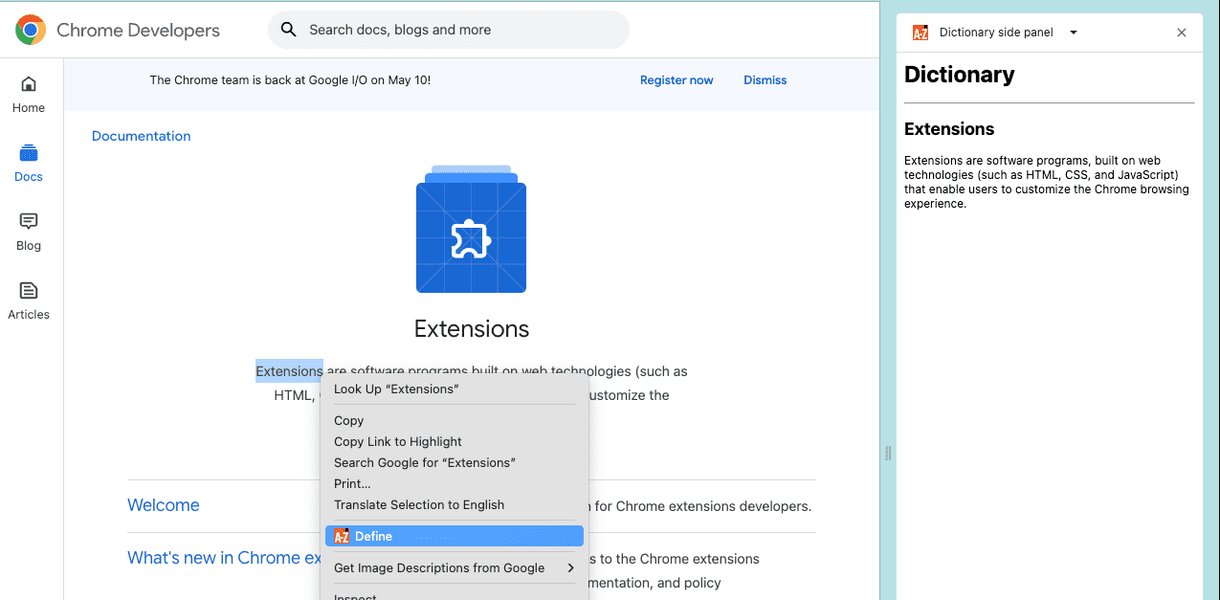
An example of a Chrome extension utilizing a side panel for interaction.
Communication Between Extension and Google Sheets
To use Google Sheets as the backend, the Chrome extension would need to interact with the Google Sheets API. This typically involves using JavaScript within the extension to make requests to the API to read, write, or update data in the spreadsheet. Authentication would be required to ensure secure access to the Google Sheet. While the basic API access is free, there might be usage limits depending on the volume of requests.
Utilizing Google Sheets as a Database
Google Sheets can serve as a straightforward database for applications that do not require complex relational structures, high transaction volumes, or advanced querying capabilities. Each sheet within a Google Sheet document can be treated as a table, with columns representing fields and rows representing records.
For a task application, one sheet could store tasks with columns like "Task ID", "Description", "Assigned User", "Status", and "Due Date". Another sheet could store user information. For a chat application, a sheet could store messages with columns such as "Message ID", "Sender", "Recipient/Group", "Timestamp", and "Message Content".
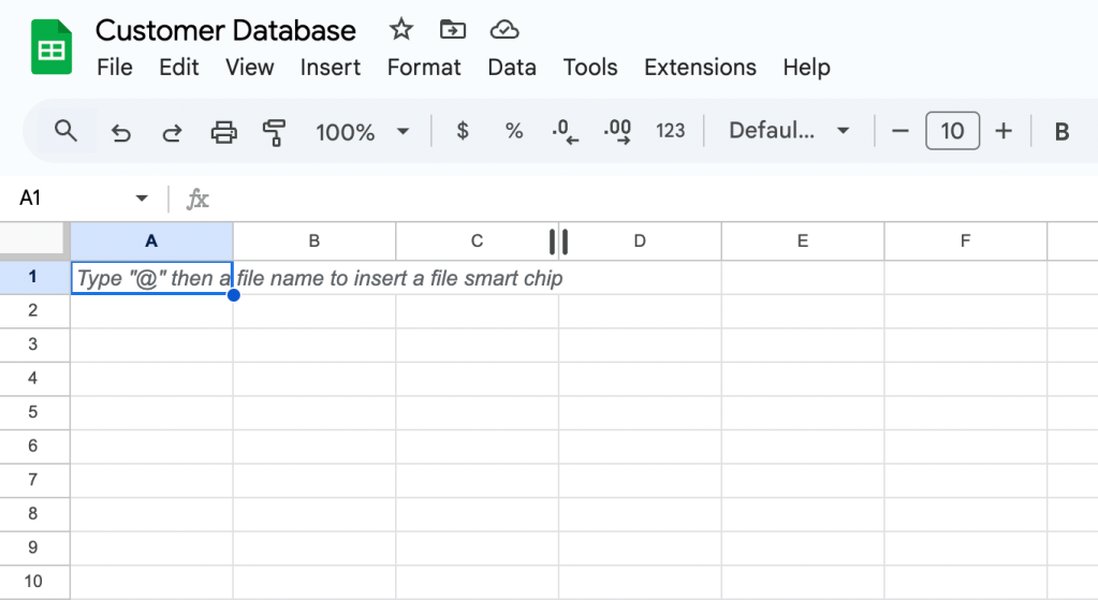
Illustrating how a Google Sheet can be structured to function as a database.
Limitations of Google Sheets as a Database
While feasible for simple applications, Google Sheets has limitations as a database:
- Scalability: Performance can degrade with a large number of rows or complex operations.
- Concurrency: Handling multiple users writing to the sheet simultaneously can lead to conflicts.
- Data Types and Validation: Enforcing strict data types and complex validation rules is more challenging compared to traditional databases.
- Querying: Advanced querying and reporting capabilities are limited compared to SQL databases.
- Security: While access can be restricted, it may not offer the same level of granular security controls as dedicated database systems.
Using Google Apps Script can enhance the capabilities of Google Sheets, allowing for more complex operations and automation, but this adds a layer of development complexity.
Essential Missing Components and Tools
While a Chrome extension and Google Sheets provide a foundation, several critical components are likely missing for a fully functional task and chat application using only free tools:
Real-time Notifications (Push Notifications)
Notifications are crucial for a responsive task and chat application. Users need to be alerted to new messages, task assignments, or updates. Relying solely on the Chrome extension and Google Sheets, achieving real-time push notifications to users' devices (even when the browser is not actively open) is challenging without an intermediary service.
While some free push notification services exist, they often have limitations on the number of subscribers, notification volume, or available features (like advanced segmentation or analytics) on their free tiers. Integrating such a service would require the Chrome extension to communicate with the notification service's API, which adds complexity. Examples of free push notification services mentioned include OneSignal, PushEngage, and SendPulse (with free tiers).
User Authentication and Management
A basic Google Sheet setup might not provide a robust user authentication and management system. You would need a secure way for users to log in and for the application to identify who is performing actions. Storing sensitive user credentials directly in a publicly accessible (even if restricted) Google Sheet is not advisable due to security risks.
Implementing a secure authentication system typically requires a backend component or a dedicated authentication service. While free authentication services exist (like Firebase Authentication with generous free tiers), integrating them adds another layer of complexity beyond just the Chrome extension and Google Sheet.
Real-time Communication Infrastructure
While Google Sheets can store chat messages, it's not designed for real-time, low-latency communication. For a smooth chat experience, you typically need a service that supports WebSockets or similar technologies for instant message delivery without constant polling of the Google Sheet from each client.
Building a real-time communication layer with free tools would be a significant undertaking, likely requiring a backend server (even a small one) to manage connections and message routing. Dedicated real-time messaging platforms (like Pusher, which has a free tier) are designed for this purpose but introduce external dependencies.
User-to-User and Group Functionality
Implementing user-to-user direct messaging and group creation/management within the Google Sheets structure would require careful design and handling of data relationships. While possible to some extent using linked data or unique identifiers in the sheets, it can become cumbersome and inefficient as the number of users and groups grows.
Creating a robust system for managing group memberships, permissions, and conversation threads purely within Google Sheets adds significant complexity to the Chrome extension's logic.
File Storage and Sharing
If your task or chat application requires users to attach files or share documents, Google Sheets is not suitable for storing binary data like files. You would need a separate file storage solution. Google Drive could be used, but managing permissions and linking files to specific tasks or messages within the Google Sheet structure would require additional development.
Advanced Features and Scalability
Features like search functionality across tasks or chat history, reporting and analytics, reminders, recurring tasks, or integrations with other services would be difficult or impossible to implement efficiently using only a Chrome extension and Google Sheets. Scaling the application to handle a large number of users or a high volume of data would also become a significant challenge.
Potential Free Tools and Alternatives
While the core idea uses a Chrome extension and Google Sheets, other free tools could supplement or replace parts of this architecture to address some of the missing components:
Free Push Notification Services
As mentioned, services like OneSignal, PushEngage, SendPulse, and others offer free tiers that could be used for sending notifications. You would need to evaluate their free plan limitations against your expected usage.
Backend as a Service (BaaS) Platforms
Platforms like Firebase (Google's BaaS) offer databases (Firestore or Realtime Database), authentication, and other backend services with generous free tiers. While moving beyond just Google Sheets as the database, Firebase could provide a more scalable and feature-rich backend with built-in real-time capabilities and authentication. This would shift some of the complexity from managing Google Sheets API interactions to interacting with the BaaS platform's SDKs.
Here's a simple comparison of using Google Sheets vs. a BaaS like Firebase for certain aspects:
| Feature | Google Sheets | BaaS (e.g., Firebase) |
|---|---|---|
| Database Structure | Tabular, spreadsheet-like | NoSQL (document or real-time) |
| Real-time Updates | Requires polling or complex workarounds | Built-in real-time synchronization |
| Authentication | Manual implementation or external service | Managed service with various providers |
| Scalability | Limited | Designed for scalability (within plan limits) |
| File Storage | Requires separate solution (e.g., Google Drive) | Integrated file storage (e.g., Firebase Storage) |
Automation Tools
Tools like Zapier or Make (formerly Integromat) have free tiers and can connect Google Sheets with other services. While they introduce potential latency and might have usage limits on the free plan, they could be used for triggering actions based on changes in the Google Sheet, such as sending a notification through a push notification service when a new chat message is added.
Open Source Options
For developers comfortable with self-hosting, open-source notification platforms like Novu or AeroGear could be considered. These offer more flexibility and control but require server setup and maintenance.
Regarding "wihci app"
The term "wihci app" is not a widely recognized application or service. It might be a misspelling, a very niche tool, or an internal name for a specific project. Without more information about "wihci app," it's difficult to determine its capabilities or how it might fit into this architecture for notifications or other functionalities. If it is a custom or internal application, its ability to integrate and provide notification services would depend entirely on its design and available APIs.
User-to-User and Group Creation Beyond Google Sheets
While Google Sheets can store the data for users and groups, managing the logic for creating private one-to-one conversations and group chats, handling memberships, and ensuring message privacy is complex. A more robust solution would involve:
- A dedicated backend: To manage user sessions, validate permissions, and route messages securely.
- A real-time messaging service or library: To handle the efficient delivery of messages to the correct users and groups.
Achieving a seamless and secure user-to-user and group chat experience purely with a Chrome extension and Google Sheets is a significant technical challenge due to the lack of built-in real-time capabilities, access control, and complex data relationship management in Google Sheets.
Conclusion: A Promising Start with Limitations
Using a Chrome extension as the interface and Google Sheets as a database offers a promising starting point for building a simple task and chat application with free tools. This approach is particularly viable for proof-of-concept projects, personal tools, or applications with a small number of users and limited data.
However, several key components are likely missing or would be challenging to implement effectively using only these tools, most notably:
-
Reliable and real-time push notifications.
-
Robust user authentication and management.
-
Efficient real-time communication infrastructure for chat.
-
Scalable and easily manageable user-to-user and group functionalities.
To build a more production-ready or scalable application with these features, you would likely need to incorporate additional services, potentially including free tiers of BaaS platforms, dedicated notification services, or a simple custom backend. The specific "wihci app" would need to be evaluated based on its functionalities to determine its potential contribution to the project.
Frequently Asked Questions
Can Google Sheets handle real-time data updates for a chat application?
Google Sheets is not designed for real-time, low-latency data streaming. While you can read and write data via the API, achieving instant message delivery as expected in a chat application would require frequent polling from the client-side (the Chrome extension), which is inefficient and can hit API rate limits. Dedicated real-time technologies are better suited for this.
Are there security risks in using Google Sheets as a database for user data?
Yes, there are security risks. While you can restrict access to a Google Sheet, it may not offer the same level of security controls as a dedicated database. Storing sensitive information, especially user credentials, directly in a sheet is highly discouraged. Implementing proper authentication and authorization is crucial, which often requires components beyond just the sheet and extension.
What are the limitations of free push notification services?
Free tiers of push notification services often have limitations on the number of subscribers you can reach, the volume of notifications you can send per month, and access to advanced features like detailed analytics, segmentation options, and A/B testing.
Is it possible to build a complex application with only free tools?
While you can build basic applications with free tools, building complex, scalable, and feature-rich applications often requires paid services or significant development effort to create custom solutions for functionalities not covered by the free tools.
References
 forum.squarespace.com
Last updated May 7, 2025