
Developing a WhatsApp Chatbot with Contextual Bandit Reinforcement Learning to Enhance Sleep Quality
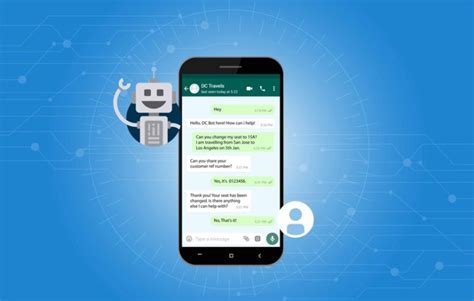
Creating a WhatsApp chatbot that utilizes contextual bandit reinforcement learning to help users improve their sleep quality is an innovative application of artificial intelligence. This comprehensive guide explores the theoretical foundations, practical implementation steps, integration with WhatsApp, and methods to measure the chatbot's effectiveness. By leveraging machine learning algorithms and natural language processing, the chatbot can provide personalized sleep improvement recommendations, adapting over time based on user interactions and feedback.
1. Understanding Contextual Bandit Reinforcement Learning
What is Contextual Bandit Reinforcement Learning?
Contextual bandit reinforcement learning is a subset of machine learning that focuses on making sequential decisions based on the current context or state. Unlike traditional reinforcement learning, which considers long-term rewards and policies, contextual bandits prioritize immediate rewards, balancing exploration (trying new actions) and exploitation (leveraging known actions that yield high rewards). This makes contextual bandits particularly suitable for applications where immediate feedback is available after each interaction.
In the context of a sleep-quality chatbot, the contextual bandit can:
- Recommend Specific Actions: Suggest actions such as meditation, reducing screen time, or adjusting bedtime based on user-specific data.
- Adapt Over Time: Use user feedback and reported sleep quality to refine recommendations, ensuring they become increasingly personalized and effective.
Why Contextual Bandit for Sleep Quality?
Sleep quality is influenced by a multitude of factors, including lifestyle habits, stress levels, and environmental conditions. Users may respond differently to various recommendations, making personalization essential. Contextual bandits excel in such scenarios by continuously learning from user interactions and feedback, thereby enhancing the effectiveness of the recommendations provided.
2. Setting Up the Development Environment
Tools and Libraries
To develop a WhatsApp chatbot with contextual bandit reinforcement learning, you will need the following tools and libraries:
- Programming Language: Python is widely preferred for its extensive libraries and robust community support.
- Contextual Bandit Libraries: Libraries such as
Vowpal Wabbit,ContextualBandits, or implementing your own usingscikit-learnandTensorFloware essential. - WhatsApp Integration: Utilize the WhatsApp Business API through platforms like Twilio or Meta's Business API.
- Natural Language Processing (NLP): Libraries like
NLTK,spaCy, ortransformersfrom Hugging Face for processing and understanding user inputs. - Web Framework: Frameworks such as
FlaskorFastAPIfor building the backend of the chatbot. - Data Visualization: Libraries like
MatplotliborSeabornto visualize performance metrics.
Setting Up WhatsApp Business API
To integrate your chatbot with WhatsApp, follow these steps to set up the WhatsApp Business API:
- Create a Meta Business Account: Visit the [WhatsApp Business API documentation](https://developers.facebook.com/docs/whatsapp/cloud-api) and sign up for a developer account.
- Apply for API Access: Submit an application for WhatsApp Business API access, which includes a review process by Meta.
- Set Up a Server: Configure a server to handle incoming and outgoing messages using platforms like Twilio or Meta's Business API.
3. Designing the Chatbot's Architecture
Key Components of the Chatbot
Designing an effective chatbot involves several key components:
- Data Collection Module: Gathers user-specific data such as sleep patterns, stress levels, and daily habits through interactions.
- Natural Language Understanding (NLU): Processes and interprets user inputs to extract meaningful information.
- Dialogue State Tracker (DST): Maintains the state of the conversation, ensuring context continuity and relevance.
- Policy Component: Utilizes the contextual bandit algorithm to decide the next best action based on the current context.
- Reward Structure: Defines the criteria for evaluating the effectiveness of the chatbot's recommendations, such as user feedback or reported sleep quality improvements.
- Integration Module: Connects the chatbot with WhatsApp using the chosen API or platform.
Dialogue Flow
The chatbot operates through a structured dialogue flow:
- User Interaction: The user sends a message to the chatbot expressing a sleep-related concern or seeking advice.
- Context Extraction: The chatbot processes the input to extract relevant context using NLU techniques.
- Action Selection: Based on the extracted context, the contextual bandit algorithm selects the most appropriate recommendation.
- Response Delivery: The chatbot sends the selected recommendation to the user via WhatsApp.
- Feedback Collection: The chatbot solicits feedback on the recommendation to refine future actions.
4. Implementing the Contextual Bandit Algorithm
Step 1: Define Context and Actions
Defining the context and actions is crucial for the contextual bandit to make informed decisions:
- Context: Includes user-specific information such as age, stress levels, sleep duration, screen time before bed, and any other relevant behavioral data.
- Actions: These are the possible recommendations the chatbot can provide, such as "Meditate for 10 minutes," "Avoid caffeine after 2 PM," or "Maintain a consistent bedtime."
Step 2: Choose a Contextual Bandit Algorithm
Select an appropriate algorithm for implementing the contextual bandit. Popular choices include:
-
Upper Confidence Bound (UCB): Balances exploration and exploitation by considering the uncertainty in reward estimates.
-
LinUCB: An extension of UCB that assumes a linear relationship between context and rewards.
-
Neural Contextual Bandits: Utilize neural networks to capture complex relationships in the data.
Step 3: Implement the Algorithm
Below is a simplified implementation of the Upper Confidence Bound (UCB) algorithm using Python:
import numpy as np
    from sklearn.linear_model import LinearRegression

    class ContextualBandit:
        def __init__(self, num_actions, num_features):
            self.num_actions = num_actions
            self.num_features = num_features
            self.models = [LinearRegression() for _ in range(num_actions)]
            self.contexts = []
            self.rewards = []
            self.actions = []

        def choose_action(self, context):
            estimated_rewards = [model.predict(context.reshape(1, -1))[0] if hasattr(model, 'coef_') else 0 for model in self.models]
            action = np.argmax(estimated_rewards)
            return action

        def update(self, context, action, reward):
            self.contexts.append(context)
            self.rewards.append(reward)
            self.actions.append(action)
            X = np.array(self.contexts)
            y = np.array([reward if self.actions[i] == action else 0 for i, reward in enumerate(self.rewards)])
            self.models[action].fit(X, y)
This class defines a simple contextual bandit with methods to choose an action based on the current context and update the model based on received rewards.
Step 4: Integrate with NLP and DST
Integrate Natural Language Processing (NLP) and Dialogue State Tracking (DST) to process user inputs and maintain context:
import spacy

    nlp = spacy.load("en_core_web_sm")

    def process_user_input(user_input):
        doc = nlp(user_input)
        # Extract relevant entities and intents
        context = {
            "stress_level": extract_stress_level(doc),
            "screen_time": extract_screen_time(doc),
            "hours_slept": extract_sleep_duration(doc)
        }
        return np.array(list(context.values()))

    def extract_stress_level(doc):
        # Placeholder function to extract stress level
        return 3

    def extract_screen_time(doc):
        # Placeholder function to extract screen time
        return 2

    def extract_sleep_duration(doc):
        # Placeholder function to extract sleep duration
        return 5
The above functions simulate the extraction of user-specific context from their input messages. In a real-world application, these would involve more sophisticated NLP techniques to accurately parse and interpret user data.
5. Integrating with WhatsApp
Using Twilio's WhatsApp API
Twilio provides a reliable platform to integrate WhatsApp messaging with your chatbot. Follow these steps to set up the integration:
- Sign Up for Twilio: Create an account on [Twilio](https://www.twilio.com/) and obtain your Account SID and Auth Token from the Twilio Console.
- Set Up a WhatsApp Sandbox: Twilio offers a WhatsApp Sandbox for testing purposes. Follow [Twilio's guide](https://www.twilio.com/docs/whatsapp) to set it up.
- Install Twilio's Python Library: Install the library using pip:
pip install twilioOnce the setup is complete, you can use the following code to send and receive messages through WhatsApp:
from twilio.rest import Client
    from flask import Flask, request, jsonify
    from twilio.twiml.messaging_response import MessagingResponse

    app = Flask(__name__)

    account_sid = "your_account_sid"
    auth_token = "your_auth_token"
    client = Client(account_sid, auth_token)

    bandit = ContextualBandit(num_actions=3, num_features=3)

    @app.route('/whatsapp', methods=['POST'])
    def whatsapp_bot():
        incoming_msg = request.form['Body']
        from_number = request.form['From']

        # Process user input to extract context
        context = process_user_input(incoming_msg)

        # Choose an action using the contextual bandit
        action = bandit.choose_action(context)
        recommendations = [
            "Meditate for 10 minutes before bed.",
            "Avoid caffeine after 2 PM.",
            "Maintain a consistent bedtime."
        ]
        selected_recommendation = recommendations[action]

        # Send the recommendation back to the user
        response = MessagingResponse()
        response.message(selected_recommendation)

        return str(response)

    if __name__ == '__main__':
        app.run(debug=True)
Replace your_account_sid and your_auth_token with your actual Twilio credentials. This Flask server listens for incoming messages on the WhatsApp sandbox and responds with a sleep improvement recommendation based on the contextual bandit’s decision.
6. Collecting Feedback
Implementing Feedback Mechanism
To refine the chatbot's recommendations, it's essential to collect user feedback. This feedback serves as the reward signal for the contextual bandit, enabling it to learn and adapt over time.
Here’s how to implement a feedback collection mechanism:
@app.route('/feedback', methods=['POST'])
    def feedback():
        data = request.json
        action = data['action']  # Action index taken
        reward = data['reward']  # User feedback (e.g., 1 for positive, 0 for negative)
        context = np.array(data['context'])  # User-specific context

        # Update the contextual bandit with the received feedback
        bandit.update(context, action, reward)

        return jsonify({"status": "success"})
In this endpoint, the chatbot receives feedback from the user, which includes the action taken, the reward (user's feedback), and the context. The bandit.update() method then uses this information to adjust its model.
7. Measuring the Chatbot's Effectiveness
Key Metrics
To evaluate the performance and effectiveness of your chatbot, track the following metrics:
- User Feedback Scores: Monitor the ratings or comments provided by users regarding the usefulness of the recommendations.
- Sleep Quality Improvements: Track changes in users' reported sleep quality over time to assess the impact of the chatbot’s recommendations.
- Engagement Metrics: Measure the number of interactions, response rates, and conversation completion rates to understand user engagement.
- Cumulative Reward: Calculate the sum of rewards (user feedback) over time to gauge the overall effectiveness of the chatbot’s actions.
- Regret: In the context of contextual bandits, regret measures the difference between the expected reward of the optimal policy and the rewards collected by the chatbot’s learned policy.
A/B Testing
Conduct A/B testing to compare the performance of your contextual bandit-based chatbot against a baseline model, such as a rule-based chatbot. This helps in validating the improvements in key metrics and ensures that the machine learning approach provides tangible benefits.
Visualization of Metrics
Visualizing performance metrics can provide valuable insights into the chatbot's effectiveness. Here's an example of how to plot cumulative rewards over time using Python:
import matplotlib.pyplot as plt

    def evaluate_chatbot(bandit, num_interactions):
        rewards = []
        for _ in range(num_interactions):
            context = np.random.rand(3)  # Example context
            action = bandit.choose_action(context)
            reward = np.random.randint(0, 2)  # Simulated reward
            bandit.update(context, action, reward)
            rewards.append(reward)
        average_reward = np.mean(rewards)
        return average_reward

    average_reward = evaluate_chatbot(bandit, num_interactions=1000)
    print(f"Average Reward: {average_reward}")

    # Plot cumulative rewards
    cumulative_rewards = np.cumsum(rewards)
    plt.plot(cumulative_rewards)
    plt.title("Cumulative Rewards Over Time")
    plt.xlabel("Interactions")
    plt.ylabel("Cumulative Reward")
    plt.show()
This script simulates interactions with the chatbot, updates the contextual bandit model, and visualizes the cumulative rewards, providing a clear view of the chatbot’s learning progress.
8. Scaling and Enhancements
Advanced Models
For more complex user contexts and better performance, consider using advanced models such as neural contextual bandits. Libraries like PyTorch or TensorFlow can help in building sophisticated models that capture intricate patterns in user behavior.
Example Reference: [Learning from Cross-Modal Behavior Dynamics with Graph-Regularized Neural Contextual Bandit](https://www2020.citi.sinica.edu.tw/schedule/research_track/)
Personalization
Enhance personalization by storing user profiles in a database like PostgreSQL or MongoDB. Persistent storage allows the chatbot to remember user preferences and historical data, enabling more tailored recommendations over time.
Natural Language Understanding (NLU)
Improve the chatbot’s ability to understand and process user inputs by integrating advanced NLU libraries such as Rasa or Dialogflow. These tools offer robust frameworks for intent recognition, entity extraction, and dialogue management, enhancing the chatbot's conversational capabilities.
Reference: [Rasa Documentation](https://rasa.com/docs/)
9. Deployment
Deploying the Flask App
Once development and testing are complete, deploy the Flask application using cloud services such as AWS, Google Cloud, or Heroku. Deployment ensures that your chatbot is accessible to users over WhatsApp.
- Select a Cloud Provider: Choose a platform based on your scalability and performance needs.
- Set Up Continuous Deployment: Utilize tools like GitHub Actions or Jenkins to automate the deployment process.
- Configure DNS and SSL: Ensure secure and reliable access to your chatbot by setting up proper DNS records and SSL certificates.
Using Ngrok for Local Testing
During development, ngrok can be used to expose your local Flask server to the internet, facilitating testing with WhatsApp's webhook:
ngrok http 5000
Configure Twilio to forward WhatsApp messages to the ngrok URL during testing.
10. Conclusion
Developing a WhatsApp chatbot with contextual bandit reinforcement learning to help users improve their sleep quality involves a multi-faceted approach that integrates machine learning, natural language processing, and robust backend development. By leveraging contextual bandit algorithms, the chatbot can provide personalized and adaptive recommendations that evolve based on user feedback and interactions.
The process encompasses setting up the development environment, designing the chatbot architecture, implementing and integrating the contextual bandit algorithm, deploying the chatbot through WhatsApp's API, and continuously measuring and enhancing its effectiveness. Advanced enhancements like neural contextual bandits, personalized user profiles, and sophisticated NLU frameworks can further elevate the chatbot's performance and user experience.
Ultimately, the combination of personalized AI-driven recommendations and seamless integration with a widely-used platform like WhatsApp positions this chatbot as a valuable tool for individuals seeking to improve their sleep quality through actionable and tailored advice.
References
Last updated December 29, 2024