
Leonardo AI for YouTube: Web Platform or API for Your Recurring 17-Minute Videos?
Choosing the most efficient and cost-effective path for consistent, image-based content creation.
Creating a recurring 17-minute, image-based YouTube video requires a steady stream of high-quality visuals. Leonardo AI offers powerful tools for this, but choosing between its user-friendly web platform and its versatile API is crucial for optimizing your workflow and budget. Let's dive into which option best suits your needs for consistent, scalable video production.
Highlights: Key Considerations
- Automation is Key for Recurring Content: The API version excels at automating image generation, making it ideal for the repetitive task of creating visuals for regular video uploads.
- Cost-Effectiveness at Scale: For generating the potentially large number of images needed for a 17-minute video regularly, the API's credit-based system and bulk generation capabilities generally offer better value than the web platform's token system.
- Workflow Determines the Choice: While the API offers superior efficiency for recurring tasks, the web platform provides a simpler, no-code starting point suitable for lower volumes or less frequent production schedules.
Understanding Your Options: Web Platform vs. API
Leonardo AI provides two main ways to access its image generation capabilities, each catering to different needs and workflows.
The Web-Based Experience: Simplicity and Manual Control
The Leonardo AI web platform offers an intuitive, graphical user interface (GUI) accessible directly through your browser. It's designed for users who prefer a visual approach to creating images.
Features and Workflow
You can manually type prompts, adjust settings like image dimensions and styles, select different models, and generate images interactively. Features like multi-image generation allow creating several visuals simultaneously within a session. Tools for upscaling and basic editing are often integrated directly into the interface.
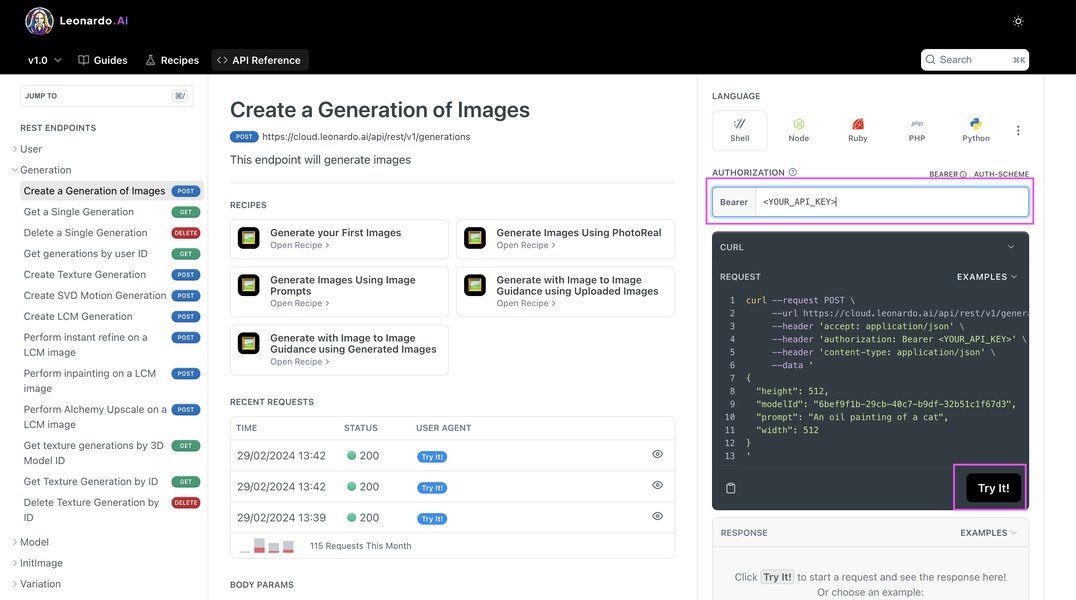
Example of the Leonardo AI web interface for generating images.
Pros and Cons for Video Creation
- Pros: Easy to learn and use, no programming knowledge required, good for experimentation and fine-tuning individual images, offers a free tier for testing (e.g., ~150 tokens/day).
- Cons: Requires significant manual effort for generating the large number of images needed for a 17-minute video, less efficient for recurring tasks, potentially higher cost per image at scale compared to the API, workflow can become repetitive and time-consuming.
The API Advantage: Automation and Scalability
The Leonardo AI API (Application Programming Interface) allows developers and advanced users to integrate image generation capabilities directly into their own applications, scripts, or automated workflows.
Features and Workflow
Using the API, you can programmatically send prompts, configure generation parameters, manage image batches, and retrieve results without needing the web interface. This enables automation, such as scripting the generation of hundreds of images based on predefined templates or variables, potentially integrating directly with video editing pipelines.
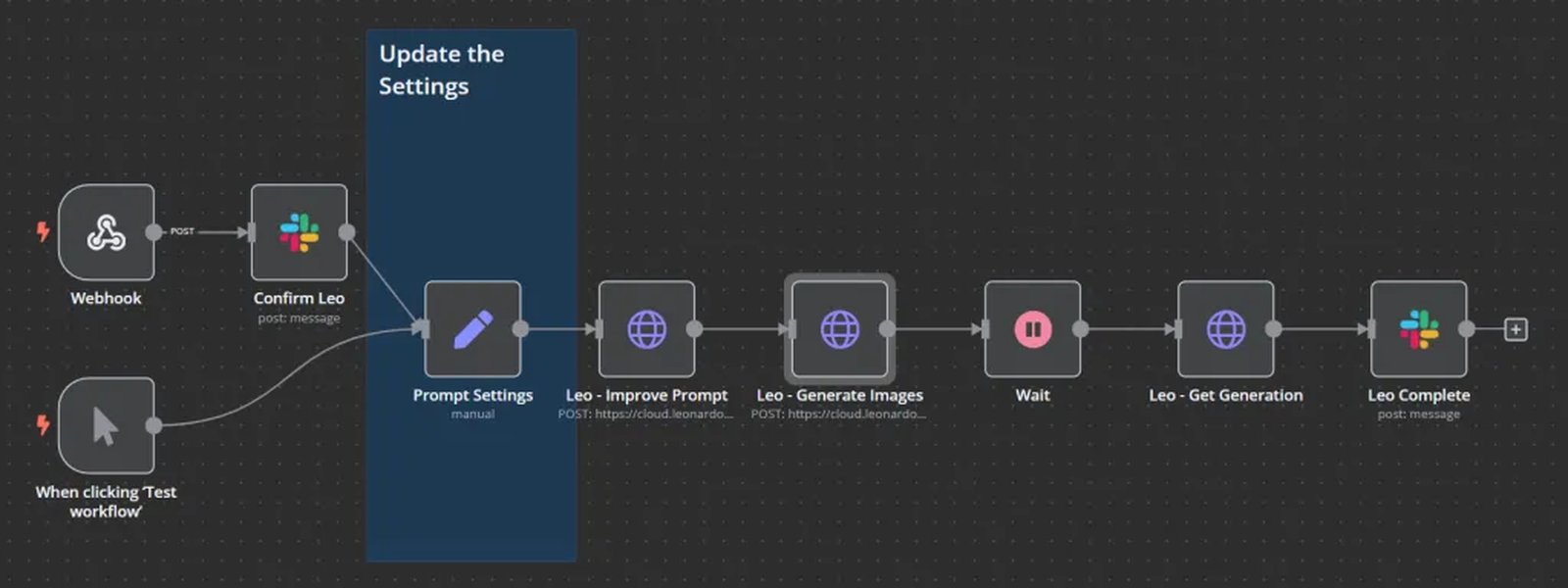
Conceptual example of integrating AI image generation via API into a workflow (e.g., with Slack and n8n).
Pros and Cons for Video Creation
- Pros: Highly scalable for generating large volumes of images, enables full automation reducing manual work, ideal for recurring content creation, potentially more cost-effective at scale due to credit pricing and efficiency, allows for advanced customization and integration (e.g., training custom models for consistent style).
- Cons: Requires programming knowledge (e.g., Python) or the use of integration platforms (like Make.com or n8n), involves an initial setup effort and learning curve.
Cost-Effectiveness Breakdown
The pricing models for the web platform and API differ significantly, impacting the overall cost for a recurring video project.
Web Version Pricing: Token-Based System
The web platform primarily uses a token system. You get a certain number of tokens with free or paid plans (paid plans starting around $12/month for ~8500 tokens). Each image generation consumes tokens based on complexity, resolution, and features used. Free daily tokens are limited (~150) and may expire. For a 17-minute video requiring potentially hundreds of images, free tokens are insufficient, and paid tokens can be consumed quickly, potentially making recurring production expensive if not managed carefully.
API Version Pricing: Credit-Based System
The API uses a credit system. API plans often start at a lower price point (e.g., Basic plan around $9/month for ~3500 credits). API credits are typically consumed per generation request. A key advantage noted is that API credits often do not expire, offering better long-term value and budget predictability for ongoing projects. The cost per image can be lower at scale, especially when leveraging bulk generation and optimized API calls. Higher tiers offer more credits and potential volume discounts (e.g., up to 40% with annual billing).
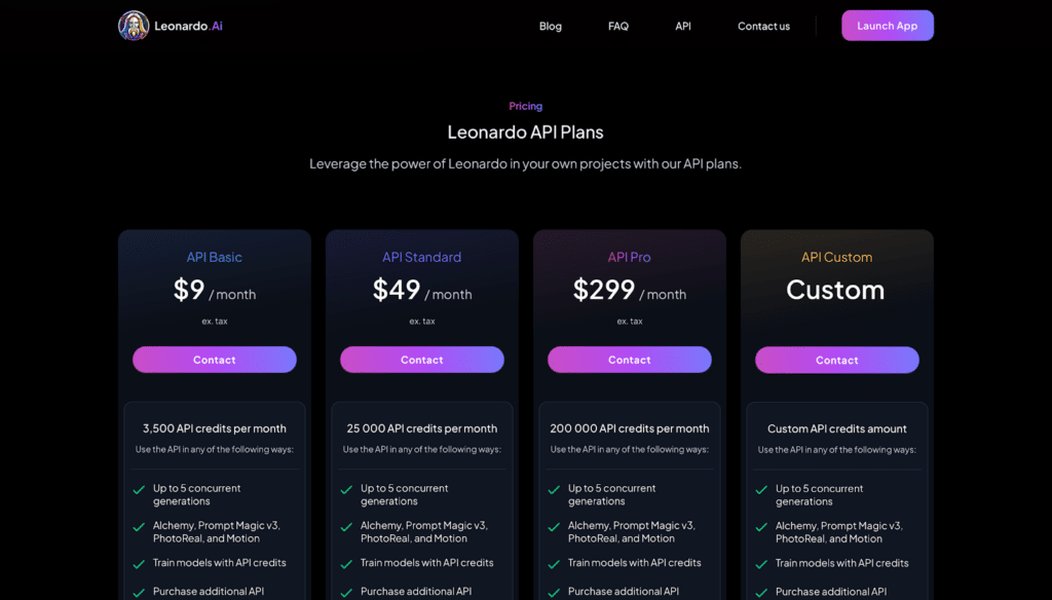
Example overview of Leonardo AI subscription options, often differentiating web and API plans.
Which Offers Better Value for Recurring Videos?
For generating images for a recurring 17-minute YouTube video, the API version is generally more cost-effective. The estimated volume of images needed per video (potentially dozens to hundreds) aligns better with the API's credit-based, scalable pricing. The automation capabilities also save significant time, which translates to cost savings in production. While the web platform's entry subscription might seem comparable initially, the efficiency gains and potentially lower per-image cost at volume make the API a better long-term investment for this specific use case. The non-expiring nature of API credits (as mentioned in some analyses) further enhances value by preventing waste.
Visualizing the Workflow Differences
The process of creating the images for your video differs substantially between the web platform and the API. This mindmap illustrates the typical workflows:
(Templates/Variables)"] id2c["Configure Settings via Code"] id2d["Batch Generate Images via API Calls"] id2e["Automated Image Retrieval/Storage"] id2f["Potential Integration with Video Tools"] id2g["Efficient & Scalable for Recurring"]
As the mindmap shows, the API workflow is designed for efficiency and repeatability, significantly reducing manual steps compared to the web-based approach, which is crucial for a recurring production schedule.
Feature Comparison Deep Dive
Let's compare the two versions across key features relevant to your video creation needs.
Comparative Strengths Radar Chart
This chart visualizes the relative strengths of the Web Platform and API based on factors important for producing recurring image-based videos. Higher scores indicate better performance in that category (scores are illustrative based on the synthesis of provided information).
The chart highlights the API's strengths in automation, scalability, cost-effectiveness for recurring use, and overall efficiency, while the Web Platform leads in initial ease of use.
Summary Table: Web vs. API
This table provides a concise summary of the key differences:
| Feature | Web-Based Leonardo AI | Leonardo AI API |
|---|---|---|
| Interaction Mode | GUI-based, manual/semi-automated | Programmatic, fully automatable |
| Pricing Model | Token-based (may expire), plans from ~$12/month | Credit-based (often non-expiring), plans from ~$9/month |
| Image Generation Volume | Limited by tokens/plan, batch possible but manual | High volume, supports concurrent generations |
| Workflow Efficiency (Recurring) | Less efficient, repetitive manual work | Highly efficient, supports pipeline automation |
| Scalability | Limited scalability for automated tasks | Highly scalable for bulk/recurring generation |
| Technical Skill Required | Minimal (basic computer skills) | Programming knowledge or integration tool familiarity |
| Best Suited For | Beginners, occasional use, low-volume projects, experimentation | Recurring high-volume tasks, automation, integration, professional workflows |
Enhancing Your Workflow
Leveraging the API can significantly streamline your video production process.
Automating Image Generation with the API
By using scripts (e.g., in Python) or automation platforms (like Zapier, Make.com), you can set up workflows that automatically:
- Generate prompts based on video script elements or templates.
- Send batch requests to the Leonardo AI API to create all necessary images.
- Organize or even rename the generated images systematically.
- Potentially trigger subsequent steps, like uploading images to cloud storage or notifying your video editor.
Maintaining Visual Consistency
A key challenge in recurring content is maintaining a consistent visual style. The Leonardo AI API offers advantages here:
- Custom Models: You can train your own models on specific styles or subjects via the platform (and potentially utilize them via API, check current documentation) to ensure a unique and consistent look across all your videos.
- Precise Parameter Control: The API allows for exact replication of settings (seeds, model versions, prompt weighting, negative prompts) for each generation run, contributing to visual consistency.
- Image Guidance: Using reference images consistently through API parameters can help maintain character or style integrity.
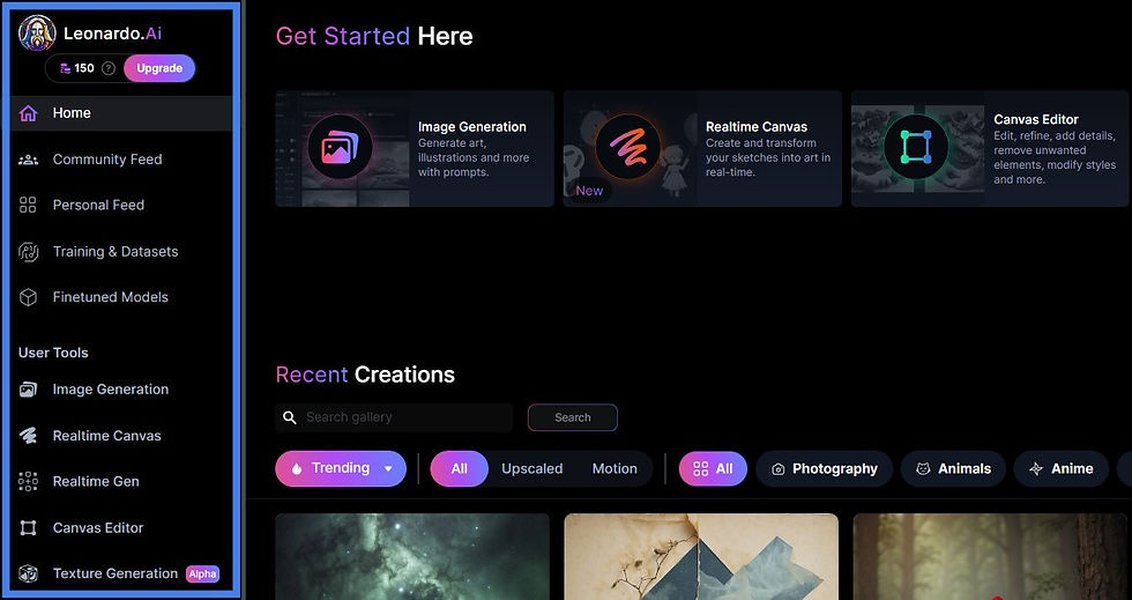
Achieving consistent visual styles or characters is crucial for series, often better managed via API controls or custom models.
Relevant Insights: Training Custom Models
For achieving a unique and consistent look for your recurring YouTube videos, training a custom model within Leonardo AI can be highly beneficial. The API can then potentially leverage these custom models for automated generation, ensuring your channel's distinct visual identity. This video provides an overview of the custom model training process within Leonardo AI.
Understanding how custom models work can help you decide if the added control offered by the API, potentially in conjunction with custom models, aligns with your long-term goals for visual branding and consistency in your video series.
Frequently Asked Questions (FAQ)
How many images might a 17-minute video need?
The number varies greatly depending on your video's style. If images are shown for several seconds each (like a slideshow or narrated visual story), you might need anywhere from 50 to 200 images. If you're aiming for a stop-motion effect or very short clips per image, it could be significantly more (hundreds or even thousands). The API is better equipped to handle higher volumes efficiently.
Do I need coding skills for the API?
Direct use of the API typically requires some programming knowledge (Python is common) to write scripts that make API calls. However, you can also use no-code/low-code automation platforms like Make.com (formerly Integromat) or Zapier, which often have pre-built integrations for tools like Leonardo AI, allowing you to build automated workflows visually without writing code.
What's the difference between Tokens (Web) and Credits (API)?
Tokens are typically used in the web interface plans. They are consumed per generation, and daily/monthly allowances may expire if unused. Credits are generally associated with API plans. They are also consumed per API call/generation, but a key difference sometimes noted is that API credits might not expire, providing better long-term value for bulk or intermittent usage. The cost-per-generation might also differ between tokens and credits, with credits often being more economical for high-volume API usage. Always check Leonardo AI's current pricing details for specifics.
Can I start with the web version and switch to the API later?
Yes, absolutely. You can start experimenting and generating images using the web platform's free or paid tiers. If you find your workflow becoming too manual or costly for your recurring videos, you can then explore setting up an API workflow. Your account can typically access both, though the billing (tokens vs. credits) might be separate depending on your subscriptions.
Does Leonardo AI create the final video?
Primarily, Leonardo AI generates still images. While they have introduced features for image-to-motion or short video clips, creating a full 17-minute video requires assembling the generated images (or short clips) in external video editing software (like Adobe Premiere Pro, DaVinci Resolve, Final Cut Pro, CapCut, or even simpler tools). Leonardo AI provides the visual assets; you compile them into the final video product elsewhere.
Recommended Further Exploration
- How can I automate Leonardo AI image generation using Python scripts for batch processing?
- Can you compare the specific costs of generating 500 images per month using a Leonardo AI web subscription versus the API Basic plan?
- What are the steps to connect Leonardo AI's API to Make.com or Zapier for a no-code automation workflow?
- What are the best practices for maintaining consistent characters or styles in Leonardo AI across many images for a video series?
References
Last updated May 3, 2025