
Unlock Dynamic Data: PHP-Powered Accordion Tables with Smart Pagination
Seamlessly fetch, display, and navigate database records with interactive, space-saving tables.
Displaying large datasets from a database can be challenging, especially when you want to maintain a clean user interface and provide easy navigation. This guide will walk you through creating a sophisticated solution using PHP: an accordion table that presents data in expandable rows, coupled with an efficient pagination system. This approach allows users to view summary information at a glance and expand rows for details, all while navigating through data in manageable chunks.
Key Highlights
- Efficient Data Retrieval: Learn to connect to a MySQL database using PHP (PDO for security) and fetch records with SQL, optimized for paged results.
- Interactive Accordion UI: Implement a table where each primary row acts as a clickable header, revealing detailed content in a sub-row, styled with CSS and managed by JavaScript for smooth transitions.
- User-Friendly Pagination: Integrate a robust pagination system that breaks data into numbered pages, allowing users to easily navigate extensive datasets without overwhelming them.
The Building Blocks: PHP, CSS, and JavaScript
Creating this dynamic table involves several interconnected components. We'll use PHP for server-side logic (database interaction, pagination), HTML for the structure, CSS for styling the accordion and table, and a touch of JavaScript for the interactive accordion functionality.
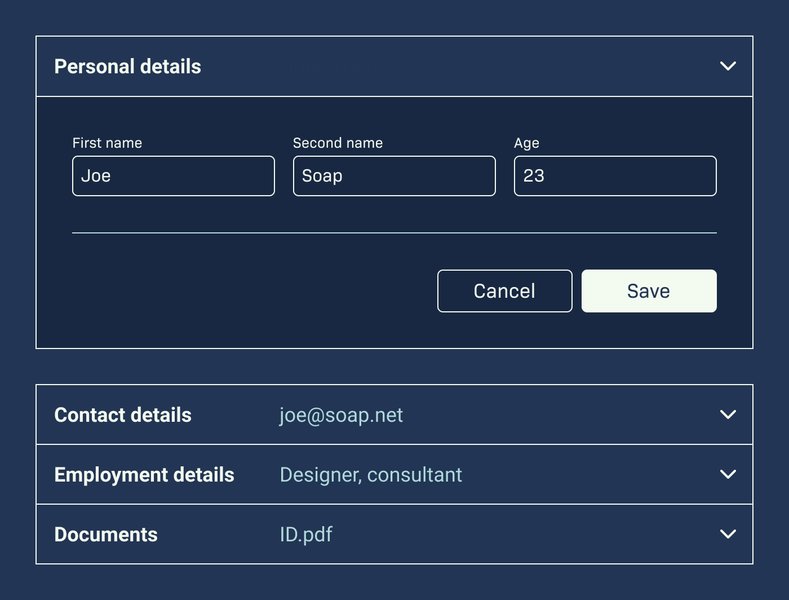
Visual representation of accordion UI principles. Accordions help manage content density.
Step 1: Database Connection and Setup (PHP with PDO)
First, we need to establish a connection to your MySQL database. We'll use PDO (PHP Data Objects) as it provides a consistent way to access databases and supports prepared statements, which are crucial for security (preventing SQL injection).
You'll need to have a database and a table with some data. For this example, let's assume a table named `products` with columns like `id`, `name`, `category`, and `description`.
PHP Code for Database Connection:
<?php
// Database configuration
$dbHost = 'localhost';
$dbName = 'your_database_name'; // Replace with your database name
$dbUser = 'your_username';     // Replace with your database username
$dbPass = 'your_password';     // Replace with your database password
$tableName = 'products';       // Replace with your table name

// PDO DSN (Data Source Name)
$dsn = "mysql:host={$dbHost};dbname={$dbName};charset=utf8mb4";

$options = [
    PDO::ATTR_ERRMODE            => PDO::ERRMODE_EXCEPTION, // Throw exceptions on errors
    PDO::ATTR_DEFAULT_FETCH_MODE => PDO::FETCH_ASSOC,       // Fetch associative arrays
    PDO::ATTR_EMULATE_PREPARES   => false,                  // Use native prepared statements
];

try {
    $pdo = new PDO($dsn, $dbUser, $dbPass, $options);
} catch (PDOException $e) {
    // It's better to log this error than to display it publicly in production
    throw new PDOException($e->getMessage(), (int)$e->getCode());
}
?>
Ensure you replace the placeholder credentials with your actual database details. This code sets up a PDO connection and configures it to throw exceptions on errors and fetch data as associative arrays.
Step 2: Implementing Pagination Logic (PHP)
Pagination involves calculating the total number of records, determining the number of pages, and fetching only the subset of data relevant to the current page.
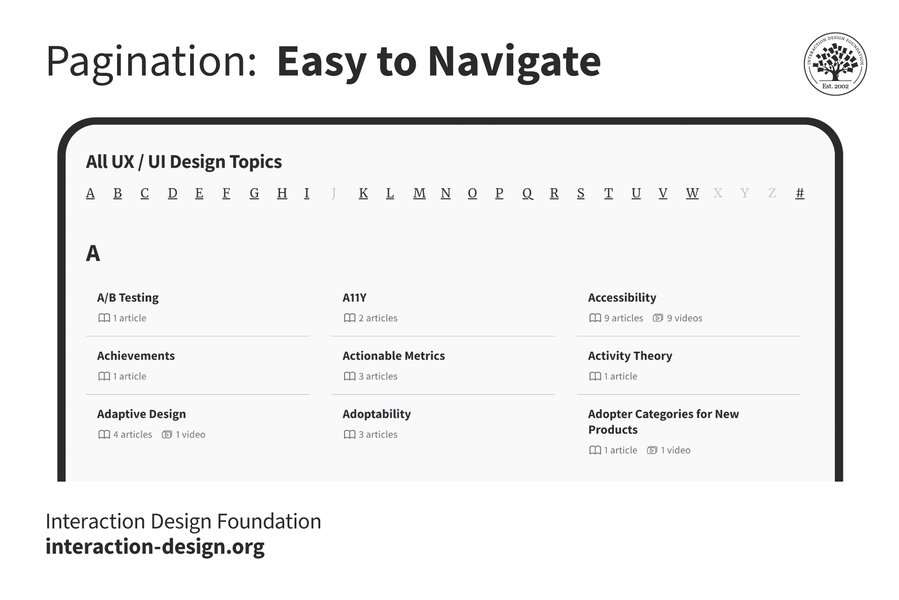
A typical pagination control allows users to navigate through pages of content.
PHP Code for Pagination:
<?php
// Pagination parameters
$limit = 5; // Number of records to display per page
$currentPage = isset($_GET['page']) && is_numeric($_GET['page']) ? (int)$_GET['page'] : 1;
if ($currentPage < 1) {
    $currentPage = 1;
}
$offset = ($currentPage - 1) * $limit;

// Get total number of records
$totalRecordsStmt = $pdo->query("SELECT COUNT(*) FROM {$tableName}");
$totalRecords = $totalRecordsStmt->fetchColumn();
$totalPages = ceil($totalRecords / $limit);

// Fetch records for the current page
$stmt = $pdo->prepare("SELECT id, name, category, description FROM {$tableName} ORDER BY id ASC LIMIT :limit OFFSET :offset");
$stmt->bindValue(':limit', $limit, PDO::PARAM_INT);
$stmt->bindValue(':offset', $offset, PDO::PARAM_INT);
$stmt->execute();
$records = $stmt->fetchAll();
?>
This snippet defines how many records appear per page (`$limit`), gets the current page number from the URL (defaulting to 1), calculates the `$offset` for the SQL query, determines the total number of pages, and finally fetches the appropriate records for the current page using a prepared statement.
Step 3: Structuring the Accordion Table (HTML, CSS, JavaScript)
The accordion table will use HTML for its structure, CSS for styling the collapsed/expanded states and overall appearance, and JavaScript to handle the click events that toggle the accordion rows.
HTML Table Structure (within your PHP file, after fetching data):
This will be part of the larger PHP file where you loop through `$records`.
<table class="accordion-table">
    <thead>
        <tr>
            <th>ID</th>
            <th>Product Name</th>
            <th>Category</th>
            <th>Action</th> <!-- For the toggle indicator -->
        </tr>
    </thead>
    <tbody>
        <?php if (count($records) > 0): ?>
            <?php foreach ($records as $record): ?>
                <tr class="accordion-header">
                    <td><?php echo htmlspecialchars($record['id']); ?></td>
                    <td><?php echo htmlspecialchars($record['name']); ?></td>
                    <td><?php echo htmlspecialchars($record['category']); ?></td>
                    <td class="indicator">+</td> <!-- Indicator -->
                </tr>
                <tr class="accordion-content">
                    <td colspan="4">
                        <div class="content-inner">
                            <strong>Description:</strong>
                            <p><?php echo nl2br(htmlspecialchars($record['description'])); ?></p>
                            <!-- Add more details here if needed -->
                        </div>
                    </td>
                </tr>
            <?php endforeach; ?>
        <?php else: ?>
            <tr>
                <td colspan="4" style="text-align:center;">No records found.</td>
            </tr>
        <?php endif; ?>
    </tbody>
</table>
CSS for Styling:
Place this within a `<style>` tag in your HTML's `<head>` section or in an external CSS file.
body { font-family: Arial, sans-serif; margin: 20px; background-color: #f9f9f9; color: #333; }
.accordion-table { width: 100%; border-collapse: collapse; margin-bottom: 20px; box-shadow: 0 2px 5px rgba(0,0,0,0.1); }
.accordion-table th, .accordion-table td { border: 1px solid #e0e0e0; padding: 12px 15px; text-align: left; }
.accordion-table th { background-color: #388278; color: white; font-weight: bold; }
.accordion-header { cursor: pointer; background-color: #f7f7f7; transition: background-color 0.3s ease; }
.accordion-header:hover { background-color: #e9e9e9; }
.accordion-header td.indicator { text-align: center; font-weight: bold; width: 50px; }
.accordion-header.active td.indicator { content: '-'; } /* JS will toggle this class */
.accordion-content { max-height: 0; overflow: hidden; transition: max-height 0.3s ease-out; background-color: #fff; }
.accordion-content.show { /* max-height will be set by JS to content's scrollHeight */ }
.accordion-content .content-inner { padding: 15px; border-top: 1px dashed #ccc; }
.accordion-content p { margin-top: 5px; line-height: 1.6; }

/* Pagination Styling */
.pagination { display: flex; justify-content: center; padding: 0; list-style: none; margin-top: 25px; }
.pagination li { margin: 0 5px; }
.pagination li a, .pagination li span { display: block; padding: 8px 16px; text-decoration: none; color: #388278; border: 1px solid #ddd; border-radius: 4px; transition: background-color 0.3s, color 0.3s; }
.pagination li a:hover { background-color: #388278; color: white; border-color: #388278;}
.pagination li span.current-page { background-color: #cc9900; color: white; border-color: #cc9900; cursor: default; }
.pagination li.disabled span { background-color: #f0f0f0; color: #aaa; border-color: #ddd; cursor: not-allowed; }
JavaScript for Accordion Toggle:
Place this within a `<script>` tag before your closing `</body>` tag.
document.addEventListener('DOMContentLoaded', function () {
    const accordionHeaders = document.querySelectorAll('.accordion-header');

    accordionHeaders.forEach(header => {
        header.addEventListener('click', function () {
            // Toggle active class on the header
            this.classList.toggle('active');

            // Get the indicator cell and change its text
            const indicator = this.querySelector('.indicator');
            if (this.classList.contains('active')) {
                indicator.textContent = '-';
            } else {
                indicator.textContent = '+';
            }

            // Get the next sibling element, which is the content row
            const contentRow = this.nextElementSibling;

            if (contentRow.classList.contains('show')) {
                contentRow.classList.remove('show');
                contentRow.style.maxHeight = '0';
            } else {
                contentRow.classList.add('show');
                // Set max-height to the content's scroll height for smooth animation
                contentRow.style.maxHeight = contentRow.scrollHeight + 'px';
            }
        });
    });
});
Step 4: Displaying Pagination Controls (PHP/HTML)
Below the table, we'll add links for navigating between pages.
<?php if ($totalPages > 1): ?>
    <ul class="pagination">
        <?php if ($currentPage > 1): ?>
            <li><a href="?page=<?php echo $currentPage - 1; ?>">Previous</a></li>
        <?php else: ?>
            <li class="disabled"><span>Previous</span></li>
        <?php endif; ?>

        <?php
        // Logic for displaying a limited range of page numbers
        $numPageLinksToShow = 5; // Example: 1 ... 4 5 6 ... 10
        $startPage = max(1, $currentPage - floor($numPageLinksToShow / 2));
        $endPage = min($totalPages, $startPage + $numPageLinksToShow - 1);
        // Adjust if we're at the beginning or end
        if ($endPage - $startPage + 1 < $numPageLinksToShow) {
            if ($startPage == 1) {
                $endPage = min($totalPages, $startPage + $numPageLinksToShow - 1);
            } elseif ($endPage == $totalPages) {
                $startPage = max(1, $totalPages - $numPageLinksToShow + 1);
            }
        }

        if ($startPage > 1) {
            echo '<li><a href="?page=1">1</a></li>';
            if ($startPage > 2) {
                echo '<li class="disabled"><span>...</span></li>';
            }
        }

        for ($i = $startPage; $i <= $endPage; $i++): ?>
            <li>
                <?php if ($i == $currentPage): ?>
                    <span class="current-page"><?php echo $i; ?></span>
                <?php else: ?>
                    <a href="?page=<?php echo $i; ?>"><?php echo $i; ?></a>
                <?php endif; ?>
            </li>
        <?php endfor; ?>

        if ($endPage < $totalPages) {
            if ($endPage < $totalPages - 1) {
                echo '<li class="disabled"><span>...</span></li>';
            }
            echo '<li><a href="?page='.$totalPages.'">'.$totalPages.'</a></li>';
        }
        ?>

        <?php if ($currentPage < $totalPages): ?>
            <li><a href="?page=<?php echo $currentPage + 1; ?>">Next</a></li>
        <?php else: ?>
            <li class="disabled"><span>Next</span></li>
        <?php endif; ?>
    </ul>
<?php endif; ?>
This PHP code generates "Previous" and "Next" buttons, along with numbered page links. It also includes logic to show a condensed list of page numbers (e.g., 1 ... 4 5 6 ... 10) if there are many pages, improving usability.
Visualizing Key Solution Aspects
To better understand the different facets of this solution, the radar chart below illustrates key considerations and their typical importance and complexity in such a project. These are opinion-based estimations for a moderately complex implementation.
This chart highlights that while all aspects are important, data security and pagination logic often require careful attention due to their impact and potential complexity.
System Architecture Overview
The mindmap below provides a high-level overview of how the different components of this system interact, from the user request to the final display of data.
with Pagination"] id1["User Request"] id1_1["Display Data from DB"] id1_2["Interactive Accordion Interface"] id1_3["Paginated Results for Navigation"] id2["Backend Logic (PHP)"] id2_1["Database Connection"] id2_1_1["PDO for Security & Portability"] id2_1_2["Credentials Management"] id2_1_3["Error Handling (Exceptions)"] id2_2["Data Retrieval & Processing"] id2_2_1["SQL SELECT Queries"] id2_2_2["Prepared Statements (Anti-SQLi)"] id2_2_3["Fetching Data for Current Page"] id2_3["Pagination Core Logic"] id2_3_1["Calculate Total Records & Pages"] id2_3_2["SQL LIMIT & OFFSET Clauses"] id2_3_3["Generate Page Navigation Links"] id3["Frontend Presentation (HTML, CSS, JavaScript)"] id3_1["HTML Structure"] id3_1_1["Semantic Table (``, ``, ``, ``, `
| `, ` | `)"] id3_1_2["Specific Rows for Accordion Header & Content"] id3_1_3["Pagination Controls (` |
|---|
This diagram illustrates the flow: PHP connects to the database, processes data based on pagination, and sends it to the frontend. HTML structures this data, CSS styles it, and JavaScript adds the accordion interactivity. Users then interact with these elements to navigate and view information.
Configuration and Customization
The provided code can be adapted to your specific needs. Here's a summary of key variables you might want to adjust:
| Configuration Area | PHP Variable Name(s) | Example Value | Purpose |
|---|---|---|---|
| Database Host | $dbHost |
localhost |
Address of your database server. |
| Database Name | $dbName |
your_database_name |
The specific database to connect to. |
| Database User | $dbUser |
your_username |
Username for database authentication. |
| Database Password | $dbPass |
your_password |
Password for the database user. |
| Data Table Name | $tableName |
products |
The database table from which to fetch records. |
| Records Per Page | $limit |
5 |
Number of data rows displayed on each page. |
| Accordion Columns | HTML Structure (<th>, <td>) |
N/A | Modify table headers and data cells to match your table columns. |
| Styling | CSS Classes | N/A | Adjust CSS rules to change appearance (colors, fonts, spacing). |
Remember to always use `htmlspecialchars()` when outputting data into HTML to prevent Cross-Site Scripting (XSS) vulnerabilities. The use of PDO prepared statements already helps protect against SQL injection.
Further Learning: Visual Guide to Pagination
For a deeper understanding of implementing pagination with PHP and MySQL, the following video provides a helpful tutorial. It covers the core concepts of breaking down data into pages, which is fundamental to the solution presented here.
Video Tutorial: Creating a Simple Pagination Using PHP and MySQL.
This video complements the code examples by visually demonstrating the process of setting up pagination logic, fetching data for specific pages, and creating navigation links, which are all essential parts of managing large datasets effectively on a webpage.
Frequently Asked Questions (FAQ)
How do I change the number of items displayed per page?
You can change the number of items per page by modifying the $limit variable in the PHP pagination logic section. For example, to show 10 items per page, you would set: $limit = 10;
Is this code secure against SQL injection?
Yes, the provided PHP code uses PDO with prepared statements (e.g., $stmt->bindValue(...)). This is a standard and effective method for preventing SQL injection vulnerabilities, as it separates SQL commands from user-supplied data.
How can I adapt this to my existing database table and columns?
You'll need to update:
- The
$tableNamePHP variable to your table's name. - The SQL query in
$pdo->prepare(...)to select your desired columns. - The HTML table headers (
<th>elements) to match your column names. - The PHP code within the
foreach ($records as $record)loop to echo the correct$record['your_column_name']values in the table cells (<td>) and accordion content.
Can I use MySQLi instead of PDO?
Yes, you can adapt the database connection and query logic to use MySQLi. You would need to change the connection method (new mysqli(...)), use MySQLi's prepared statement syntax ($stmt = $conn->prepare(...); $stmt->bind_param(...); $stmt->execute(); $result = $stmt->get_result();), and fetch results accordingly (e.g., $result->fetch_assoc()). While PDO is often recommended for its database abstraction capabilities, MySQLi is also a robust option for MySQL databases.
How do I style the accordion or pagination differently?
All styling is handled by the CSS rules provided within the <style> tags or an external stylesheet. You can modify these CSS rules to change colors, fonts, spacing, borders, and transition effects. For instance, to change the background color of active accordion headers, you would edit the .accordion-header.active rule.
Conclusion
You now have a comprehensive blueprint for creating a dynamic, paginated accordion table using PHP, CSS, and JavaScript. This solution enhances user experience by presenting complex data in an organized, interactive, and easily navigable format. By leveraging PDO for secure database interactions, CSS for appealing visuals and smooth transitions, and JavaScript for interactivity, you can build powerful data-driven web applications. Remember to adapt the database credentials, table names, and column references to fit your specific project requirements.
Recommended Further Exploration
To delve deeper into related topics, consider exploring these queries:
- How can I implement AJAX pagination in PHP for accordion tables to avoid page reloads?
- What are the best practices for ensuring HTML tables and accordions are responsive on mobile devices?
- What advanced CSS techniques can be used for styling accordion indicators and creating more complex transitions?
- How can search and filtering functionality be integrated with paginated accordion tables in PHP?
References
Last updated May 21, 2025