
Comprehensive Guide to Building a Live-Updating Event List with React and C# Web API
Create dynamic, real-time event listings using React frontend and C# backend with Dapper
Key Takeaways
- Seamless Integration: Efficiently connect a React frontend with a C# Web API backend using Dapper for streamlined database operations.
- Real-Time Updates: Implement live updates using SignalR to ensure event listings reflect changes instantly without manual refreshing.
- Robust Architecture: Establish a scalable and maintainable structure that separates concerns, enhancing both development and future scalability.
Introduction
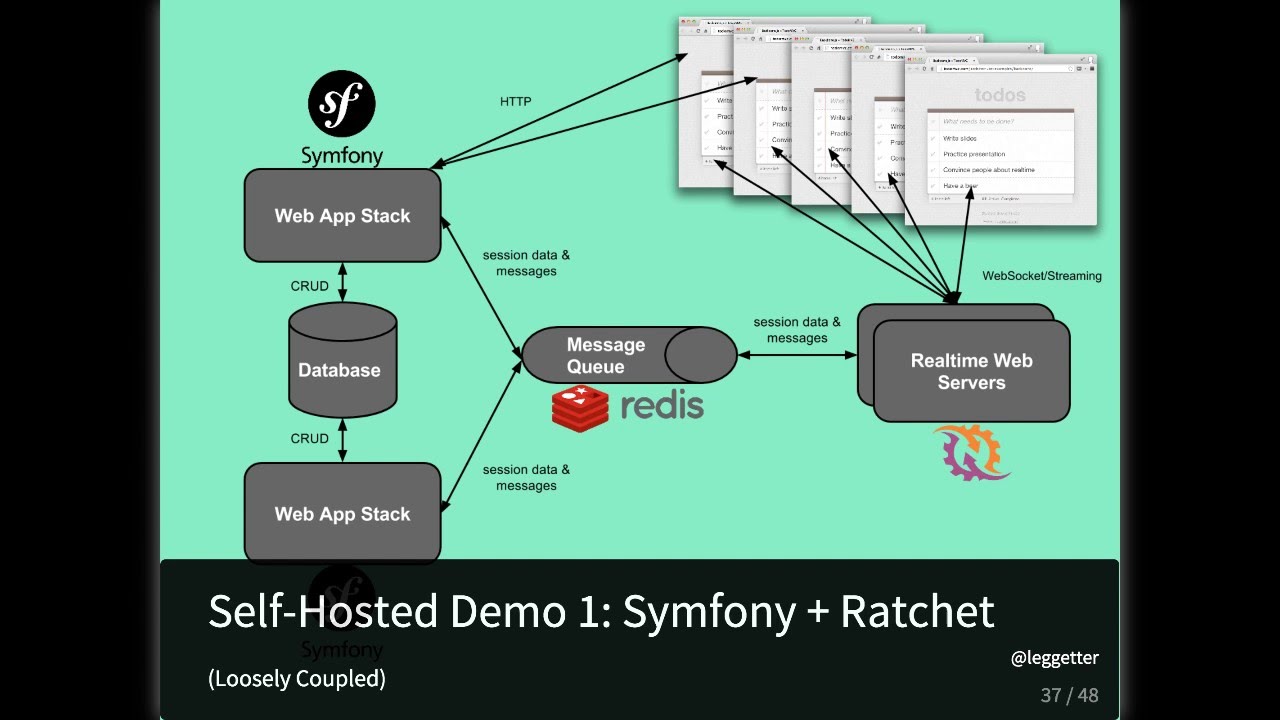
Building a responsive and dynamic event listing application involves integrating a modern frontend framework with a robust backend. This guide provides a step-by-step approach to creating a React component that lists events and updates live when new events are added. The backend is powered by a C# Web API utilizing Dapper for efficient database interactions. Additionally, real-time updates are facilitated using SignalR, ensuring that users receive immediate feedback when events are added.
Backend Setup: C# Web API with Dapper and SignalR
1. Setting Up the C# Web API Project
Begin by creating a new ASP.NET Core Web API project. This project will serve as the backend, handling data operations and providing endpoints for the React frontend.
a. Create a New Web API Project
dotnet new webapi -n EventListingApiNavigate to the project directory:
cd EventListingApib. Install Necessary NuGet Packages
Install Dapper for database operations and SignalR for real-time functionalities:
dotnet add package Dapper
dotnet add package Microsoft.AspNetCore.SignalR
dotnet add package System.Data.SqlClient
2. Defining the Event Model
Create a model representing the event structure. This model maps directly to the database schema.
// Models/Event.cs
public class Event
{
    public int Id { get; set; }
    public string Title { get; set; }
    public string Description { get; set; }
    public DateTime CreatedAt { get; set; }
}
3. Configuring the Database
Set up the database table to store event data. This example uses SQL Server, but the approach can be adapted to other relational databases.
a. Creating the Events Table
CREATE TABLE Events (
    Id INT IDENTITY(1,1) PRIMARY KEY,
    Title NVARCHAR(200) NOT NULL,
    Description NVARCHAR(MAX),
    CreatedAt DATETIME NOT NULL DEFAULT GETDATE()
);
b. Adding the Connection String
Update the appsettings.json file with the database connection string:
{
  "ConnectionStrings": {
    "DefaultConnection": "Server=YOUR_SERVER_NAME;Database=EventDb;Trusted_Connection=True;"
  },
  "Logging": {
    "LogLevel": {
      "Default": "Information",
      "Microsoft.AspNetCore": "Warning"
    }
  },
  "AllowedHosts": "*"
}
4. Implementing the Repository with Dapper
The repository handles database interactions, leveraging Dapper for efficient Object-Relational Mapping (ORM).
// Repositories/EventRepository.cs
using Dapper;
using System.Collections.Generic;
using System.Data;
using System.Data.SqlClient;
using System.Threading.Tasks;
using Microsoft.Extensions.Configuration;

public class EventRepository
{
    private readonly string _connectionString;

    public EventRepository(IConfiguration configuration)
    {
        _connectionString = configuration.GetConnectionString("DefaultConnection");
    }

    public async Task<IEnumerable<Event>> GetEventsAsync()
    {
        using (IDbConnection db = new SqlConnection(_connectionString))
        {
            string sql = "SELECT * FROM Events ORDER BY CreatedAt DESC";
            return await db.QueryAsync<Event>(sql);
        }
    }

    public async Task<Event> AddEventAsync(Event newEvent)
    {
        using (IDbConnection db = new SqlConnection(_connectionString))
        {
            string sql = @"
                INSERT INTO Events (Title, Description, CreatedAt)
                VALUES (@Title, @Description, @CreatedAt);
                SELECT CAST(SCOPE_IDENTITY() as int)";
            var id = await db.QuerySingleAsync<int>(sql, new { newEvent.Title, newEvent.Description, newEvent.CreatedAt });
            newEvent.Id = id;
            return newEvent;
        }
    }
}
5. Creating the API Controller
The controller exposes endpoints for fetching and adding events. It also integrates SignalR to broadcast new events in real-time.
// Controllers/EventsController.cs
using Microsoft.AspNetCore.Mvc;
using Microsoft.AspNetCore.SignalR;
using System;
using System.Collections.Generic;
using System.Threading.Tasks;

[ApiController]
[Route("api/[controller]")]
public class EventsController : ControllerBase
{
    private readonly EventRepository _repository;
    private readonly IHubContext<EventHub> _hubContext;

    public EventsController(EventRepository repository, IHubContext<EventHub> hubContext)
    {
        _repository = repository;
        _hubContext = hubContext;
    }

    [HttpGet]
    public async Task<IActionResult> GetEvents()
    {
        IEnumerable<Event> events = await _repository.GetEventsAsync();
        return Ok(events);
    }

    [HttpPost]
    public async Task<IActionResult> CreateEvent([FromBody] Event newEvent)
    {
        if (newEvent == null || string.IsNullOrEmpty(newEvent.Title))
        {
            return BadRequest("Invalid event data.");
        }

        newEvent.CreatedAt = DateTime.UtcNow;
        Event createdEvent = await _repository.AddEventAsync(newEvent);

        // Broadcast the new event to all connected clients
        await _hubContext.Clients.All.SendAsync("ReceiveEvent", createdEvent);

        return Ok(createdEvent);
    }
}
6. Setting Up SignalR Hub
SignalR enables real-time communication between the server and clients, allowing instant updates when new events are added.
// Hubs/EventHub.cs
using Microsoft.AspNetCore.SignalR;

public class EventHub : Hub
{
    // Hub methods can be added here if needed
}
7. Configuring the Application
Update the Program.cs file to register services and map SignalR hubs.
// Program.cs
var builder = WebApplication.CreateBuilder(args);

// Add services to the container.
builder.Services.AddControllers();
builder.Services.AddSingleton<EventRepository>();
builder.Services.AddSignalR();
builder.Services.AddCors(options =>
{
    options.AddPolicy("CorsPolicy", builder =>
    {
        builder
            .WithOrigins("http://localhost:3000") // React app URL
            .AllowAnyHeader()
            .AllowAnyMethod()
            .AllowCredentials();
    });
});

var app = builder.Build();

// Configure the HTTP request pipeline.
app.UseCors("CorsPolicy");

app.MapControllers();
app.MapHub<EventHub>("/eventHub");

app.Run();
Frontend Setup: React Application
1. Creating the React App
Use Create React App to bootstrap a new React project.
npx create-react-app event-listing-app
cd event-listing-app
2. Installing Required Dependencies
Install Axios for HTTP requests and @microsoft/signalr for real-time communication.
npm install axios @microsoft/signalr3. Building the EventList Component
The EventList component fetches events from the backend, displays them, and listens for real-time updates.
// src/components/EventList.jsx
import React, { useState, useEffect } from 'react';
import axios from 'axios';
import * as signalR from '@microsoft/signalr';

const EventList = () => {
    const [events, setEvents] = useState([]);
    const [newEvent, setNewEvent] = useState({ title: '', description: '' });
    const [connection, setConnection] = useState(null);

    useEffect(() => {
        // Initialize SignalR connection
        const newConnection = new signalR.HubConnectionBuilder()
            .withUrl('http://localhost:5000/eventHub') // Backend URL
            .withAutomaticReconnect()
            .build();

        setConnection(newConnection);
    }, []);

    useEffect(() => {
        if (connection) {
            connection.start()
                .then(() => {
                    console.log('Connected to SignalR hub');
                    connection.on('ReceiveEvent', event => {
                        setEvents(prevEvents => [event, ...prevEvents]);
                    });
                })
                .catch(err => console.error('Connection failed: ', err));
        }
    }, [connection]);

    useEffect(() => {
        // Fetch initial events
        fetchEvents();
    }, []);

    const fetchEvents = async () => {
        try {
            const response = await axios.get('http://localhost:5000/api/events');
            setEvents(response.data);
        } catch (error) {
            console.error('Error fetching events:', error);
        }
    };

    const handleSubmit = async (e) => {
        e.preventDefault();
        try {
            const response = await axios.post('http://localhost:5000/api/events', newEvent);
            // The new event will be added via SignalR, so no need to update state here
            setNewEvent({ title: '', description: '' });
        } catch (error) {
            console.error('Error adding event:', error);
        }
    };

    return (
        <div className="event-list-container">
            <h1>Event List</h1>
            <form onSubmit={handleSubmit} className="event-form">
                <input
                    type="text"
                    placeholder="Event Title"
                    value={newEvent.title}
                    onChange={(e) => setNewEvent({ ...newEvent, title: e.target.value })}
                    required
                />
                <textarea
                    placeholder="Event Description"
                    value={newEvent.description}
                    onChange={(e) => setNewEvent({ ...newEvent, description: e.target.value })}
                    required
                ></textarea>
                <button type="submit">Add Event</button>
            </form>
            <div className="events-list">
                {events.map(event => (
                    <div key={event.id} className="event-item">
                        <h3>{event.title}</h3>
                        <p>{event.description}</p>
                        <small>{new Date(event.createdAt).toLocaleString()}</small>
                    </div>
                ))}
            </div>
        </div>
    );
};

export default EventList;
4. Integrating the Component into the App
Update the main App.jsx to include the EventList component.
// src/App.jsx
import React from 'react';
import EventList from './components/EventList';
import './App.css';

function App() {
    return (
        <div className="App">
            <EventList />
        </div>
    );
}

export default App;
5. Styling the Application
Add basic styling to enhance the user interface.
// src/App.css
.App {
    font-family: Arial, sans-serif;
    padding: 20px;
}

.event-list-container {
    max-width: 600px;
    margin: 0 auto;
}

.event-form {
    display: flex;
    flex-direction: column;
    margin-bottom: 20px;
}

.event-form input,
.event-form textarea {
    margin-bottom: 10px;
    padding: 10px;
    font-size: 16px;
}

.event-form button {
    padding: 10px;
    font-size: 16px;
    background-color: #388278;
    color: white;
    border: none;
    cursor: pointer;
}

.event-form button:hover {
    background-color: #2a5d61;
}

.events-list .event-item {
    border: 1px solid #ccc;
    padding: 15px;
    margin-bottom: 10px;
    border-radius: 5px;
}

.events-list .event-item h3 {
    margin: 0 0 10px 0;
}

.events-list .event-item p {
    margin: 0 0 10px 0;
}

.events-list .event-item small {
    color: #666;
}
Real-Time Updates with SignalR
1. Understanding SignalR
SignalR is a library for ASP.NET that facilitates real-time bi-directional communication between server and client. It abstracts the complexities of managing connections, allowing developers to focus on the application logic.
2. Configuring SignalR in the Backend
Ensure SignalR is properly configured in the backend to handle event broadcasts.
// Program.cs (Additional Configuration)
app.MapControllers();
app.MapHub<EventHub>("/eventHub");

app.Run();
3. Handling Real-Time Events in React
The React frontend connects to the SignalR hub and listens for incoming events, updating the state accordingly.
// Inside EventList.jsx (SignalR Integration)
useEffect(() => {
    if (connection) {
        connection.start()
            .then(() => {
                console.log('Connected to SignalR hub');
                connection.on('ReceiveEvent', event => {
                    setEvents(prevEvents => [event, ...prevEvents]);
                });
            })
            .catch(err => console.error('Connection failed: ', err));
    }
}, [connection]);
4. Security Considerations
Implement authentication and authorization to secure the API endpoints and SignalR hub. Utilize JWT tokens or other authentication mechanisms to ensure that only authorized users can add or view events.
5. Error Handling and Validation
Incorporate comprehensive error handling both on the frontend and backend. Validate incoming data to prevent malformed entries and ensure data integrity.
Enhancing the Application
1. Implementing Pagination
For scalability, consider implementing pagination to handle large lists of events. This improves performance by loading events in chunks rather than all at once.
2. Adding User Authentication
Integrate user authentication to allow users to create, edit, or delete their events. This adds a layer of personalization and security.
3. Deploying the Application
Once development and testing are complete, deploy the backend to a cloud service like Azure or AWS and host the React frontend on platforms such as Netlify or Vercel.
4. Optimizing Performance
Optimize both frontend and backend for performance. Use caching strategies, optimize database queries, and utilize CDN services for static assets to ensure swift load times and a smooth user experience.
Conclusion
Creating a live-updating event list application involves integrating a React frontend with a C# Web API backend, utilizing Dapper for efficient database operations, and implementing SignalR for real-time communication. This comprehensive approach ensures a responsive and dynamic user experience, with the ability to scale and enhance functionalities as needed.
References
Last updated January 21, 2025