
Comprehensive Guide to Comparing MySQL Tables and Generating Update Scripts
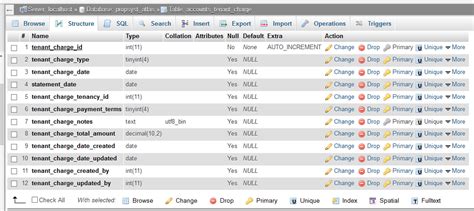
Upgrading and maintaining databases is a critical task in ensuring data integrity and system performance. When dealing with MySQL databases, comparing tables to identify structural differences and generating appropriate update scripts is essential, especially during migrations, version upgrades, or schema refinements. This guide provides a detailed, step-by-step approach to comparing two MySQL tables and generating an update script to upgrade one table to match another. We will explore the use of powerful tools like mysqldiff, diff_schema, and mysql-schema-diff, alongside practical examples and best practices.
Understanding the Importance of Table Comparison
Before delving into the tools and methodologies, it's crucial to understand why table comparison is vital:
- Data Integrity: Ensures that the data remains consistent across different environments or versions.
- Efficient Upgrades: Facilitates seamless database schema upgrades without data loss or downtime.
- Error Prevention: Helps in identifying discrepancies that might lead to application errors or performance issues.
- Documentation: Provides a clear record of changes made to the database schema over time.
Tools for Comparing MySQL Tables
1. mysqldiff
mysqldiff is a part of the MySQL Utilities suite, designed specifically for comparing MySQL database tables. It allows users to identify differences in table structures and generate SQL scripts to synchronize them.
Installation
Depending on your operating system, the installation process varies:
Usage
To compare two tables and generate an SQL update script, use the following command:
mysqldiff --server1=root:password@host1:port1 --server2=root:password@host2:port2 db1.table1:db2.table1 --difftype=sql > update_script.sqlThis command connects to two different MySQL servers, compares the specified tables, and outputs the differences as an SQL script named update_script.sql.
2. diff_schema
diff_schema is a standalone Python tool that compares MySQL table schemas and generates SQL scripts to synchronize them.
Installation
Ensure that Python is installed on your system. Then, download the diff_schema script from its repository and install any required dependencies.
Usage
To compare two tables and generate a diff script, execute:
python diff_schema.py -d db -s root:root@127.0.0.1:3306~dbname1 -t root:root@127.0.0.1:3306~dbname2 -o diff.sqlAlternatively, to compare using SQL files:
python diff_schema.py -d file -s source.sql -t target.sql -o diff.sqlThis command compares the source and target schemas and outputs the differences to diff.sql.
3. mysql-schema-diff
mysql-schema-diff is another utility specifically designed for comparing MySQL table schemas and generating SQL scripts to apply necessary changes.
Installation
On Ubuntu 20.04, install using:
apt-get install mysql-schema-diffUsage
To compare tables and generate an update script:
mysql-schema-diff --host1=host1 --password1=password1 --host2=host2 --password2=password2 db1.table1 db2.table1 --generate-sqlThis command connects to the specified databases, compares the tables, and generates an SQL script to apply the differences.
Step-by-Step Guide to Comparing Tables and Generating Update Scripts
Step 1: Analyze the Current Table Structures
Begin by examining the existing structures of both tables. This involves reviewing column definitions, data types, indexes, constraints, and other table properties. In the provided tables, both ebc_bizmint_xkq105.ELEC_SETL_CERT_INFO_D and ebc_bizmint_xkq106.ELEC_SETL_CERT_INFO_D appear identical at first glance. However, subtle differences might exist, such as default values, comments, or indexing strategies.
Step 2: Choose the Appropriate Tool
Select a tool that best fits your environment and requirements. For most users, mysqldiff offers a comprehensive solution integrated within the MySQL Utilities suite. However, if you prefer a Python-based tool or need to compare SQL files, diff_schema might be more suitable.
Step 3: Install the Selected Tool
Follow the installation instructions pertinent to your chosen tool. Ensure that all dependencies, such as Python or Visual C++ Redistributable Packages, are correctly installed to avoid any runtime issues.
Step 4: Execute the Comparison
Use the tool to compare the two tables. Here's how to proceed with mysqldiff:
mysqldiff --server1=root:password@host1:port1 --server2=root:password@host2:port2 ebc_bizmint_xkq105.ELEC_SETL_CERT_INFO_D ebc_bizmint_xkq106.ELEC_SETL_CERT_INFO_D --difftype=sql > upgrade_script.sqlThis command connects to both databases, compares the specified tables, and outputs the differences into upgrade_script.sql.
Step 5: Review the Generated Script
Before executing the update script, meticulously review it to ensure that all changes are intentional and do not adversely affect the existing data or application functionality. Look for actions such as adding or modifying columns, altering data types, or changing indexing strategies.
Step 6: Backup Your Database
Always create a backup of your database before applying any changes. This precaution safeguards against potential data loss or corruption during the upgrade process.
Step 7: Execute the Update Script
Once satisfied with the script, apply it to the target database. This can be done using MySQL command-line tools or a database management interface like phpMyAdmin or DBeaver.
mysql -u root -p < upgrade_script.sqlThis command applies the changes defined in upgrade_script.sql to the target database.
Step 8: Verify the Changes
After executing the script, verify that the target table now matches the desired structure. You can use the same comparison tool to ensure that no discrepancies remain or manually inspect the table schema using SQL commands like DESCRIBE table_name;.
Practical Example: Upgrading Table1 to Table2
Given Tables
Let's consider the provided table definitions for ebc_bizmint_xkq105.ELEC_SETL_CERT_INFO_D (Table1) and ebc_bizmint_xkq106.ELEC_SETL_CERT_INFO_D (Table2). At first glance, both tables appear identical. However, it's essential to confirm this using a comparison tool to ensure there are no hidden discrepancies.
Using mysqldiff to Compare and Generate Update Script
Command Execution
Execute the following command to compare Table1 and Table2:
mysqldiff --server1=root:password@host1:3306 --server2=root:password@host2:3306 ebc_bizmint_xkq105.ELEC_SETL_CERT_INFO_D ebc_bizmint_xkq106.ELEC_SETL_CERT_INFO_D --difftype=sql > upgrade_script.sqlInterpreting the Results
If the tables are identical, the generated upgrade_script.sql will be empty or contain comments indicating no differences were found. If discrepancies exist, the script will include SQL statements necessary to synchronize Table1 with Table2.
Sample Upgrade Script
Assuming there are differences, a sample upgrade_script.sql might look like this:
ALTER TABLE `ebc_bizmint_xkq105`.`ELEC_SETL_CERT_INFO_D`
    ADD COLUMN `NEW_COLUMN` varchar(100) DEFAULT NULL COMMENT 'Newly added column',
    MODIFY COLUMN `FIXMEDINS_TYPE` varchar(150) DEFAULT NULL COMMENT 'Updated fixed medical institution type';

  CREATE INDEX `IDX_NEW_INDEX` ON `ebc_bizmint_xkq105`.`ELEC_SETL_CERT_INFO_D` (`NEW_COLUMN`);
This script adds a new column, modifies an existing column's definition, and creates a new index to align Table1 with Table2.
Executing the Upgrade Script
Apply the script to the target database:
mysql -u root -p ebc_bizmint_xkq105 < upgrade_script.sqlEnter the MySQL root password when prompted. This command applies all the changes defined in the upgrade script to Table1.
Best Practices for Database Schema Upgrades
1. Maintain Version Control for Database Schemas
Just as with application code, maintain version control for your database schemas. This practice facilitates tracking changes, rolling back if necessary, and collaborating with team members.
2. Automate Schema Comparisons and Deployments
Use automation tools and scripts to regularly compare schemas, especially in environments with multiple databases or frequent changes. Automation reduces the risk of human error and accelerates the deployment process.
3. Test Upgrade Scripts Thoroughly
Before applying upgrade scripts to production databases, test them in staging or development environments. Ensure that the scripts perform as intended without causing data loss or corruption.
4. Backup Databases Regularly
Regular backups are essential. In the event of unforeseen issues during the upgrade process, a recent backup ensures that you can restore the database to its previous state.
5. Document Schema Changes
Maintain clear documentation of all schema changes, including the reasons for modifications and their potential impact on the application. Documentation aids in future maintenance and onboarding of new team members.
Conclusion
Comparing MySQL tables and generating update scripts is a fundamental aspect of database administration. By leveraging tools like mysqldiff, diff_schema, and mysql-schema-diff, you can efficiently identify differences and synchronize table structures across databases. Adhering to best practices, such as maintaining version control, automating processes, thorough testing, regular backups, and documentation, ensures smooth and reliable database upgrades. Implementing these strategies not only enhances data integrity and system performance but also streamlines the overall database management workflow.
Last updated January 8, 2025