
Unveiling System Failures: A Python-Powered Utility for Intelligent Log Comparison
Leverage Python to dissect log files, pinpoint discrepancies, and accelerate root cause analysis of system failures.
When systems misbehave, log files are often the first place engineers turn to for clues. Comparing a log from a failed process against one from a successful execution can reveal the sequence of events leading to failure. This guide details how to construct a Python utility designed to intelligently compare two log files, filter out the noise, and highlight critical differences, thereby aiding in the swift identification of root causes.
Key Insights: Decoding Log Differences
- Normalization is Crucial: Meaningful log comparison requires normalizing log lines by removing or masking dynamic data like timestamps, PIDs, and session IDs using regular expressions. This focuses the analysis on substantive content changes.
- Python's Power Tools: Python, with its
remodule for regular expressions anddifflibfor sequence comparison, provides a robust toolkit for building an effective log comparison utility. - Contextual Analysis Aids Root Cause Identification: Beyond simple line differences, identifying error keywords (e.g., "ERROR," "FATAL," "Exception") and analyzing the context of discrepancies are key to pinpointing potential root causes.
The Intricacies of Comparing Log Files
Comparing log files isn't always a straightforward text diff. Several challenges can obscure the actual issues:
- Dynamic Data Overload: Timestamps, process IDs (PIDs), session identifiers, IP addresses, and other unique request IDs change with every execution. A naive comparison would flag these as differences, creating noise.
- Varying Log Structures: While some applications produce consistently formatted logs, others might have slight variations or include multi-line messages (e.g., stack traces) that complicate direct line-by-line comparison.
- Irrelevant Information (Noise): Logs often contain verbose informational messages or warnings that are benign and unrelated to the specific failure being investigated.
- Need for Contextual Understanding: A single differing line might not be the root cause. Understanding the sequence of events before and after the divergence is often necessary.
A typical log file, often containing timestamps, levels, and messages that require careful parsing.
Designing Your Python Log Comparison Utility
A robust log comparison utility built in Python should incorporate several key components to address the challenges mentioned above. The goal is to automate the tedious parts of log analysis and present clear, actionable insights.
Core Components of the Utility
1. File Input and Argument Parsing
The utility must accept paths to the "correct" (baseline) log file and the "failed" log file. Python's argparse module is ideal for creating a user-friendly command-line interface (CLI) that allows users to specify these files and any other options, like custom patterns to ignore.
2. Log Line Normalization
This is a critical step. Before comparison, each line from both logs should be "normalized." This involves using regular expressions (via Python's re module) to identify and replace or remove dynamic parts (timestamps, UUIDs, PIDs, IP addresses, etc.) with a consistent placeholder (e.g., <IGNORED_DYNAMIC_DATA>). This ensures that comparisons focus on the actual log message content rather than superficial differences.
Example patterns to ignore could include:
- Timestamps:
r"\d{4}-\d{2}-\d{2}T?\d{2}:\d{2}:\d{2}(?:[.,]\d+)?Z?" - IP Addresses:
r"\b(?:[0-9]{1,3}\.){3}[0-9]{1,3}\b" - UUIDs:
r"\b[0-9a-fA-F]{8}-(?:[0-9a-fA-F]{4}-){3}[0-9a-fA-F]{12}\b"
3. The Comparison Engine
Once lines are normalized, the actual comparison can take place. Python's difflib module is excellent for this. It can compare sequences (like lists of normalized log lines) and produce human-readable difference reports, highlighting added, removed, or changed lines. The unified_diff function from difflib is particularly useful as it provides context around the changes, similar to the output of the standard diff command-line tool.
4. Root Cause Heuristics
After identifying differences, the utility can apply simple heuristics to suggest potential root causes. This might involve:
- Searching for keywords like "ERROR," "FATAL," "Exception," or "Traceback" in lines unique to the failed log or where content differs significantly.
- Flagging unexpected sequences or missing critical log entries in the failed log.
- Noting if the failed log is significantly shorter or longer than the correct log.
5. Reporting Results
The utility should output its findings clearly. This includes:
- A summary of differences found.
- A list of potential root cause clues.
- A detailed, contextual diff of the normalized log files.
- Optionally, excerpts of the original (non-normalized) lines where significant differences in normalized versions occur, to provide full context.
Building the Python Log Comparator: A Step-by-Step Guide
Let's consolidate these design principles into a Python script. This utility will take two log files, normalize them, compare them, and report differences along with potential root cause indicators.
1. Setting Up the Environment and Imports
Ensure you have Python installed (preferably 3.7+). The script will primarily use built-in modules:
argparse: For handling command-line arguments.re: For regular expression operations during normalization.difflib: For comparing sequences of log lines.
2. Implementing Log Line Normalization
A function will take a log line and a list of regex patterns, applying them to mask dynamic data.
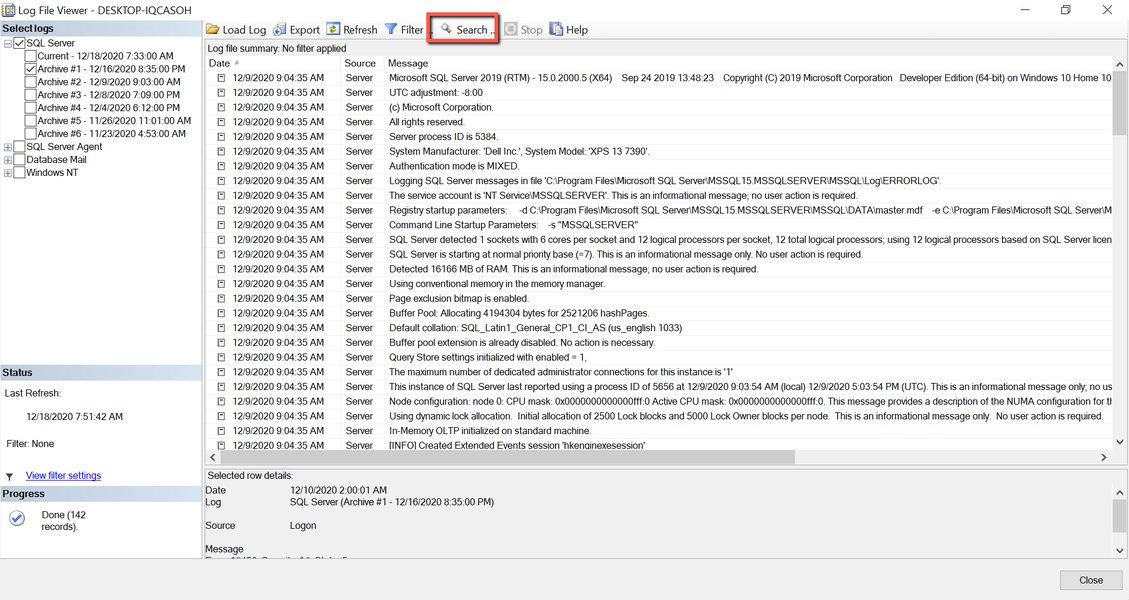
Log viewers often help in manually inspecting logs, a process this utility aims to automate and enhance.
3. Reading, Processing, and Comparing Logs
Functions will handle reading the log files, applying normalization to each line, and then using difflib to compare the resulting lists of normalized lines. Original lines should also be kept for richer reporting.
4. Identifying Potential Root Causes and Reporting
Logic will be added to scan for common error indicators in the differing lines of the failed log. The final report will present these clues alongside the detailed diff.
5. The Full Python Script
Below is the complete Python script for the log comparison utility. You can save this as a .py file (e.g., log_diff_tool.py) and run it from your terminal.
import argparse
import re
import difflib

# Default patterns to ignore (can be overridden via command line)
DEFAULT_IGNORE_PATTERNS = [
    r"\d{4}-\d{2}-\d{2}T?\d{2}:\d{2}:\d{2}(?:[.,]\d+)?Z?",  # ISO8601 Timestamps
    r"\d{2}/\w{3}/\d{4}:\d{2}:\d{2}:\d{2}\s[+\-]\d{4}",    # Apache Common Log Format Timestamp
    r"\[\d{2}/\w{3}/\d{4}\s\d{2}:\d{2}:\d{2}\]",          # Other common timestamp
    r"\b(?:[0-9]{1,3}\.){3}[0-9]{1,3}\b",                  # IPv4 Addresses
    r"\b[0-9a-fA-F]{8}-(?:[0-9a-fA-F]{4}-){3}[0-9a-fA-F]{12}\b",  # UUIDs
    r"PID:\s*\d+",                                         # Process IDs like "PID: 12345"
    r"session\s*id\s*[:=]\s*\w+",                         # Session IDs like "session id: abc123"
    r"request\s*id\s*[:=]\s*\w+",                         # Request IDs
    r"\b\d{13}\b"                                          # Common millisecond epoch timestamps
]

def normalize_line(line, compiled_ignore_patterns):
    """Normalizes a single log line by removing/replacing dynamic parts."""
    normalized_line = line
    for pattern in compiled_ignore_patterns:
        normalized_line = pattern.sub("<IGNORED_DYNAMIC_DATA>", normalized_line)
    return normalized_line.strip()

def read_and_normalize_log(filepath, compiled_ignore_patterns):
    """Reads a log file, normalizes each line, and returns a list of lines."""
    normalized_lines = []
    original_lines = []
    try:
        with open(filepath, 'r', encoding='utf-8') as f:
            for line_content in f:
                original_lines.append(line_content.rstrip('\n'))
                normalized_lines.append(normalize_line(line_content, compiled_ignore_patterns))
    except FileNotFoundError:
        print(f"Error: File not found at {filepath}")
        return None, None
    except Exception as e:
        print(f"Error reading file {filepath}: {e}")
        return None, None
    return original_lines, normalized_lines

def compare_log_files(correct_log_path, failed_log_path, ignore_patterns_str):
    """Compares two log files after normalization and identifies differences."""
    print(f"Normalizing and comparing '{correct_log_path}' (Correct) and '{failed_log_path}' (Failed)...")

    # Compile regex patterns once for efficiency
    compiled_patterns = [re.compile(p_str) for p_str in ignore_patterns_str]

    original_correct, normalized_correct = read_and_normalize_log(correct_log_path, compiled_patterns)
    original_failed, normalized_failed = read_and_normalize_log(failed_log_path, compiled_patterns)

    if original_correct is None or original_failed is None:
        return [], [], [] # Return empty lists on error

    differences_details = []
    potential_causes = []

    # Generate a unified diff for overall changes based on normalized lines
    unified_diff_output = list(difflib.unified_diff(
        normalized_correct,
        normalized_failed,
        fromfile=correct_log_path,
        tofile=failed_log_path,
        lineterm='',
        n=3  # Number of context lines
    ))

    # Iterate for detailed analysis and heuristic-based cause finding
    # This simple line-by-line comparison can be enhanced
    # For now, main diffing relies on unified_diff, heuristics can be added here
    # Example: find first major divergence point
    first_diff_idx = -1
    for i, line in enumerate(unified_diff_output):
        if line.startswith('+') or line.startswith('-'):
            if not line.startswith('+++') and not line.startswith('---'):
                 # This is a content diff line, try to find its original index
                 # This is complex with unified_diff; simpler approach:
                 # Iterate through normalized_correct and normalized_failed directly for specific heuristics
                 break

    # Heuristic: Look for error keywords in lines that are only in failed log or changed
    # This requires a more detailed parsing of unified_diff or a separate loop.
    # For simplicity, we'll rely on user reviewing unified_diff and add simple keyword check
    # on lines present only in the failed log (approximated from lengths).

    if len(normalized_failed) > len(normalized_correct):
        for i in range(len(normalized_correct), len(normalized_failed)):
            line_orig = original_failed[i]
            if any(keyword in line_orig.lower() for keyword in ["error", "fatal", "exception", "failed", "traceback"]):
                potential_causes.append(f"Line ~{i+1} (Failed Log Only): Possible issue - '{line_orig}' contains error-like keyword.")

    # Scan through unified_diff for lines added to failed log containing error keywords
    current_failed_line_num = 0
    for line_diff in unified_diff_output:
        if line_diff.startswith('@@'): # Update line numbers from hunk header
            parts = line_diff.split(' ')
            if len(parts) > 2:
                # Example: @@ -1,5 +1,7 @@
                # We care about the '+' part for failed log line numbers
                try:
                    current_failed_line_num = int(parts[2].split(',')[0].replace('+', '')) -1
                except ValueError:
                    pass # Malformed hunk
        elif line_diff.startswith('+') and not line_diff.startswith('+++'):
            original_line_content_failed = line_diff[1:] # This is normalized content
            # To get original line, we'd need to map back, which is complex.
            # We approximate original content lookup if needed.
            # Heuristic on the normalized diff line:
            if any(keyword in original_line_content_failed.lower() for keyword in ["error", "fatal", "exception", "failed", "traceback"]):
                 # Find corresponding original line if possible (approximation)
                 original_idx = current_failed_line_num # Approximate index
                 if 0 <= original_idx < len(original_failed):
                     orig_text = original_failed[original_idx]
                     potential_causes.append(f"Failed Log Line ~{original_idx+1} (added/changed): Possible issue - '{orig_text}' (normalized: '{original_line_content_failed}')")
                 else: # Fallback if index is out of bounds
                     potential_causes.append(f"Failed Log (added/changed, normalized): Possible issue in line containing '{original_line_content_failed}'")

        if not line_diff.startswith('-'): # Line exists in failed (either common or added)
            current_failed_line_num +=1


    return differences_details, list(set(potential_causes)), unified_diff_output # list(set()) to remove duplicates

def report_findings(differences_details, potential_causes, unified_diff_output, correct_log_path, failed_log_path):
    """Prints the comparison results."""
    if not unified_diff_output and not potential_causes:
        print("\nNo significant differences found after normalization.")
        # Quick check if files were identical to begin with
        try:
            with open(correct_log_path, 'rb') as f1, open(failed_log_path, 'rb') as f2:
                if f1.read() == f2.read():
                    print("The original files are identical.")
                else:
                    print("Differences existed but were entirely normalized out. Review ignore patterns or logs manually if issues persist.")
        except Exception as e:
            print(f"Could not perform binary check on original files: {e}")
        return

    if potential_causes:
        print("\n--- Potential Root Cause Clues ---")
        for i, cause in enumerate(potential_causes[:10]): # Show top 10 clues
            print(f"  {i+1}. {cause}")
        if len(potential_causes) > 10:
            print(f"  ... and {len(potential_causes)-10} more clues.")
    else:
        print("\nNo specific root cause clues automatically identified by heuristics. Review general diff below.")

    print(f"\n--- General Unified Diff (Normalized Lines: '{correct_log_path}' vs '{failed_log_path}') ---")
    if unified_diff_output:
        for line in unified_diff_output:
            # Add color for better readability (ANSI escape codes for terminal)
            if line.startswith('+') and not line.startswith('+++'):
                print(f"\033[92m{line}\033[0m")  # Green for additions
            elif line.startswith('-') and not line.startswith('---'):
                print(f"\033[91m{line}\033[0m")  # Red for deletions
            elif line.startswith('@@'):
                print(f"\033[96m{line}\033[0m")  # Cyan for hunk headers
            else:
                print(line)
    else:
        print("No differences reported by unified_diff. This might indicate identical normalized content or an issue in processing.")

if __name__ == "__main__":
    parser = argparse.ArgumentParser(
        description="Compare two log files (correct vs. failed) to identify differences and potential root causes of failure. Normalizes lines by ignoring common dynamic patterns using regex.",
        formatter_class=argparse.RawTextHelpFormatter # Preserves formatting in help text
    )
    parser.add_argument("correct_log", help="Path to the 'correct' (baseline) log file.")
    parser.add_argument("failed_log", help="Path to the 'failed' log file.")
    parser.add_argument(
        "--ignore",
        nargs='*',
        default=DEFAULT_IGNORE_PATTERNS,
        help=("List of regex patterns to ignore in log lines during comparison. "
              "Each pattern should be a string. \n"
              "Example: --ignore \"\\d{4}-\\d{2}-\\d{2}\" \"SessionID:\\s*\\w+\"\n"
              f"Defaults to a predefined list if not specified (see script source for defaults).")
    )

    args = parser.parse_args()

    print("Log Comparison Utility")
    print("========================")
    print(f"Correct Log: {args.correct_log}")
    print(f"Failed Log : {args.failed_log}")
    print(f"Using {len(args.ignore)} regex patterns for normalization.")
    # For debugging: print(f"Patterns: {args.ignore}")

    _, potential_causes, unified_diff_lines = compare_log_files(args.correct_log, args.failed_log, args.ignore)
    report_findings([], potential_causes, unified_diff_lines, args.correct_log, args.failed_log)

    print("\n========================")
    print("Comparison finished.")
How to use the script:
- Save the code above as a Python file (e.g.,
log_comparator.py). - Open your terminal or command prompt.
- Run the script, providing paths to your correct and failed log files:
python log_comparator.py path/to/correct.log path/to/failed.log - To specify custom regex patterns to ignore (overriding the defaults):
python log_comparator.py correct.log failed.log --ignore "^\d{4}-\d{2}-\d{2}" "PID:\d+" "SessionID-\w+"
The script will print a unified diff of the normalized files and list any potential root cause clues it identified based on keywords.
Visualizing the Log Comparison Workflow
A mindmap can help illustrate the structured process this utility follows, from ingesting raw logs to presenting actionable insights for root cause analysis.
(Timestamps, PIDs, UUIDs, IPs, Custom Patterns)"] id2.2["Comparative Analysis"] id2.2.1["Sequence Comparison of Normalized Lines
(e.g., using Python's difflib)"] id3["Analysis & Heuristics"] id3.1["Difference Identification & Highlighting"] id3.1.1["Lines Added to Failed Log"] id3.1.2["Lines Removed from Failed Log (Present in Correct)"] id3.1.3["Lines with Modified Content"] id3.2["Root Cause Clue Generation"] id3.2.1["Detection of Error Keywords
(ERROR, FATAL, Exception, Traceback)"] id3.2.2["Analysis of Sequence Deviations"] id3.2.3["Flagging Unexpected or Missing Critical Entries"] id4["Outputs & Reporting"] id4.1["Unified Diff Summary
(Contextual view of changes)"] id4.2["List of Potential Root Cause Indicators"] id4.3["Clear Console Output"] id5["Configuration"] id5.1["Command-Line Interface (CLI)"] id5.2["User-Definable Regex Ignore Patterns"]
This mindmap outlines the flow: taking two log files, normalizing them to remove dynamic noise, performing a comparative analysis to find differences, applying heuristics to suggest root causes, and finally, reporting these findings to the user.
Understanding Log Analysis Techniques
The Python utility described offers a balance of automation and customization. Here's how it fits within a broader spectrum of log analysis techniques:
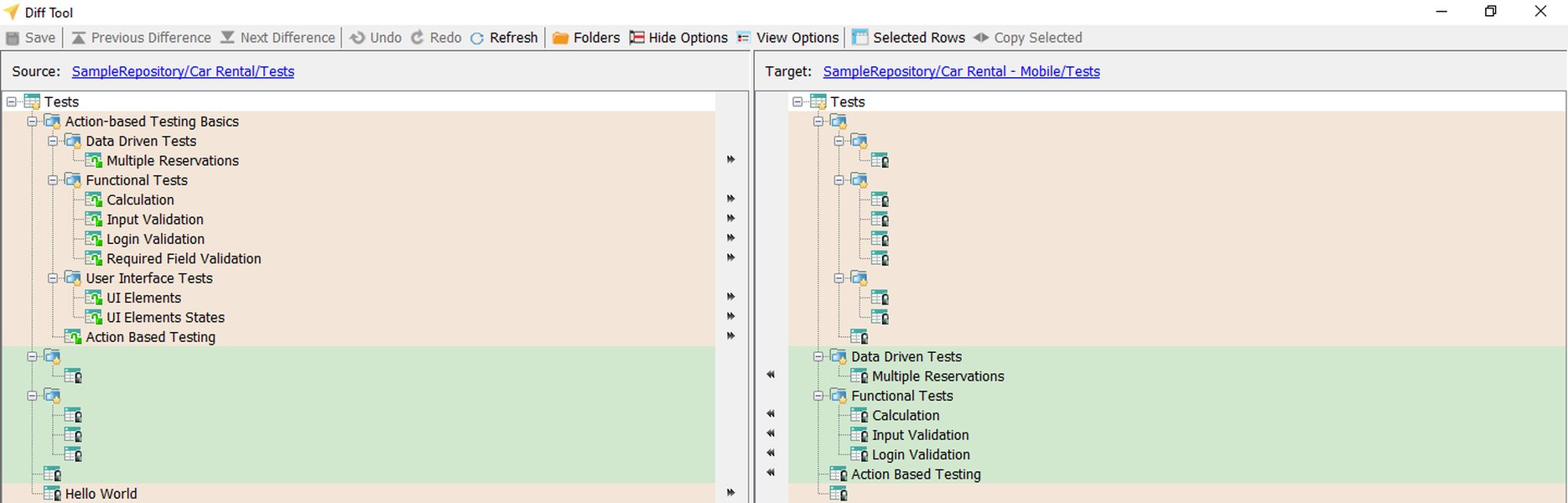
Visual diff tools provide a graphical way to see changes, similar to what difflib enables programmatically.
| Technique | Description | Pros | Cons | Ideal Use Case |
|---|---|---|---|---|
| Manual Eye-balling | Reading through logs side-by-side manually. | Simple, no setup required beyond text editors. | Extremely time-consuming, highly error-prone, not scalable, very difficult with dynamic data. | Very small log snippets, quick initial sanity checks for obvious errors. |
| Standard `diff` Utility | Command-line tools (e.g., GNU `diff`, `WinMerge`) comparing files textually or visually. | Fast for pure text comparison, widely available, some offer visual interfaces. | No understanding of log semantics, overwhelmed by dynamic data leading to noisy output, limited customization for log-specifics. | Finding exact textual changes in static files, source code diffs, simple configuration file comparisons. |
| Custom Python Script (This Utility) | Uses regular expressions for normalization, `difflib` for comparison, and basic heuristics for root cause hints. | Effectively handles dynamic data, customizable ignore patterns, targeted root cause suggestions, automates comparison. | Requires some Python/regex knowledge for tuning, heuristics are not foolproof and might miss complex or subtle issues. | Common debugging scenarios for application logs, repetitive comparison tasks, integrating into CI/CD pipelines for regression checks. |
| AI/ML-Powered Platforms | Specialized tools (e.g., Elastic AIOps, Splunk MLTK, Dynatrace) using machine learning for anomaly detection, pattern recognition, and automated correlation. | Can identify complex and subtle anomalies, learns normal behavior over time, highly scalable, often provides deeper insights and proactive alerts. | Can be complex to set up and configure, often commercial and costly, may require significant data volumes for training, can sometimes be a "black box". | Large-scale distributed systems, proactive monitoring, detecting unknown unknowns, complex performance troubleshooting. |
Effectiveness of Log Comparison Strategies: A Comparative View
Different log comparison strategies vary in their effectiveness across several dimensions. The radar chart below offers a visual comparison of a simple text diff, the regex-normalized Python script (like the one developed here), and more advanced AI/ML-based analysis platforms.
This chart illustrates that while simple text diffs are easy to set up, they lack accuracy and contextual insight for complex logs. The Python script presented offers a significant improvement in handling dynamic data and providing relevant insights. AI/ML solutions excel in accuracy and scalability but typically involve more complex setup. The choice of strategy depends on the specific needs, log complexity, and available resources.
Enhancing Root Cause Analysis with AI/ML
While the Python utility provides a strong foundation, Artificial Intelligence (AI) and Machine Learning (ML) can further enhance root cause analysis, especially for complex systems and voluminous logs. Here's how:
- Automated Anomaly Detection: ML models can be trained on "normal" log patterns. When a "failed" log is analyzed, these models can automatically identify deviations and anomalies that might be invisible to rule-based systems or human eyes.
- Log Clustering and Categorization: AI can group similar log messages, even if they are not textually identical. This helps in identifying recurring error types or patterns associated with failures, reducing noise and highlighting critical issues.
- Correlation Across Data Sources: Advanced AIOps platforms can correlate log data with metrics, traces, and events from other parts of the system to provide a more holistic view of a problem and pinpoint its origin more accurately.
- Predictive Failure Analysis: Some ML systems aim to predict potential failures by identifying subtle patterns in logs that often precede known issues, enabling proactive intervention.
Platforms like ScienceLogic, Elastic AIOps, and Zebrium (as mentioned in some source materials) leverage these techniques. While building such a system from scratch is a major undertaking, understanding these capabilities can inform future enhancements or integrations with specialized tools.
This video, "Log File Analysis: Python Log Parsing," demonstrates basic Python techniques for searching and working with log files, which are foundational to building more advanced comparison utilities.
Frequently Asked Questions (FAQ)
How do I define effective regex patterns for my specific log format?
Start by carefully examining your log files to identify recurring dynamic elements like timestamps, PIDs, UUIDs, IP addresses, or session IDs. Note their exact formats. Use online regex testing tools (like regex101.com) to build and test your patterns iteratively. Begin with general patterns for common elements (like ISO timestamps) and then add more specific patterns for any application-specific noise. Consult documentation for your logging libraries or applications, as they may specify log formats.
What if my log files are extremely large? Will this utility handle them?
The provided script reads the entire content of both log files into memory to perform normalization and then uses difflib, which also typically works on in-memory sequences. For very large files (e.g., multiple gigabytes), this approach can lead to high memory consumption. To handle such files, you might need to modify the script to process files in chunks or line-by-line, potentially writing normalized content to temporary files or using more advanced streaming comparison algorithms. This would add complexity but improve memory efficiency.
Can this utility adapt to different log file structures or formats?
Yes, the primary way to adapt the utility is by customizing the list of regular expression patterns provided via the --ignore command-line argument. This allows you to tailor the normalization process to the specific dynamic elements and noise present in your log formats. If log structures are fundamentally different (e.g., JSON vs. plain text vs. XML), you might need to add a pre-parsing step before normalization to convert them into a consistent line-oriented format for comparison.
How reliable is the automated root cause identification in this script?
The root cause identification in the provided script is based on simple heuristics, such as detecting keywords like "error," "fatal," or "exception" in differing lines of the failed log. This can provide valuable starting points or clues for investigation but is not foolproof. It might miss subtle root causes that don't involve obvious error messages, or it could occasionally flag coincidental errors. It should be considered a helpful assistant in the debugging process, not a definitive diagnostic tool.
What are the main limitations of this rule-based log comparison approach?
Rule-based approaches, like this utility, have limitations. They may struggle with:
- Understanding the semantic meaning of log messages (beyond keywords).
- Highly unstructured or inconsistent log formats that are difficult to normalize effectively with regex alone.
- Log entries that are significantly reordered between files (though `difflib` can handle some local reordering within its context window).
- Complex failure scenarios where the root cause is a subtle interaction of multiple factors or a deviation from normal patterns that doesn't involve explicit error messages.
Recommended Further Exploration
To deepen your understanding and enhance your log analysis capabilities, consider exploring these related topics:
- How to optimize Python scripts for processing very large log files efficiently.
- Advanced regular expression techniques for parsing complex log formats in Python.
- Integrating machine learning models for anomaly detection in application logs using Python.
- Best practices for application logging to facilitate easier debugging and root cause analysis.
References
Last updated May 9, 2025