
Unlock Network Insights: Your Advanced Python Port Scanning Toolkit
A comprehensive guide to building and using a powerful, multi-threaded Python script for network port exploration with TTL analysis.
Understanding the state of network ports on various hosts is a cornerstone of network administration, security auditing, and troubleshooting. This guide provides you with a sophisticated Python 3 script designed to perform network port scans efficiently. It supports scanning individual hosts, entire CIDR blocks, specific port lists, and leverages multi-threading for speed, along with an optional Time-To-Live (TTL) analysis mode for deeper insights.
Key Highlights
- Versatile Targeting: Scan individual IP addresses, hostnames, or entire network ranges using CIDR notation.
- Concurrent Scanning: Utilizes Python's threading capabilities to scan multiple ports or hosts simultaneously, significantly reducing scan times.
- In-Depth TTL Analysis: Optional TTL scan mode pings hosts to determine their reachability and Time-To-Live value, offering clues about network paths and operating systems.
Understanding the Python Port Scanner
A port scanner is a software application designed to probe a server or host for open ports. Such an application can be used by administrators to verify security policies of their networks and by attackers to identify running services on a host with the aim of exploiting vulnerabilities.
Core Components
The effectiveness of this Python port scanner stems from the integration of several key programming concepts and libraries:
Socket Programming
At its heart, network communication in Python relies on the socket module. This script uses sockets to attempt connections to specified ports on target hosts. A successful connection attempt typically indicates an open port, while a failed attempt suggests the port is closed or filtered.
Host and CIDR Handling
The script is designed to be flexible in its targeting:
- Single Hosts: You can specify individual IP addresses (e.g.,
192.168.1.10) or hostnames (e.g.,example.com). Hostnames are automatically resolved to their corresponding IP addresses. - CIDR Notation: For scanning network ranges, Classless Inter-Domain Routing (CIDR) notation (e.g.,
192.168.1.0/24) is supported. The script utilizes theipaddressmodule to expand these ranges into a list of individual IP addresses to be scanned.
Port Specification
Instead of scanning all 65,535 possible ports, which would be highly time-consuming, this script allows you to specify a list of particular ports you are interested in (e.g., 22,80,443,8080). This targeted approach is more efficient and focused.
Threading for Speed
Scanning numerous hosts or a large list of ports sequentially can be very slow. To address this, the script employs multi-threading using Python's threading module. Multiple threads work concurrently, each handling a portion of the scanning tasks (e.g., a specific host-port combination). This parallel processing dramatically speeds up the overall scanning process, especially for large scopes.
TTL Scan Mode Explained
The Time-To-Live (TTL) is a value in an IP packet that tells a network router whether or not the packet has been in the network too long and should be discarded. When "TTL scan mode" is enabled, the script performs an additional step:
- It sends an ICMP (Ping) request to the target host before attempting to scan its ports.
- If a reply is received, the TTL value from the response packet is extracted. This can give an indication that the host is alive and reachable.
- Different operating systems often set different default initial TTL values for their outgoing packets. Observing the TTL of a response can sometimes offer clues about the target host's OS, though this is not always definitive due to network address translation (NAT) and other network factors.
- This script uses the
scapylibrary for sending ICMP packets and retrieving TTL, offering a more controlled way to perform this check.
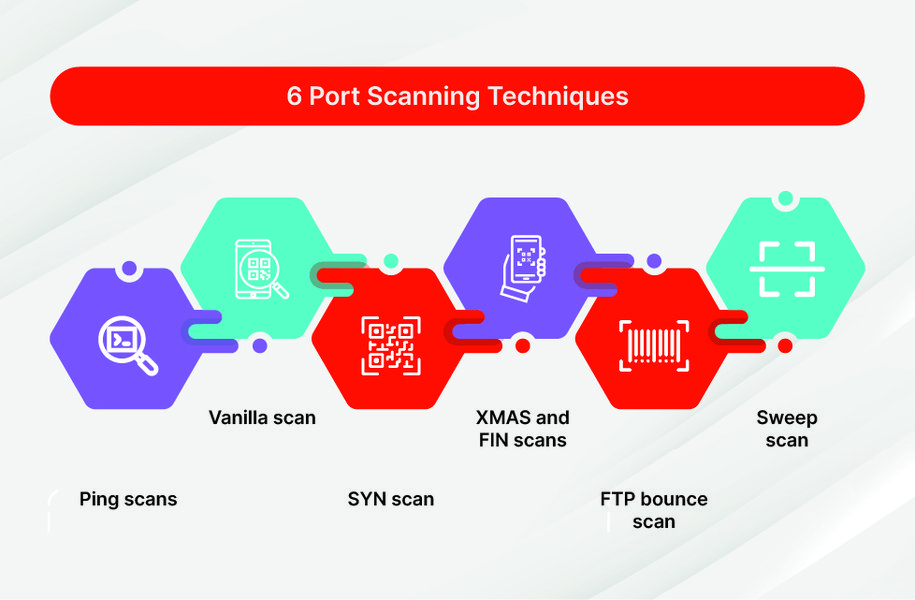
Various port scanning techniques used in network analysis.
The Python Port Scanner Script
Below is the complete Python 3 script. It integrates argument parsing, host/CIDR resolution, port list handling, multi-threading, and the optional TTL scan mode using Scapy.
Prerequisites
- Python 3.6+
- The
scapylibrary (required for TTL scan mode). You can install it via pip:pip install scapy - Administrative/root privileges may be required for the TTL scan mode to send ICMP packets using raw sockets.
import socket
import ipaddress
import threading
import queue
import argparse
import sys
from collections import defaultdict

# Attempt to import scapy, but make it optional
SCAPY_AVAILABLE = False
try:
    from scapy.all import sr1, IP, ICMP, conf as scapy_conf
    SCAPY_AVAILABLE = True
    scapy_conf.verb = 0 # Suppress scapy's verbose output
except ImportError:
    pass # scapy is not installed, TTL scan mode will warn the user

PRINT_LOCK = threading.Lock()

def custom_print(message):
    """Thread-safe print function."""
    with PRINT_LOCK:
        print(message)

def ping_ttl(host, timeout=1):
    """
    Send ICMP echo request to host and return TTL of response packet.
    Requires scapy and potentially root/admin privileges.
    Returns TTL value or None if no response or error.
    """
    if not SCAPY_AVAILABLE:
        custom_print("[!] Scapy is not installed. Cannot perform TTL scan.")
        return None

    try:
        pkt = IP(dst=host)/ICMP()
        # sr1 sends a packet and receives the first answer
        reply = sr1(pkt, timeout=timeout, verbose=0)
        if reply and reply.haslayer(IP):
            return reply.ttl
    except PermissionError:
        custom_print(f"[!] Permission denied for raw socket operations needed by Scapy for host {host}. TTL scan requires admin/root privileges.")
    except Exception as e:
        custom_print(f"[!] Error during TTL scan of {host}: {e}")
    return None


def scan_port(host, port, timeout=1.0):
    """
    Attempt to connect to given host:port via TCP.
    Return True if open, False otherwise.
    """
    try:
        with socket.socket(socket.AF_INET, socket.SOCK_STREAM) as s:
            s.settimeout(timeout)
            # connect_ex returns an error indicator, 0 for success
            result = s.connect_ex((host, port))
            return result == 0
    except socket.gaierror: # Hostname could not be resolved
        custom_print(f"[!] Error: Hostname {host} could not be resolved for port {port}.")
        return False
    except socket.error as e: # Other socket errors
        # custom_print(f"[!] Socket error when scanning {host}:{port} - {e}")
        return False
    except Exception as e:
        # custom_print(f"[!] General error when scanning {host}:{port} - {e}")
        return False


def worker(job_queue, results_list, ttl_mode_enabled, ttl_cache, ttl_cache_lock, port_scan_timeout):
    """
    Worker thread function to process scan jobs from the queue.
    """
    while True:
        try:
            # Get a job (host, port) from the queue. Non-blocking.
            host_ip, port_to_scan = job_queue.get(block=False)
        except queue.Empty:
            # No more jobs in the queue, worker can exit.
            return

        current_ttl = None
        if ttl_mode_enabled:
            with ttl_cache_lock: # Ensure thread-safe access to ttl_cache
                if host_ip in ttl_cache:
                    current_ttl = ttl_cache[host_ip]
                else:
                    # Ping the host to get TTL only if not already cached
                    current_ttl = ping_ttl(host_ip, timeout=port_scan_timeout)
                    ttl_cache[host_ip] = current_ttl # Cache the result (even if None)

            # If TTL mode is on and host is unresponsive (TTL is None after ping),
            # optionally skip port scanning for this host.
            # For this script, we'll still attempt port scan but report TTL if available.

        is_open = scan_port(host_ip, port_to_scan, timeout=port_scan_timeout)

        if is_open:
            result_str = f"Host: {host_ip}, Port: {port_to_scan} - OPEN"
            if ttl_mode_enabled and current_ttl is not None:
                result_str += f" (TTL: {current_ttl})"
            results_list.append(result_str)

        job_queue.task_done() # Signal that this job is complete


def parse_hosts(hosts_arg_string):
    """
    Parse comma-separated hosts string which can contain IPs, hostnames, or CIDRs.
    Returns a list of unique IP address strings.
    """
    parsed_ips = set()
    host_definitions = [h.strip() for h in hosts_arg_string.split(',') if h.strip()]

    for definition in host_definitions:
        try:
            if "/" in definition: # Assume CIDR
                network = ipaddress.ip_network(definition, strict=False)
                for ip_obj in network.hosts(): # Iterate over usable host IPs in the network
                    parsed_ips.add(str(ip_obj))
            else: # Assume single IP or hostname
                # Try to validate if it's an IP address first
                ipaddress.ip_address(definition)
                parsed_ips.add(definition)
        except ValueError: # Not a valid IP or CIDR, try to resolve as hostname
            try:
                resolved_ip = socket.gethostbyname(definition)
                parsed_ips.add(resolved_ip)
                custom_print(f"[*] Resolved '{definition}' to '{resolved_ip}'")
            except socket.gaierror:
                custom_print(f"[!] Warning: Could not resolve hostname '{definition}'. Skipping.")
    return list(parsed_ips)


def parse_ports(ports_arg_string):
    """
    Parse comma-separated list of ports.
    Returns a list of valid integer port numbers.
    """
    parsed_ports = set()
    port_definitions = [p.strip() for p in ports_arg_string.split(',') if p.strip()]

    for port_str in port_definitions:
        if port_str.isdigit():
            port_num = int(port_str)
            if 1 <= port_num <= 65535:
                parsed_ports.add(port_num)
            else:
                custom_print(f"[!] Warning: Port {port_num} is out of valid range (1-65535). Skipping.")
        else:
            custom_print(f"[!] Warning: Invalid port '{port_str}'. Skipping.")
    return sorted(list(parsed_ports))


def main():
    parser = argparse.ArgumentParser(
        description="Advanced Python Port Scanner with multi-threading and TTL analysis.",
        formatter_class=argparse.RawTextHelpFormatter
    )
    parser.add_argument(
        "hosts",
        help="Target hosts. Comma-separated list of IPs, hostnames, or CIDR ranges.\nExample: '192.168.1.1,example.com,10.0.0.0/24'"
    )
    parser.add_argument(
        "ports",
        help="Ports to scan. Comma-separated list of port numbers.\nExample: '22,80,443'"
    )
    parser.add_argument(
        "threads",
        type=int,
        help="Number of concurrent scanning threads.\nExample: 10"
    )
    parser.add_argument(
        "--ttl-scan",
        action="store_true",
        help="Enable TTL scan mode. Pings host to get TTL. Requires scapy and may need root/admin privileges."
    )
    parser.add_argument(
        "--timeout",
        type=float,
        default=1.0,
        help="Timeout in seconds for each port connection attempt and TTL ping (default: 1.0)."
    )

    if len(sys.argv) == 1: # No arguments provided
        parser.print_help(sys.stderr)
        sys.exit(1)

    args = parser.parse_args()

    if args.ttl_scan and not SCAPY_AVAILABLE:
        custom_print("[!] TTL scan mode enabled, but Scapy is not installed. TTL information will not be available.")
        custom_print("[-] To install Scapy, run: pip install scapy")
        # Proceed without TTL if scapy is missing, or exit:
        # sys.exit(1)

    target_ips = parse_hosts(args.hosts)
    if not target_ips:
        custom_print("[!] No valid target hosts specified or resolved. Exiting.")
        sys.exit(1)

    ports_to_scan = parse_ports(args.ports)
    if not ports_to_scan:
        custom_print("[!] No valid ports specified. Exiting.")
        sys.exit(1)

    if args.threads <= 0:
        custom_print("[!] Number of threads must be a positive integer. Exiting.")
        sys.exit(1)

    custom_print(f"[*] Starting port scan...")
    custom_print(f"    Targets: {', '.join(target_ips)}")
    custom_print(f"    Ports: {', '.join(map(str, ports_to_scan))}")
    custom_print(f"    Threads: {args.threads}")
    custom_print(f"    TTL Scan Mode: {'Enabled' if args.ttl_scan else 'Disabled'}")
    custom_print(f"    Timeout: {args.timeout}s")

    job_q = queue.Queue()
    for ip in target_ips:
        for port in ports_to_scan:
            job_q.put((ip, port))

    # Shared resources for threads
    scan_results = [] # List to store "host:port OPEN (TTL: X)" strings
    ttl_value_cache = {} # Cache TTL values per host: { 'ip': ttl_value }
    ttl_value_cache_lock = threading.Lock() # Lock for safe access to ttl_value_cache

    thread_list = []
    for _ in range(args.threads):
        thread = threading.Thread(
            target=worker,
            args=(job_q, scan_results, args.ttl_scan, ttl_value_cache, ttl_value_cache_lock, args.timeout),
            daemon=True # Threads will exit when the main program exits
        )
        thread_list.append(thread)
        thread.start()

    # Wait for all jobs in the queue to be processed
    job_q.join()

    # Optionally, wait for all daemon threads to complete their current task, though join() on queue is primary
    # for t in thread_list:
    #    t.join() # Not strictly necessary with daemon threads if queue.join() is used

    custom_print("\n[*] Scan Complete. Results:")
    if scan_results:
        for result in sorted(scan_results): # Sort results for readability
            custom_print(f"    [+] {result}")
    else:
        custom_print("    [-] No open ports found for the specified targets and ports.")

if __name__ == "__main__":
    main()
How the Script Works: A Deeper Dive
The script orchestrates several components to perform its scanning tasks. The following mindmap illustrates the general workflow:
This flow ensures that tasks are distributed efficiently among worker threads, and shared resources like the TTL cache are accessed in a thread-safe manner.
Breaking Down the Code
Argument Parsing
The script begins by setting up command-line argument parsing using the argparse module. This allows users to specify targets, ports, thread count, TTL mode, and timeout values flexibly from the terminal.
hosts: A string of comma-separated hostnames, IPs, or CIDR ranges.ports: A string of comma-separated port numbers.threads: An integer for the number of worker threads.--ttl-scan: A boolean flag to enable TTL checking.--timeout: A float for connection and ping timeouts.
Host and Port Processing
The parse_hosts function takes the raw host string, splits it, and processes each entry. It uses ipaddress.ip_network to expand CIDR notations into individual IP addresses and socket.gethostbyname to resolve hostnames. Duplicate IPs are eliminated using a set.
Similarly, parse_ports converts the port string into a list of valid integer port numbers, filtering out any invalid entries.
The Scanning Engine: Workers and Sockets
The core scanning logic resides in the worker function, executed by each thread.
- Jobs, as
(host_ip, port_to_scan)tuples, are fetched from a sharedqueue.Queue. - If TTL mode is active, the
ping_ttlfunction is called for the host (results are cached to avoid redundant pings). - The
scan_portfunction attempts a TCP connection to thehost_ip:port_to_scanusingsocket.connect_ex(). A result of0indicates success (port open). - Open ports, along with TTL if available, are added to a shared list,
scan_results. job_queue.task_done()is called to signal that the current job is finished. The main thread usesjob_queue.join()to wait until all jobs are processed.
TTL Measurement with Scapy
The ping_ttl function leverages the Scapy library if it's available.
- It constructs an ICMP Echo Request packet (
IP(dst=host)/ICMP()). sr1()sends the packet and waits for the first reply.- If a reply is received, its TTL field (
reply.ttl) is extracted. - Error handling is included for Scapy import issues and permission errors (raw sockets often require elevated privileges).
ttl_cache dictionary, protected by a threading.Lock (ttl_cache_lock), stores TTL results per host to prevent redundant ICMP pings by different threads scanning the same host.
This video explains how to create a multithreaded port scanner with Python, covering TCP concepts and threading benefits.
Key Features and Performance Aspects
This Python port scanner balances functionality with performance. The radar chart below provides a comparative overview of its characteristics against a basic single-threaded scanner and a highly optimized commercial tool like Nmap. The ratings are qualitative assessments based on typical behavior.
Interpretation:
- Speed: Significantly faster than a basic scanner due to threading, but Nmap (written in C/C++) is typically faster.
- Accuracy (TCP Connect): High for TCP connect scans, similar to basic scanners and Nmap for this specific scan type.
- Feature Richness: Good, with CIDR, specific port lists, and TTL mode. Nmap offers a vastly wider range of scan types and features.
- Ease of Use (CLI): Moderately easy via command-line arguments. Nmap also has a powerful CLI.
- Resource Efficiency: Threading improves time efficiency but consumes more CPU/memory than single-threaded. Nmap is highly optimized.
Example Usage
To use the script, save it as a Python file (e.g., adv_port_scanner.py) and run it from your terminal.
Basic Scan:
Scan common web ports on a single host with 10 threads, without TTL mode:
python3 adv_port_scanner.py example.com "80,443,8080" 10CIDR Scan with TTL Mode:
Scan a small network range for SSH and HTTP ports, using 20 threads and enabling TTL scan mode (may require sudo for Scapy's raw socket access):
sudo python3 adv_port_scanner.py 192.168.1.0/29 "22,80" 20 --ttl-scan/29 CIDR covers 8 IP addresses, typically 6 usable host addresses.
Scan with Custom Timeout:
Scan a specific IP for a list of ports with 5 threads and a connection timeout of 0.5 seconds:
python3 adv_port_scanner.py 172.16.0.10 "21,22,23,25,53,80" 5 --timeout 0.5Example Output:
[*] Starting port scan...
    Targets: 192.168.1.1, 192.168.1.2
    Ports: 22, 80
    Threads: 10
    TTL Scan Mode: Enabled
    Timeout: 1.0s
[*] Resolved 'example.com' to '93.184.216.34' (if example.com was an input)
[!] Permission denied for raw socket operations needed by Scapy for host 192.168.1.2. TTL scan requires admin/root privileges. (Example error)

[*] Scan Complete. Results:
    [+] Host: 192.168.1.1, Port: 22 - OPEN (TTL: 64)
    [+] Host: 192.168.1.1, Port: 80 - OPEN (TTL: 64)
The output lists targets, scan parameters, and then any open ports found, including TTL values if that mode was successfully used.
Comparative Overview of Scanning Parameters
Understanding the impact of different parameters is key to effective port scanning. The table below summarizes the main arguments for this script:
| Parameter | Description | Example Values | Impact on Scan |
|---|---|---|---|
| Hosts/CIDR | Defines the target machines for the scan. Can be individual IPs, resolvable hostnames, or network ranges in CIDR notation. | 192.168.1.1, server.example.com, 10.0.0.0/24 |
Determines the scope of the scan. Larger scopes or numerous individual targets will naturally increase scan duration. |
| Port List | A comma-separated list of specific TCP port numbers to check on each target host. | 22,80,443, 21,22,23,25,110,143,443,3389 |
Focuses the scan on services of interest. Scanning more ports per host will increase the time taken for each host. |
| Number of Threads | The quantity of concurrent worker threads to use for scanning. | 5, 10, 50, 100 |
Increases scanning speed by performing multiple checks in parallel. However, too many threads can overwhelm the scanning machine's resources or the target network/host, potentially leading to inaccurate results or detection. |
| TTL Scan Mode | A boolean flag (--ttl-scan) to enable or disable pre-scan ICMP (ping) checks to retrieve the Time-To-Live value from target hosts. |
Enabled (--ttl-scan specified) or Disabled (flag omitted) |
When enabled, adds an initial ping step for each host. This can slightly increase overall scan time per host but provides host liveness confirmation and TTL data. Requires Scapy and potentially elevated privileges. |
| Timeout | The maximum time (in seconds) the script will wait for a response for each port connection attempt and for each ICMP ping in TTL mode. | 0.5, 1.0 (default), 2.0 |
Shorter timeouts can speed up scans, especially on responsive networks, but may miss open ports on slow hosts or networks with high latency. Longer timeouts increase reliability on such networks but slow down the overall scan. |
Frequently Asked Questions (FAQ)
What is port scanning?
Port scanning is the process of sending messages to a host's ports to identify which ports are open and listening for connections. It's a technique used to discover services running on a network host, often for network inventory, security assessment, or by attackers to find potential vulnerabilities.
Why is threading used in this script?
Threading allows the script to perform multiple port scanning operations concurrently. Instead of checking one port after another in a slow, sequential manner, multiple threads can check different ports or hosts at the same time. This significantly reduces the total time required to complete a scan, especially for a large number of targets or ports.
What is TTL and why is "TTL scan mode" useful?
TTL stands for Time-To-Live. It's a field in IP packet headers that limits the lifespan of data in a network. When a packet is sent, its TTL is set to a value (e.g., 64, 128), and each router that forwards the packet decrements the TTL. If TTL reaches zero, the packet is discarded. In "TTL scan mode," the script pings the target host to get the TTL value from its response. This is useful for:
- Host Liveness: A response indicates the host is likely online.
- Network Path Estimation: The difference between the initial TTL (common values are 64, 128, 255 depending on OS) and the received TTL can roughly estimate the number of hops between the scanner and the target.
- OS Fingerprinting (Basic): Different operating systems tend to use different default initial TTL values, which can sometimes offer a clue, though this is not always reliable.
Are there any legal or ethical considerations when port scanning?
Absolutely. Port scanning networks or hosts without explicit, prior authorization from the owner is unethical and can be illegal in many jurisdictions. It can be perceived as a preliminary step to an attack. Always ensure you have proper permission before scanning any network that you do not own or manage. This script is provided for educational purposes and for use in legitimate network administration and security testing scenarios with authorization.
What are the prerequisites for running this script?
To run this script, you need:
- Python 3.6 or newer.
- The
scapyPython library if you intend to use the--ttl-scanmode. You can install it using:pip install scapy. - Potentially root or administrator privileges for the
--ttl-scanmode, as Scapy's ICMP functionality often requires raw socket access which is restricted on most operating systems.
socket, ipaddress, threading, queue, and argparse are used and are part of the Python standard library.
How can I make the scan faster?
Several factors influence scan speed:
- Increase Threads: Using more threads (
threadsargument) can speed up scans, but be mindful of your system's and network's capacity. Too many threads can be counterproductive. - Adjust Timeout: Reducing the
--timeoutvalue can speed things up if you are on a fast, reliable network. However, setting it too low might lead to missed open ports on slower hosts or congested networks. - Limit Port List: Scan only the specific ports you are interested in.
- Network Conditions: Your network bandwidth and latency, as well as the responsiveness of the target hosts, play a significant role.
Recommended Further Exploration
- How can UDP port scanning be implemented in Python, and what are its challenges?
- What are more advanced techniques for OS fingerprinting using Python and Scapy beyond basic TTL analysis?
- How can service and version detection (banner grabbing) be integrated into a Python port scanner?
- What are stealth scanning techniques, such as SYN scans, and how can they be implemented in Python?
References
Last updated May 18, 2025