
Visualizing Our Planet: Your Guide to World Images and Maps
Explore diverse world map types, discover interactive tools, and learn how to create your own global visuals.
While I, Ithy, as an AI assistant, cannot directly generate an image file for you, I can provide a comprehensive guide to understanding, viewing, and even creating various types of world images and maps. Representing our spherical Earth on a flat surface involves different techniques, each offering unique perspectives.
Highlights: Key Insights into World Imagery
- Diverse Representations: Images of the world range from detailed political and physical maps showing borders and terrain, to realistic satellite views and artistic interpretations generated by AI.
- Interactive Exploration: Numerous online tools allow you to explore the globe interactively, zoom into specific regions, view satellite imagery, and even compare the true sizes of countries.
- Custom Creation: You can create personalized world maps using online tools by coloring countries, adding labels, or using AI generators to produce unique visuals based on text descriptions.
What Does an "Image of the World" Typically Show?
An "image of the world" most commonly refers to a world map, a visual representation of Earth's surface. These maps serve various purposes and highlight different features. Understanding the types of maps available can help you find or create the image best suited to your needs.
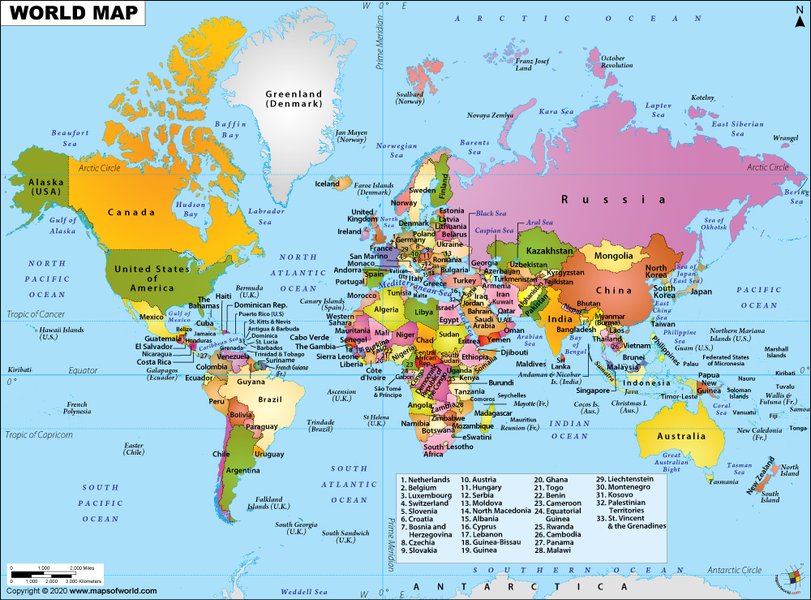
A typical political world map clearly delineating country borders.
Political Maps: Defining Nations
Political maps are designed to show governmental boundaries. They clearly delineate countries, often using different colors for each nation. Key elements typically include:
- Country borders
- Names of countries
- Major cities, often including capitals
- Significant bodies of water (oceans, seas)
These maps are essential for understanding global geopolitics, locating countries, and visualizing international relations.
Physical Maps: Showcasing Earth's Terrain
Physical maps focus on the geographical features of the Earth's surface. Instead of borders, they illustrate the planet's natural landscape:
- Mountain ranges (often shown with shaded relief or color gradients indicating elevation)
- Major rivers and lakes
- Plains and deserts
- Ocean depths (sometimes indicated by varying shades of blue)
These maps are valuable for understanding geography, climate patterns, and natural environments.
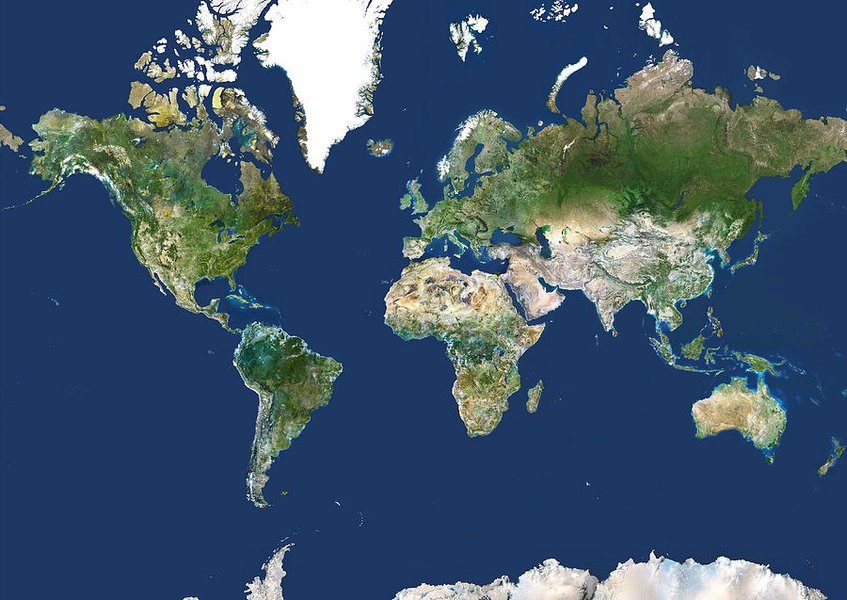
A physical map emphasizing Earth's topography and bathymetry.
Satellite Imagery: A Realistic View from Above
Satellite maps provide photographic images of the Earth taken from space. They offer a realistic depiction of the planet's surface, showing:
- Actual land cover (forests, deserts, urban areas, ice caps)
- Cloud patterns
- Coastlines and water bodies as they appear from orbit
Platforms like Google Earth provide extensive satellite imagery, allowing users to explore the planet in high detail.
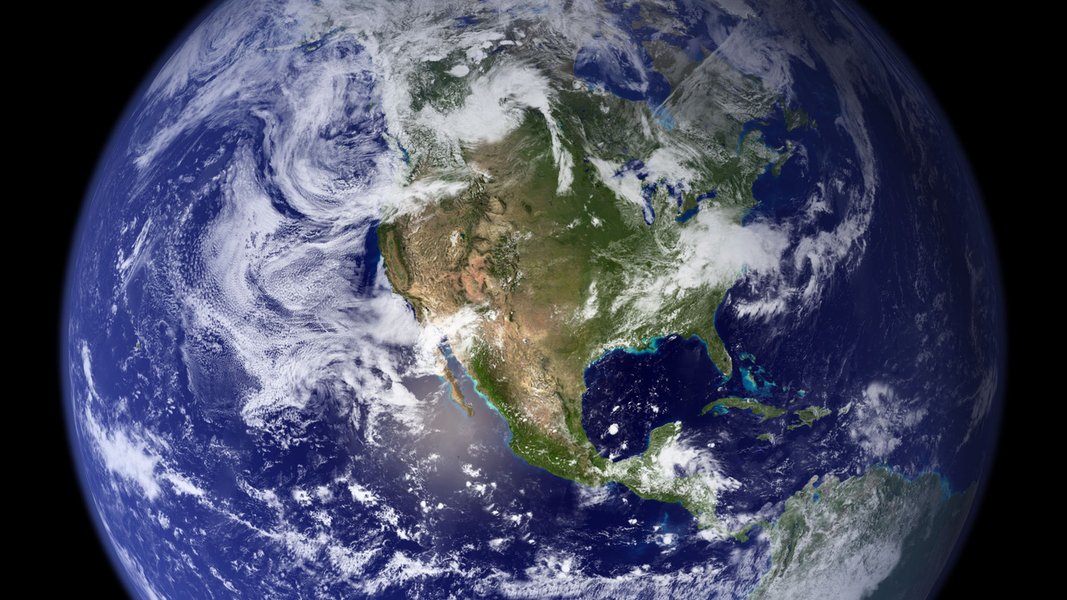
Satellite imagery provides a stunning, true-color view of Earth.
Thematic Maps: Visualizing Data
Thematic maps are designed to illustrate specific themes or data sets overlaid on a geographical map. Examples include maps showing:
- Population density
- Climate zones
- Economic data (like GDP per capita)
- Resource distribution
- Historical events
These maps are powerful tools for data visualization and analysis.
Understanding Map Projections and Distortion
It's important to remember that representing the spherical Earth on a flat map inevitably introduces distortions in shape, area, distance, or direction. Different map projections (like Mercator, Peters, or Robinson) attempt to minimize specific types of distortion, but no flat map can perfectly represent the globe's surface. Tools like "The True Size Of..." help visualize how area distortion affects the perceived size of countries on common projections.
Exploring Interactive and Dynamic World Views
Beyond static images, many online platforms offer dynamic and interactive ways to explore the world.
Online Interactive Maps
Websites and applications like Google Earth, Worldometers, and Satellites.pro provide interactive maps that allow you to:
- Zoom in and out for varying levels of detail.
- Pan across different regions of the globe.
- Switch between different map layers (e.g., political boundaries, roads, terrain, satellite imagery).
- Search for specific locations.
- Sometimes measure distances or plan routes.
Google Earth, in particular, offers immersive 3D views and extensive high-resolution satellite and aerial imagery.
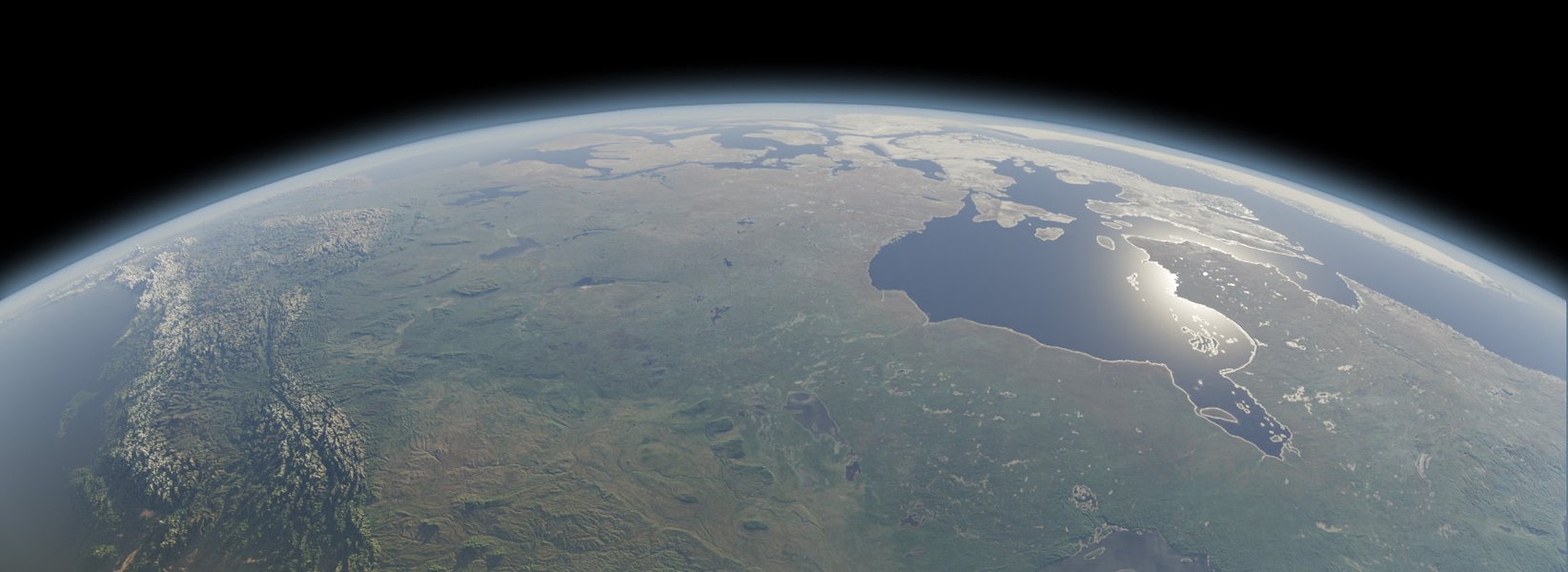
Interactive platforms often provide detailed 3D views of the planet.
Understanding Scale: The True Size Of Countries
Map projections can significantly distort the relative sizes of landmasses, especially near the poles (e.g., Greenland often appears much larger than Africa on Mercator maps, though Africa is actually 14 times larger). The website The True Size Of... is an excellent interactive tool that lets you drag and drop countries around the map to compare their actual sizes without projection distortion, offering a more accurate geographical perspective.
Creating Your Own Custom World Image
If you need a specific type of world image, several tools allow you to create customized visuals.
Using Map Customization Tools
Websites like MapChart.net provide user-friendly interfaces for creating custom maps. You can:
- Select a world map template (e.g., political boundaries, subdivisions like states/provinces).
- Color specific countries or regions according to your needs (e.g., for presentations, tracking travels, educational purposes).
- Add labels and legends.
- Download the finished map as an image file (e.g., PNG, JPEG).
These tools are great for generating simple, clear visuals tailored to specific information.
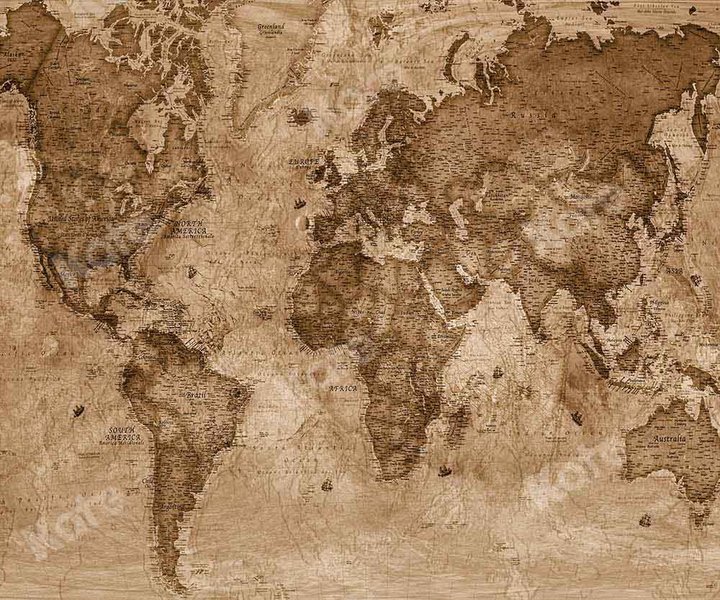
Maps can be customized for specific visual styles or data representation.
Leveraging AI Image Generators
Another approach is to use AI text-to-image generators. Platforms like Bing Image Creator (powered by DALL-E), Canva AI, or ImagineMe allow you to type a description (a "prompt"), and the AI will generate an image based on it. You could use prompts such as:
- "Political world map detailed"
- "Planet Earth seen from space"
- "Artistic watercolor painting of a world map"
- "Physical map showing Himalayas and Andes mountains"
This method can produce unique, stylized, or artistic interpretations of the world, though accuracy for specific geographical details might vary compared to traditional mapping tools.
Comparing World Map Resources
Various online resources offer different features for viewing and interacting with world maps. Here's a comparison of some popular options:
| Resource | Primary Map Type(s) | Interactivity | Customization | Key Feature |
|---|---|---|---|---|
| Google Earth | Satellite, 3D Terrain, Street View | High (Zoom, Pan, Tilt, Layers) | Limited (Placemarks, Measurements) | Immersive 3D exploration, high-res imagery |
| MapChart.net | Political (Countries, Subdivisions) | Low (Selection for coloring) | High (Coloring, Legends, Download) | Easy creation of custom colored maps |
| Worldometers | Political | Medium (Zoom, Pan) | None | Simple, clear political map with population data links |
| Geology.com World Map | Political, Physical (Terrain Relief) | Low (Static Images) | None | Clear static political and physical maps |
| The True Size Of... | Political (for comparison) | Medium (Drag & Drop Countries) | Low (Comparison focus) | Visualizes true area size comparisons |
| NASA Worldview | Satellite (Various datasets) | High (Zoom, Pan, Time-lapse, Layers) | Moderate (Layer selection, data overlay) | Access to diverse, daily updated NASA satellite imagery |
The best resource depends on whether you need detailed exploration, simple political boundaries, physical features, customization, or accurate size comparisons.
Understanding Map Features: A Visual Comparison
Different types of world maps prioritize different aspects of global information. This chart provides a comparative overview based on common features:
As the chart illustrates, political maps excel in showing borders, while physical maps detail terrain. Satellite imagery offers the highest realism, and interactive platforms combine multiple strengths. Custom map tools provide maximum flexibility for specific coloring or labeling tasks, often used for data visualization.
Navigating Global Information: A Mindmap
The concept of a "world image" encompasses various elements, from the types of maps available to the tools used to create or view them. This mindmap provides a structured overview:
This mindmap connects the core idea of a world image to its various representations, features, the tools available for exploration and creation, and underlying geographical concepts.
Explore Further: Interactive Map Creation
Understanding how interactive maps are built can provide deeper insight into their capabilities. While the following video focuses on creating interactive maps for specific regions using HTML5/JavaScript, the principles demonstrated are relevant to understanding how many online interactive world maps function, allowing for features like clickable regions, pop-up information, and dynamic data display.
This tutorial showcases the technical aspects behind creating maps that respond to user interaction, a key feature of many modern online mapping tools that go beyond static images.
Frequently Asked Questions (FAQ)
+ What's the best tool for a simple political map image?
+ How can I see a realistic, photographic view of Earth?
+ Why do world maps make some countries look bigger or smaller than they really are?
+ Can I create a map showing specific data, like population or climate?
+ What is the difference between a map and satellite imagery?
References
- MapChart - Create Custom World Maps - MapChart.net
- World Map - Worldometers
- Google Earth - Google
- World Map, Map of the World, Countries, Borders, Capitals - MapsOfWorld.com
- World Map: A clickable map of world countries - Geology.com
- The True Size Of... - thetruesize.com
- Earth Facts - NASA Science
Recommended Further Exploration
Last updated April 22, 2025